2
Enter Setup
1663 Barcode Scanner
User Guide
GET FAMILIARIZED WITH 1663 AND 3610
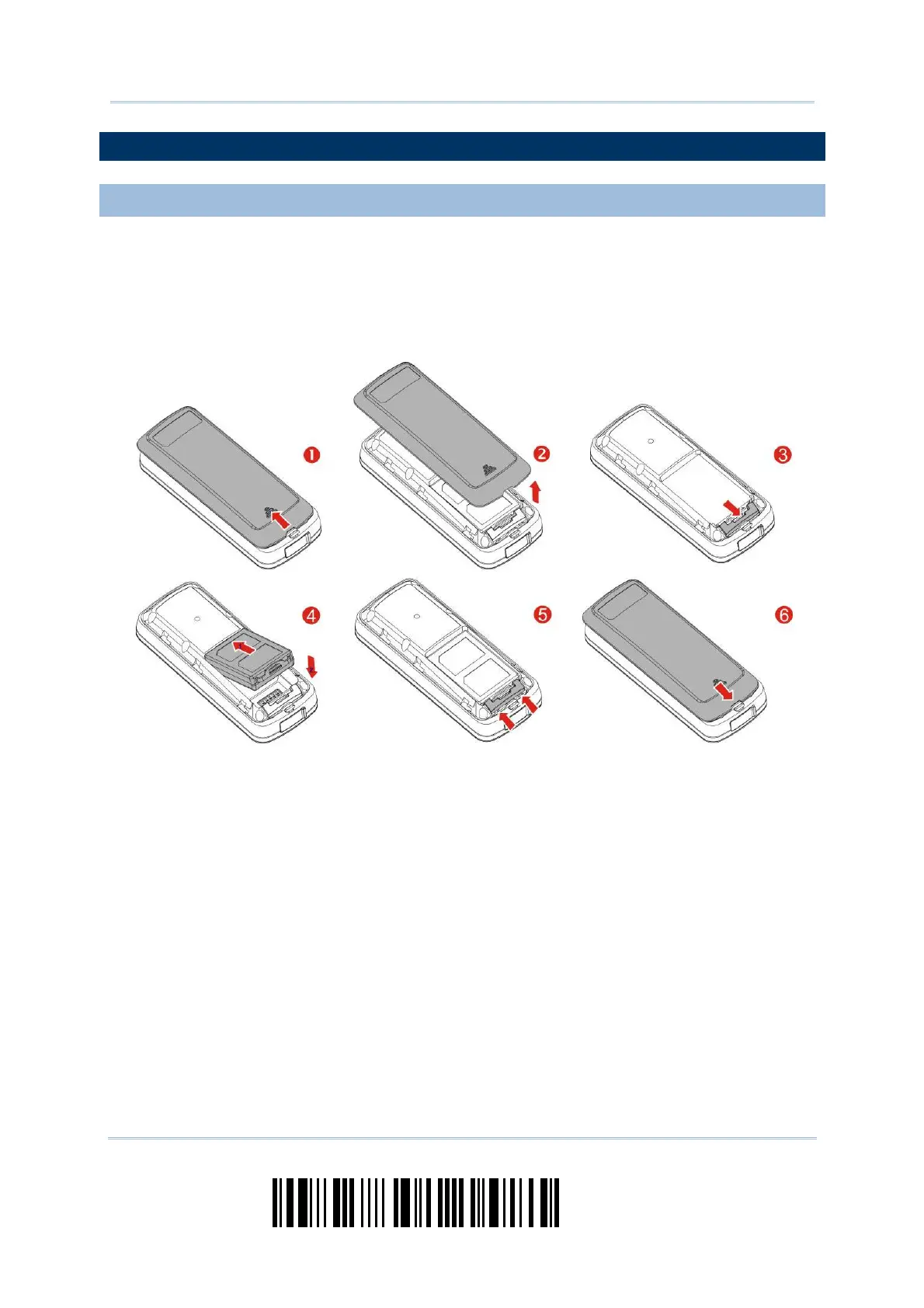
INSTALL THE BATTERY INTO 1663
1) Hold the scanner face down in one hand, press the bat tery cover, and slide t he
battery cover.
2) Rem ove the batt ery cover.
3) Push battery lock t o unlocked posit ion.
4) I nsert the batt ery int o the batt ery com partm ent .
I nst all t he supplied 3.7V/ 850m Ah Li- ion bat t ery int o t he bat t ery com part m ent .
5) Push battery lock t o lock the bat t ery firm ly.
6) Replace the battery cover.
7) Hold down the [ Power/ Delete] key for about 2 seconds to t urn on t he scanner.
The scanner will respond wit h a long beep (high tone) and its LED indicat or will
become solid red and go off.



 To Next Page