205
Update
Appendix I Firmware Upgrade
3) Read t he following barcodes in sequence for the scanner t o ent er the download mode.
The scanner will respond with beeps to indicat e it is ready for downloading.
Enter Setup
Download
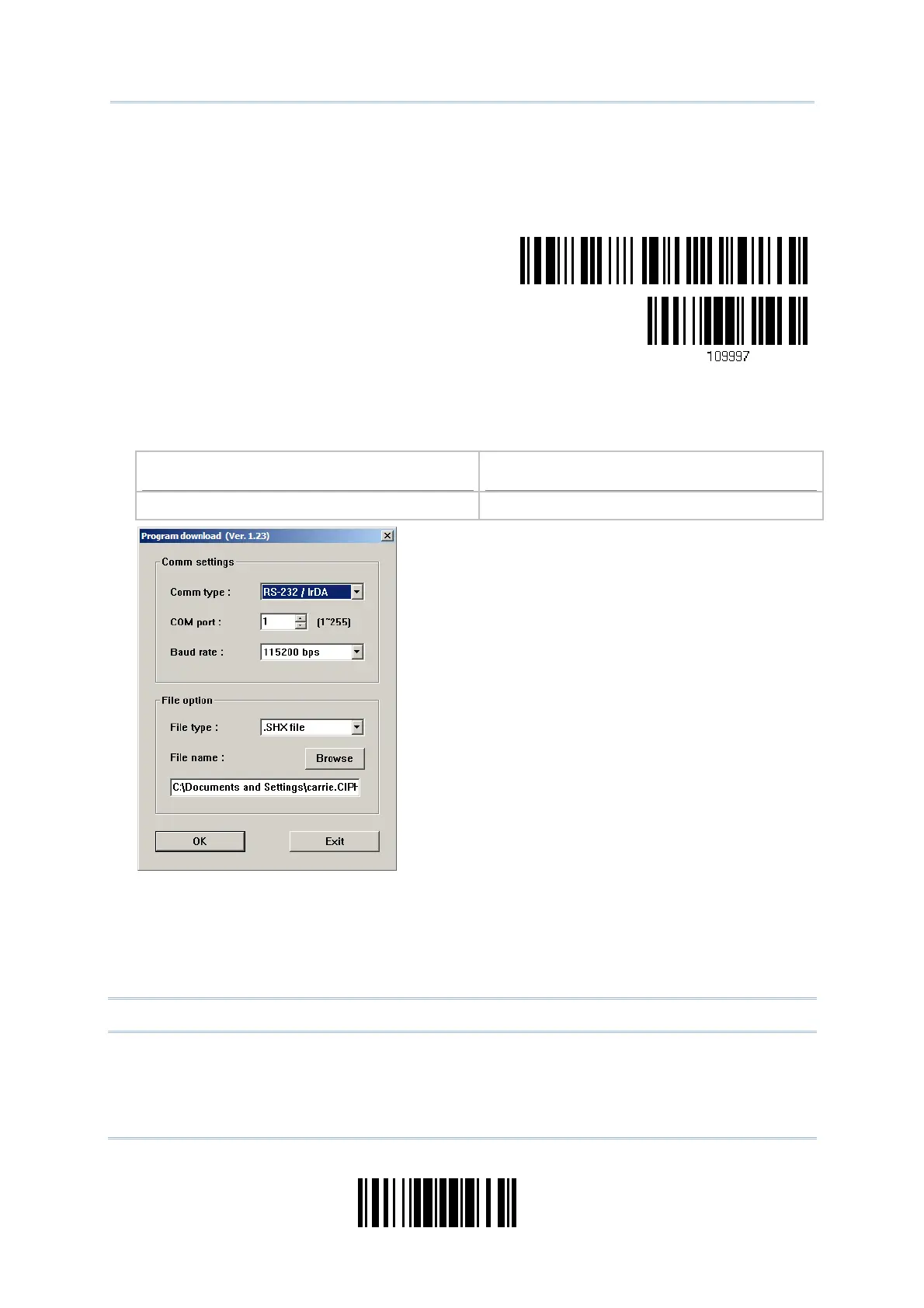
4) Run t he download ut ility “ProgLoad.exe” on your com puter.
Kernel Program
User Program
K1663_V* .shx STD1663_V* .shx
For the com m unication set tings, select
“ RS-232” and t he correct COM port for
Bluet ooth
®
SPP int erface.
I gnore the baud rat e set t ing.
For the file opt ion, click [ Browse] to select
the target file for firm ware update.
Click [ OK] .
5) Aft er upgrading kernel, you will need to m anually restart the scanner.
Aft er upgrading t he user program , the scanner will autom atically restart it self once
the download is com plet ed successfully.
Not e: The output int erface rem ains unchanged as specified in st ep 2 (= Bluet ooth
®
SPP) .



 To Next Page