10
Enter Setup
1663 Barcode Scanner User Guide
Working Mode
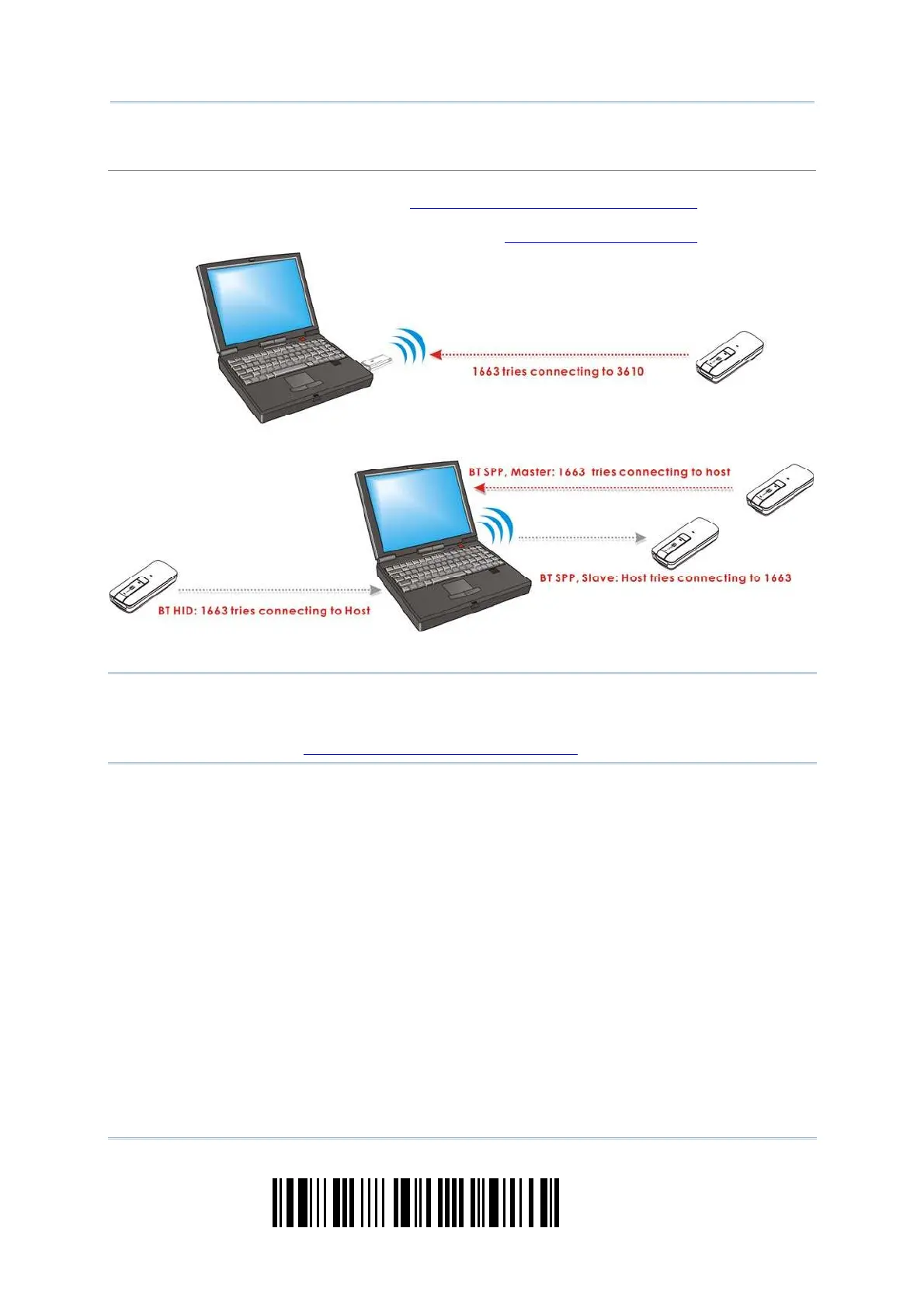
Upon powering up, the scanner will try to est ablish a connection wit h 3610 or a com puter with
Bluet ooth
®
wireless t echnology. Refer to
Chapter 3 - Set up a WPAN Connection for details. The
connection between t he scanners and 3610 is made easy and reliable. Now, it also supports
Bluet ooth
®
SPP Master Mode as an alternat ive. Refer to
2.3 Bluet oot h® SPP Mast er.
Not e: I f USB Virtual COM or Bluet oot h
®
SPP is selected for out put interface, the host can
direct ly send serial comm ands to configure t he scanner. For exam ple, run
HyperTerm inal.exe and type the 6-digit com m and locat ed under each set up
barcode. Refer to
Appendix I I Host Serial Com m ands.



 To Next Page