14
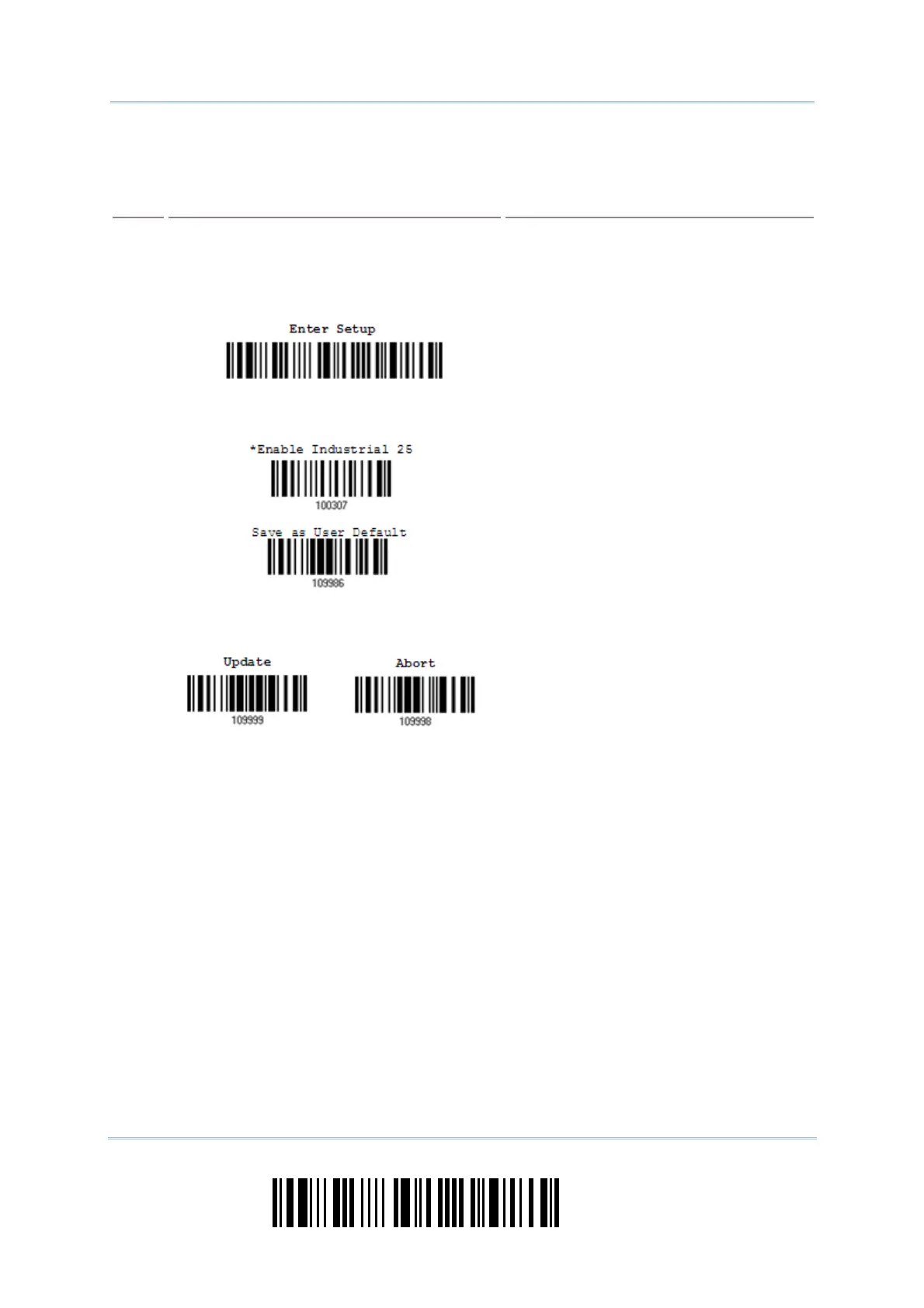
Enter Setup
1663 Barcode Scanner User Guide
The example below shows how to save your settings as “ User Default ” so t hat you m ay
restore user defaults at a later tim e:
Steps
Action LED/Beeper Response when Successful
1) Power on t he scanner…
he scanner will respond wit h a long beep
(high tone)
and its LED indicator will
becom e solid red and go off.
2) Enter t he Configuration Mode…
he scanner will respond with six beeps
(high- low t one repeat s three times) , and
it s LED indicat or will be flashing red.
3) Read a Setup barcode…
For exam ple,
he scanner will respond wit h two beeps
(low-high t one) if reading a norm al setup
barcode.
4) Exit the Configurat ion Mode…
OR
Sam e as for Ent er the Configurat ion Mode.
5) The scanner will autom atically restart itself… Sam e as for Power on t he scanner.
* When any configuration error occurs...
he scanner will respond with one long
beep (low tone) .



 To Next Page