16
Enter Setup
1663 Barcode Scanner User Guide
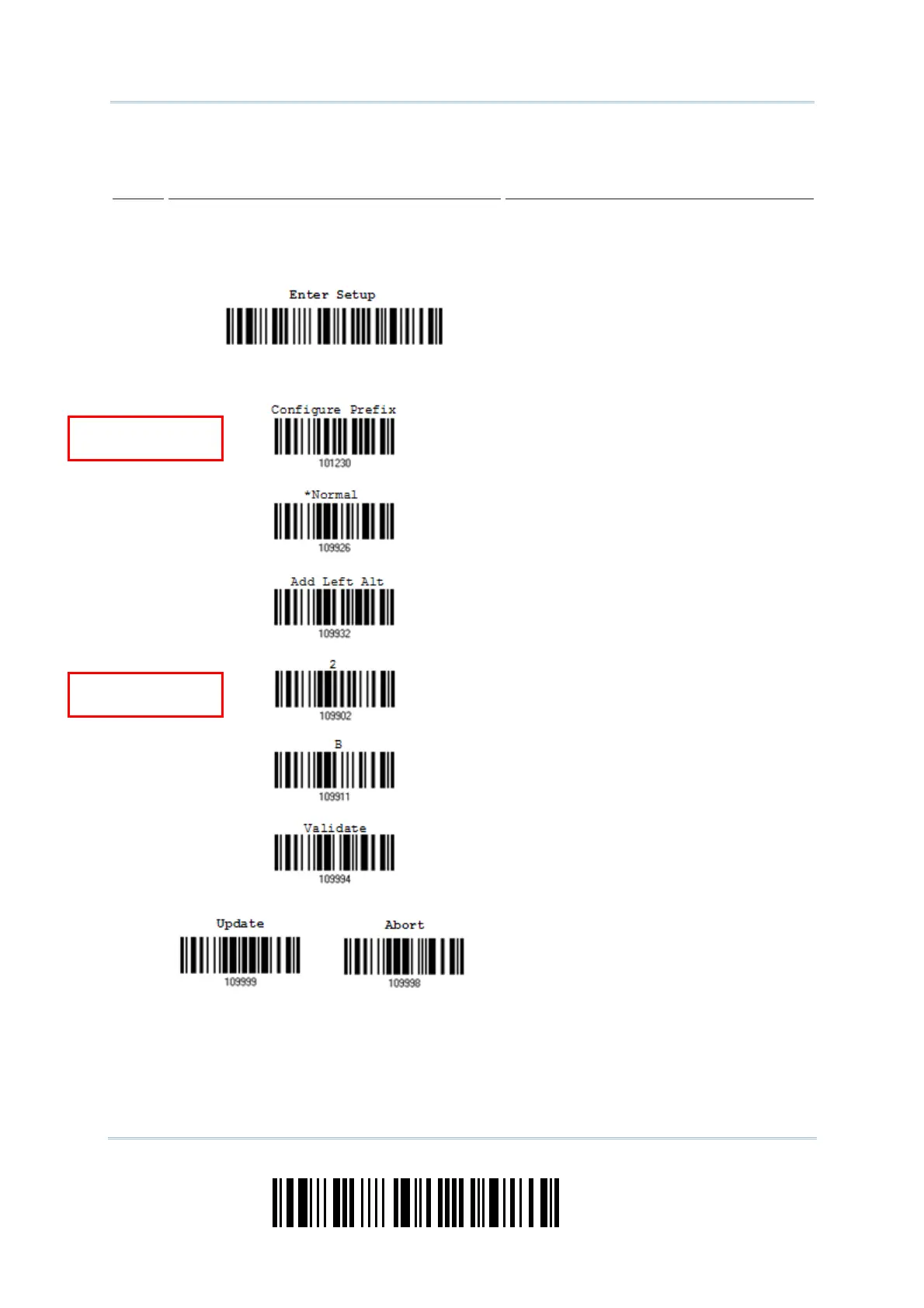
The example below show s how to set st ring param et ers:
Steps
Action LED/Beeper Response when Successful
1) Power on the scanner...
he scanner will respond wit h a long beep
(high tone)
and its LED indicator will
becom e solid red and go off.
2) Enter t he Configuration Mode…
he scanner will respond with six beeps
(high- low t one repeat s three times) , and
it s LED indicat or will becom e flashing red.
Read a Setup barcode...
For exam ple,
he scanner will respond wit h one short
beep if reading a special set up barcode
such as “Prefix Code”, indicat ing t he set up
requires reading m ore barcodes.
When “ Bluet oot h
®
HID” or “USB HID” is
configured for interface, Key Type and Key
St at us will then becom e applicable. You
m ay decide whet her or not to change key
st atus when “Norm al Key” is select ed for
Key Type.
Refer to Appendix I I I
3)
Read the “Hexadecim al Value” barcodes
for the desired character string. For
exam ple, read “ 2” and “ B” for the scanner
to prefix the character “+ ”.
Refer to Appendix I V “ Hexadecimal
System ”
The scanner will respond with t wo beeps
(low-high tone) when the input values are
validated.
4) Exit the Configurat ion Mode…
OR
Sam e as for Ent er the Configurat ion Mode.
5) The scanner will autom atically restart itself… Sam e as for Power on t he scanner.
Special setup
barcodes
Hexadecimal
barcodes



 To Next Page