80
Enter Setup
1663 Barcode Scanner User Guide
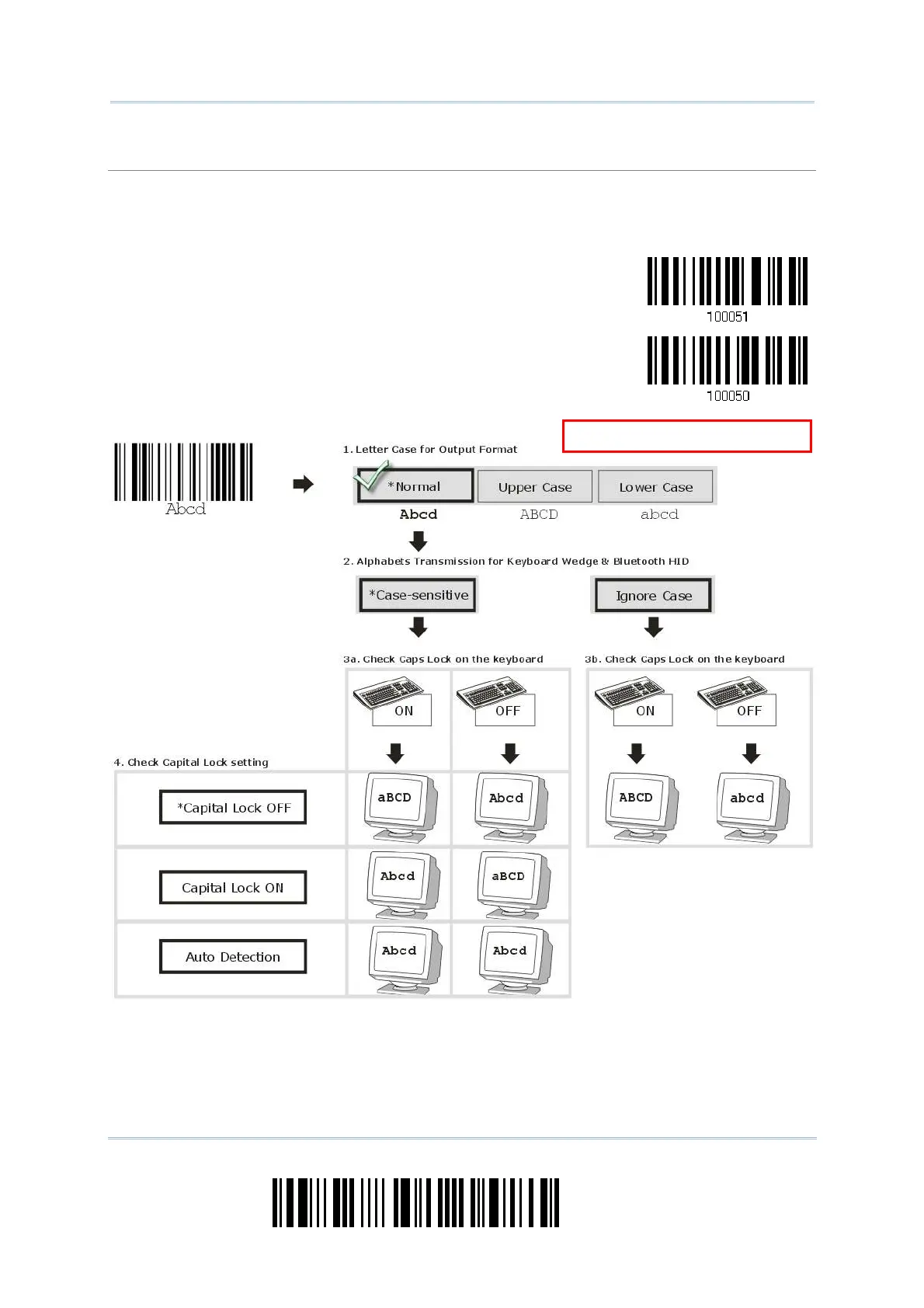
Alphabet Transmission
By default , the alphabet t ransm ission is case- sensitive, m eaning t hat the alphabet will be
transm itt ed according to t he original case, the st at us of Caps Lock on t he keyboard, as well as the
Capit al Lock set ting. Select [ I gnor e Case] t o hav e alphabet transm it t ed according t o the st at us of
Caps Lock on t he keyboard only.
Ignore Case
*Case-sensitive
efer to 5.1 Letter Case.



 To Next Page