·
ALARM: this status is reached following a system alarm. The system starts different actions such as
suspending programme execution, deactivating drives, etc. depending on the seriousness of the error.
The system current status is displayed on the first status line of the programming terminal (or PC video, if the
PCINT tool is used with CRT emulation procedure).
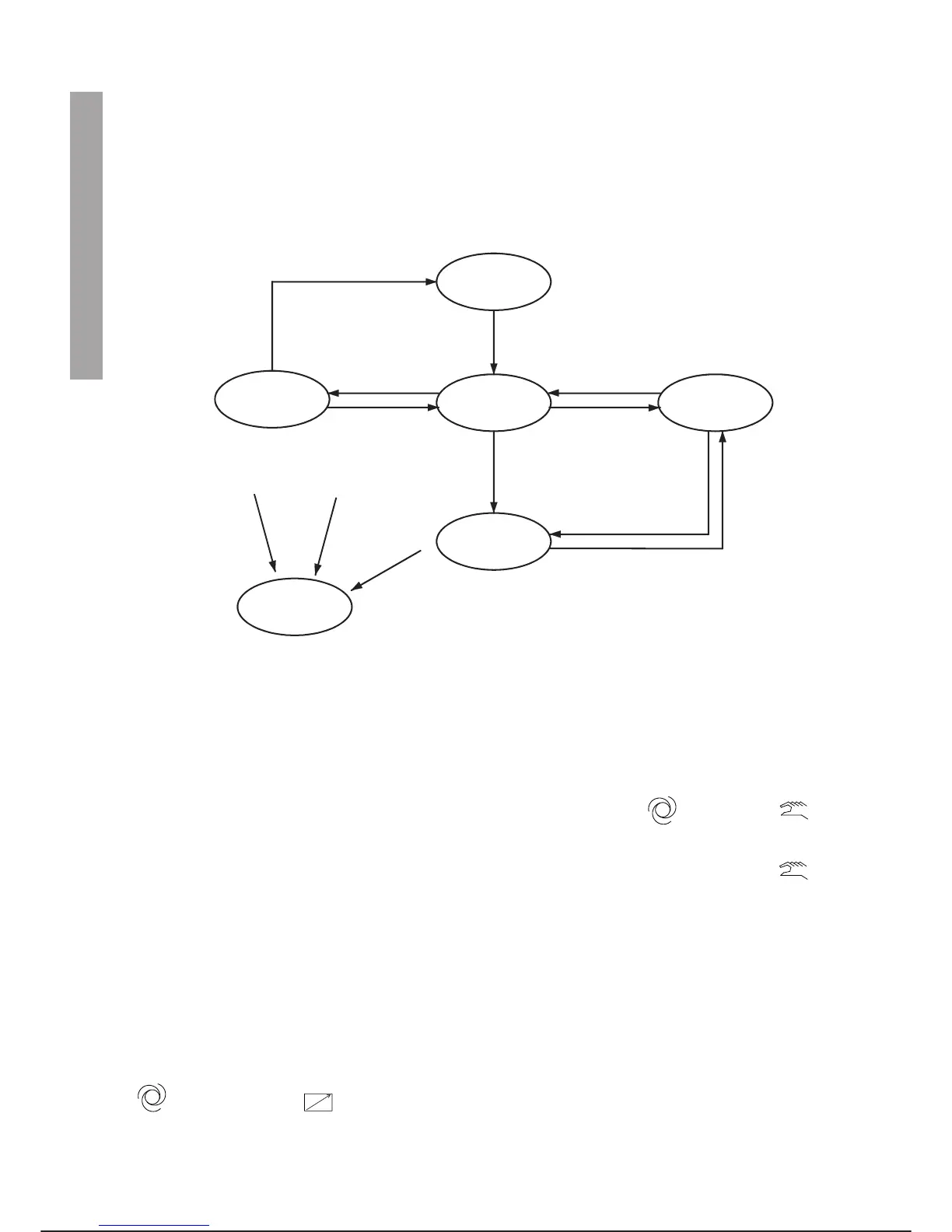
The figure below shows a simplified layout of the actions that cause the system to pass from one status to
another.
Simplified layout of system statuses
HOLD status
The rules connected with safety in operating with the controller ensure that the system enters the HOLD status every
time a change is made in the operating mode, passing for example from automatic local to programming .
To exit the HOLD status to enable a certain operating mode, all the conditions connected with safety must be
fulfilled. A typical example is when the operator moves the status selector to the programming position
to work away from the control unit holding the programming terminal to carry out operations such as teaching
points.
The input in the HOLD status causes retaining of the HOLD button on the programming terminal. This button
must be pressed to exit the HOLD status.
If the HOLD status has been caused by pressing the DRIVE OFF button on the programming terminal, it will
be necessary to press the DRIVE OFF and HOLD buttons again to exit the HOLD status and the DRIVE ON
button to re-enable the drives.
AUTO status
For the system to be in the AUTO status, the status selector on the control panel must be in the automatic lo
-
cal or automatic remote position.
In the AUTO status, to start programmes that are ready to be run it is necessary to press the START button
on the programming terminal or send the START input from remote.
MAIN OPERATIONS FOR SYSTEM USE C3G Plus
5-2 02/1198
SYSTEM OPERATING MODES
PROG
HOLD
Hold
ALARM
AUTO
TPOC
Key type status switch (CP)
to Automatic Remote or Local
Wait for
TPOC
Key type status switch
(CP) to PROGRAMMING,
Auto/Man switch (TP) to
MAN and HOLD unlatched
Key type status switch (CP) change
or Auto/Man switch (TP) change to
MAN or HOLD or DRIVES OFF
Auto/Man switch (TP)
change to AUTO or HOLD
or DRIVES OFF
Key type status (CP) to
PROG, Auto/Man switch
(TP) to AUTO and HOLD
unlatched
Key type status switch
(CP) to Automatic Remote
or Local and HOLD unlatched
(unlatched)
Key type status switch
(CP) to PROG, Auto/Man
switch (TP) to AUTO and
enable button unlatched
Key type status switch (CP)
to PROG, Auto/Man switch
(TP) to AUTO and enable
button unlatched
CP = Control Panel
TPOC = Teach Pendant on Cabinet (Programming Terminal housed on cabinet)
TP = Teach Pendant (Programming Terminal)



 To Next Page