PROBLEMS WHEN THE CONTROLLER IS SWITCHED ON
Fault Check Suggestions/Possible causes
The PTU4 terminal is off
Presence of mains supply The magnetothermal/differential
circuit breaker upstream of the
C3G
Plus is faulty or there is a
mains current failure
That all the fuses inside the Control
-
ler are intact (See summary table in
maintenance chapter)
The mains power voltage does
not correspond to the one for
which the controller is made
Errors on the wiring of connec
-
tor X30
That the PTU4 and corresponding
cable are intact
The PTU4 or cable is faulty. Re
-
place the cable or the terminal
The PTU4 terminal turns on, but
operating system downloading is
requested
The Control Unit buffer battery switch
is at OFF
Move the switch to ON and load
the operating system following
the procedure given in the Main
-
tenance chapter
The PTU4 terminal displays er
-
ror messages
Presence of error messages Using the PCINT programme
consult the explanation
(cause/remedy) on the error
message shown (Operator inter-
face chapter)
This step of the installation procedure must only be carried out if the RPT module (Resolver Position
Tracker) is present. If not, proceed with the next step of the procedure.
CHECKS BEFORE CONNECTION
·
Presence of the RPT module in the Distribution Signal (robot electric sorting) at the base of the robot.
OPERATION
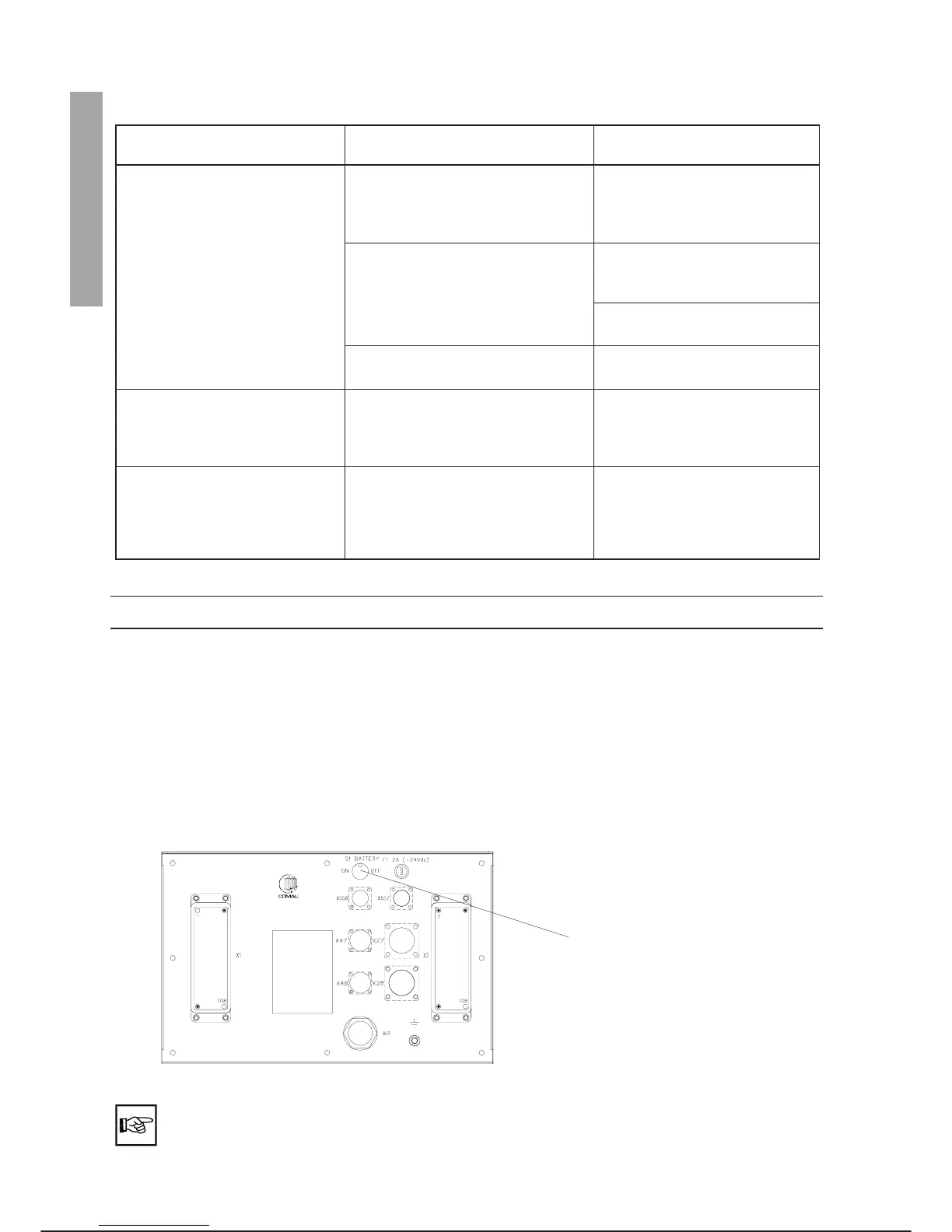
Connect the buffer battery using the switch, as shown below:
The PTU4 status window will show the word TURN. Perform the Turn_set operation.
(See step 11 of the installation procedure).
INSTALLATION C3G Plus
2-14 08/0702
Move the switch to ON position
9. RPT BUFFER BATTERY CONNECTION (when installed)
INSTALLATION 8. 9.



 To Next Page