CHECKS AFTER CONNECTION
·
Make sure connections have been made according to the procedure.
·
The screws of the terminals into which the connection cables have been inserted must be correctly tight
-
ened. Try to remove the wires.
·
The fairlead clamp must lock the controller input cable. Try to remove the cable by pulling from outside
the cabin.
CHECKS BEFORE CONNECTION
·
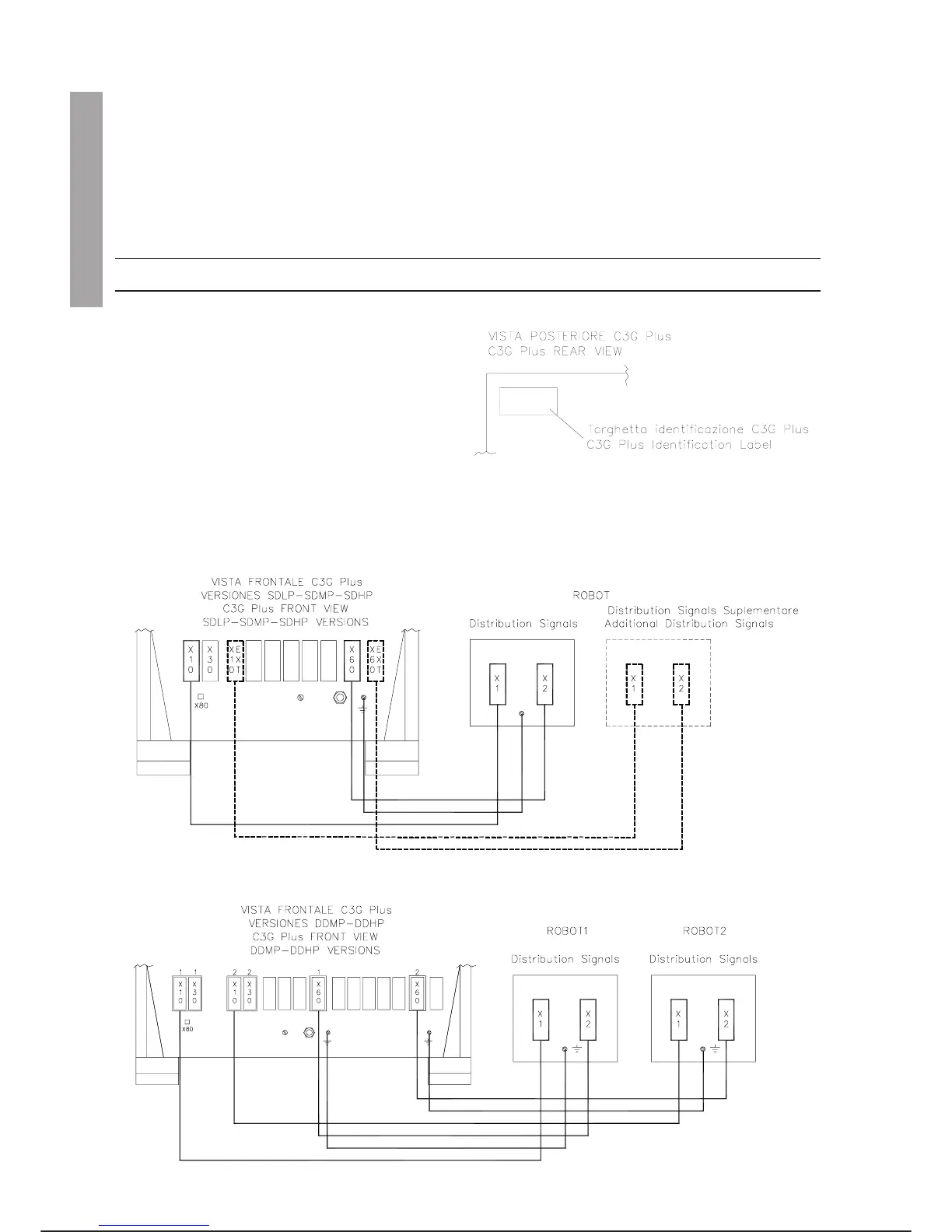
Check that the cell controller to be connected
is the one associated with the robot. On the
controller cabin there is a label stating the se
-
rial number of the robot with which it is associ
-
ated; the robot has a label stating its serial
number. The two numbers on the labels must
correspond.
·
Check that the pins of the connectors to be connected are not knocked inwards or damaged.
OPERATION
Connect the cables as illustrated:
INSTALLATION C3G Plus
2-6 08/0702
5. C3G Plus - ROBOT CONNECTIONS
INSTALLATION 4. 5.



 To Next Page