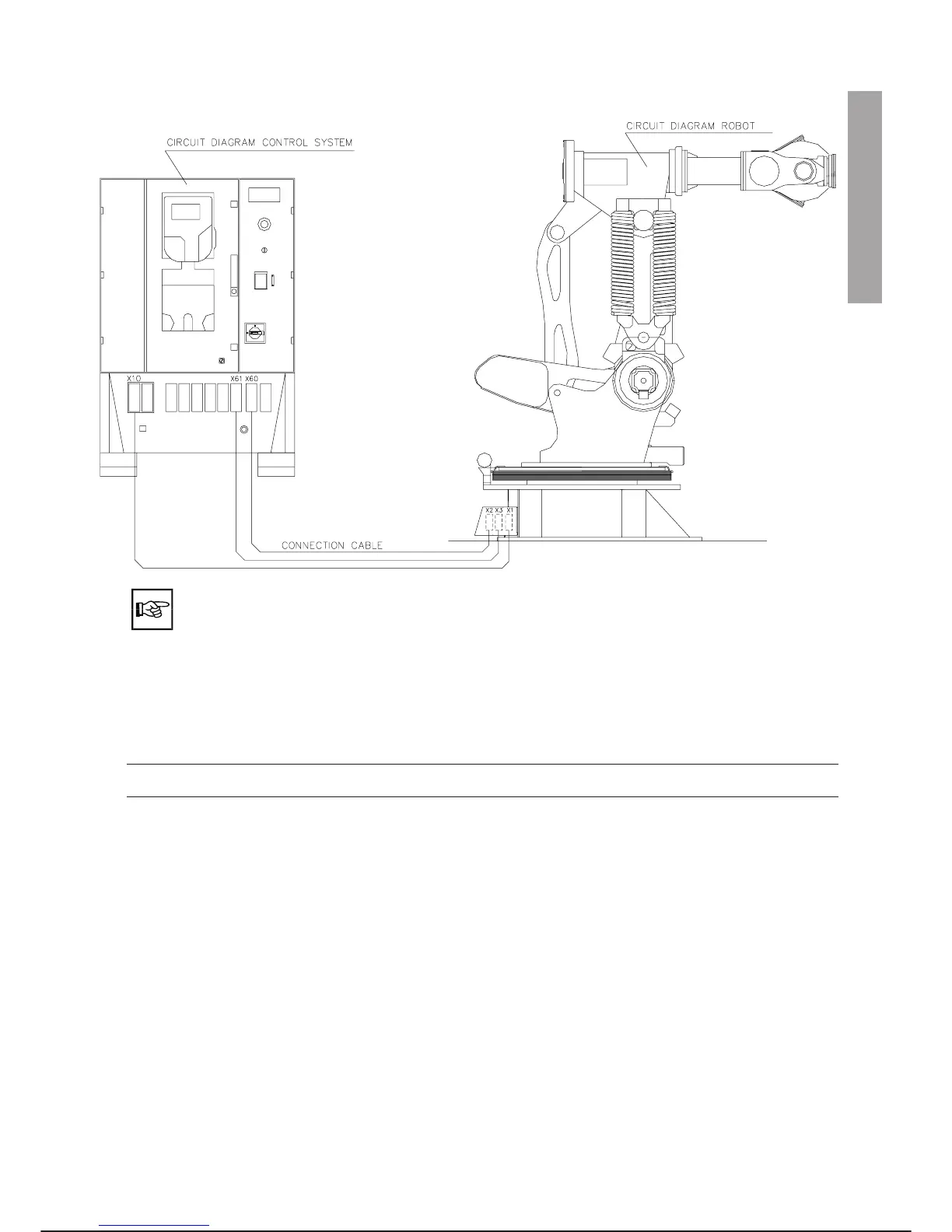
Connect the cables as illustrated (C3G Plus - SMART X1):
· During connection avoid kinking the cables. The cable should not be too taut.
· The connection between harting connectors (male/female) must take place without
forcing to avoid knocking in or breaking the pins.
· Carefully close the harting connector clamps after inserting them.
· If X10 Ext and X60 Ext connectors are present, refer to the literature about the C3G
MMUX device and the specific cell documentation for connection.
CHECKS AFTER CONNECTION
·
The ground cable must be connected correctly between the control unit and the robot.
·
The harting connectors must be perfectly clamped, pull the cable with the hands to check that connec
-
tion is correct.
The electrical connections of the Application Box (if present) depend on the type of application controlled.
For connection refer to the specific literature provided with the robot system.
C3G Plus INSTALLATION
08/0702 2-7
6. APPLICATION BOX CONNECTIONS
INSTALLATION 5. 6.



 To Next Page