C3G Plus INTERFACE ON PERSONAL COMPUTER
CONNECTION CABLE FOR COMP: - PC CONNECTORS
The COMP: port of the control unit is used to manage information between the control unit and the PC on
which the C3G
Plus video emulator is installed. If the user has purchased the portable PC from COMAU
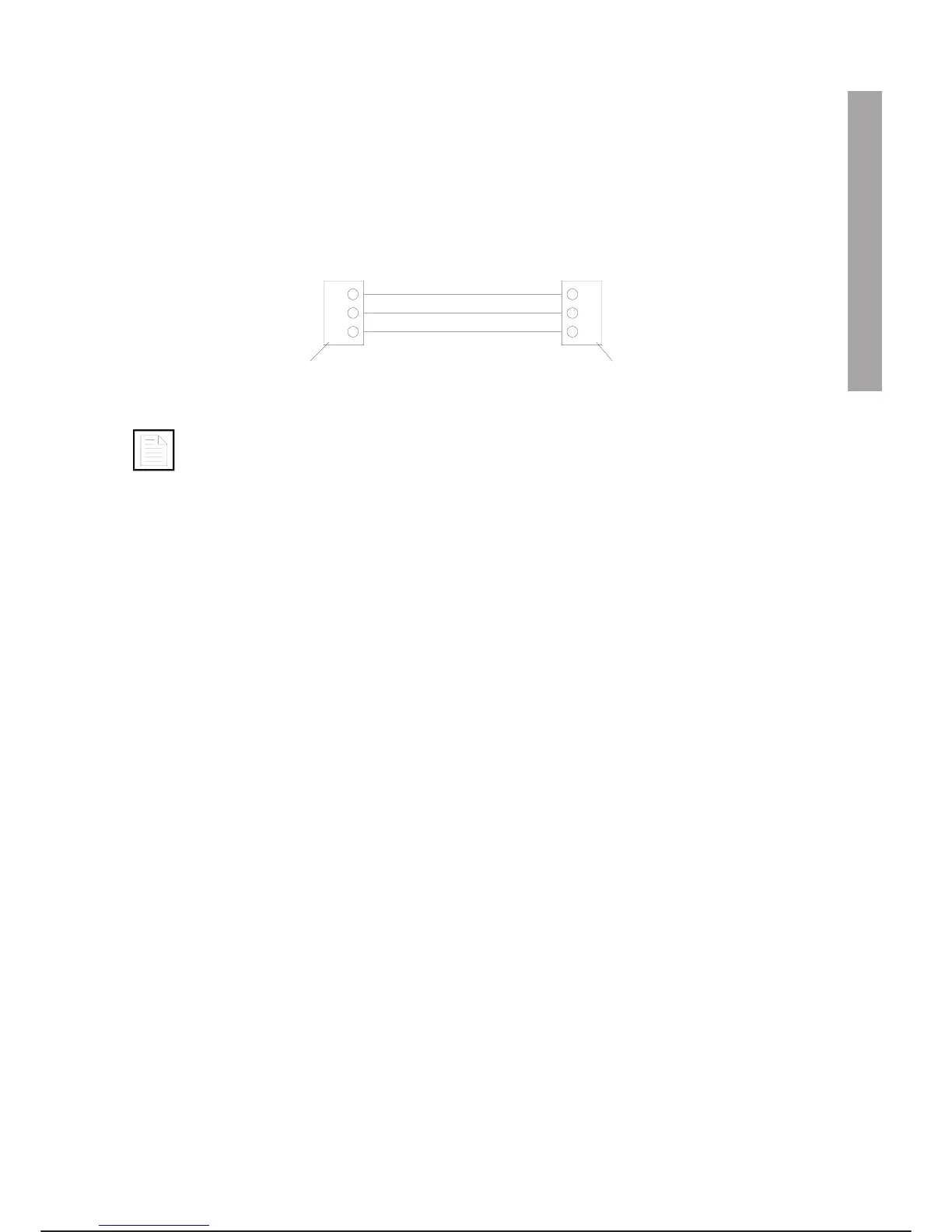
SYSTEMS, it is provided with the connection cable to be used. If not, the circuit is as shown in the following
diagram:
A. 25-pin SUB-D - male - connector (to be connected to port COMP: of the control unit)
B. 9-pin SUB-D - female - connector (to be connected to the serial output of portable PC)
Maximum cable length: 15 m.
CABLE FOR CONNECTING SERIAL PORT CONNECTORS COM0: AND COM1:
Connectors: 9 PIN SUB-D (FEMALE)
Maximum cable length: 15 m.
Use a standard PC-PC cable.
PARALLEL PORT PAR: CONNECTION CABLE
Connector: 25 pin SUB-D (MALE)
Maximum cable length: 1.5 m.
Use a standard PC-PC cable.
PCINT PROGRAMME
The PCINT programme is contained on a floppy disk supplied with the C3G Plus. The language in which the
programme is written is specified on the floppy disk.
SET UP
·
The PC on which it is decided to install the programme must have MS DOS 5.x or higher.
·
Create a PC subdirectory and copy the contents of the disk
ACTIVATION
·
Go to the subdirectory on which the contents of the floppy disk have been copied.
·
At the PC prompt type: PCINT
·
The main menu is shown with four possible options:
--->C3GVIDEO/KEYBOARD EMULATOR
CAUSE/REMEDY LOOKUP
CREATE CAUSE/REMEDY FILE
DOWNLOAD SYSTEM SOFTWARE
EXIT
C3G Plus OPERATOR INTERFACE
01/0498 3-15
C3G Plus INTERFACE ON PC
3
2
7
3
2
5
AB
RxD
RxDTxD
TxD
GND GND



 To Next Page