CONTROL PANEL AND SERIAL AND PARALLEL INTERFACES
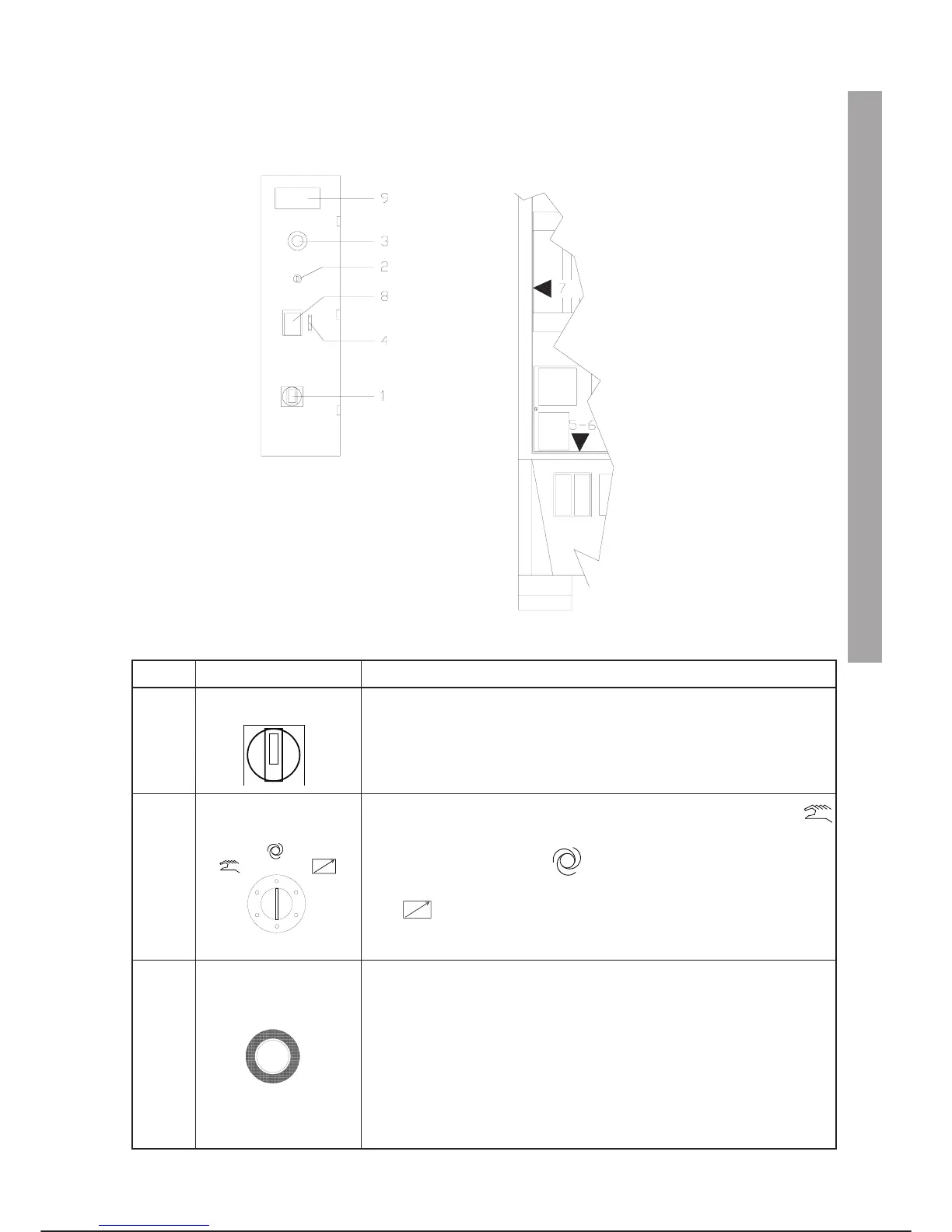
The push-buttons, selectors, connectors and serial and parallel interfaces are shown in the following figures
and described in the table below.
REF. SYMBOL and NAME DESCRIPTION
1.
Main circuit breaker
Cuts off the power supply to the control unit. Wait at least 10 seconds
before switching on again. If the control panel is opened and then
closed again, make sure that the control and/or extension spindle of the
main circuit breaker Q100 are in the same position (ON/OFF), to pre
-
vent damaging the control itself.
2.
Key status selector
Controls the control unit operating mode: in the programming position
editing and teaching are possible for the development of programmes; in
the automatic local position it is possible to run programmes auto
-
matically through the programming terminal; in the automatic remote po
-
sition it is possible to run programmes through commands leading
from remote devices (a line PLC or local control boards for example).
3.
Mushroom-head
emergency stop button
Used to stop the machine immediately. If pressed, power to the motors is cut
off and the brakes are applied. It is of the “forced opening” type with mechani
-
cal latch; it must be pulled for reset.
If the C3G-CSM (Controlled Stop Module) is installed on the controller, in
AUTO LOCAL and AUTO REMOTE states, an emergency stop and/or open
-
ing of the safety gates causes controlled stopping of the robot (EN 60204-1),
category 1 stop). In this way, power is cut off (opening of the power contactor)
after 1 second. In PROGR. programming status, the power is cut off immedi
-
ately (EN 60204-1, category 0 stop).
C3G Plus OPERATOR INTERFACE
02/1198 3-1
CONTROL PANEL AND SERIAL AND PARALLEL INTERFACES
Serial and parallel
interfaces (inside cabin)
Control panel



 To Next Page