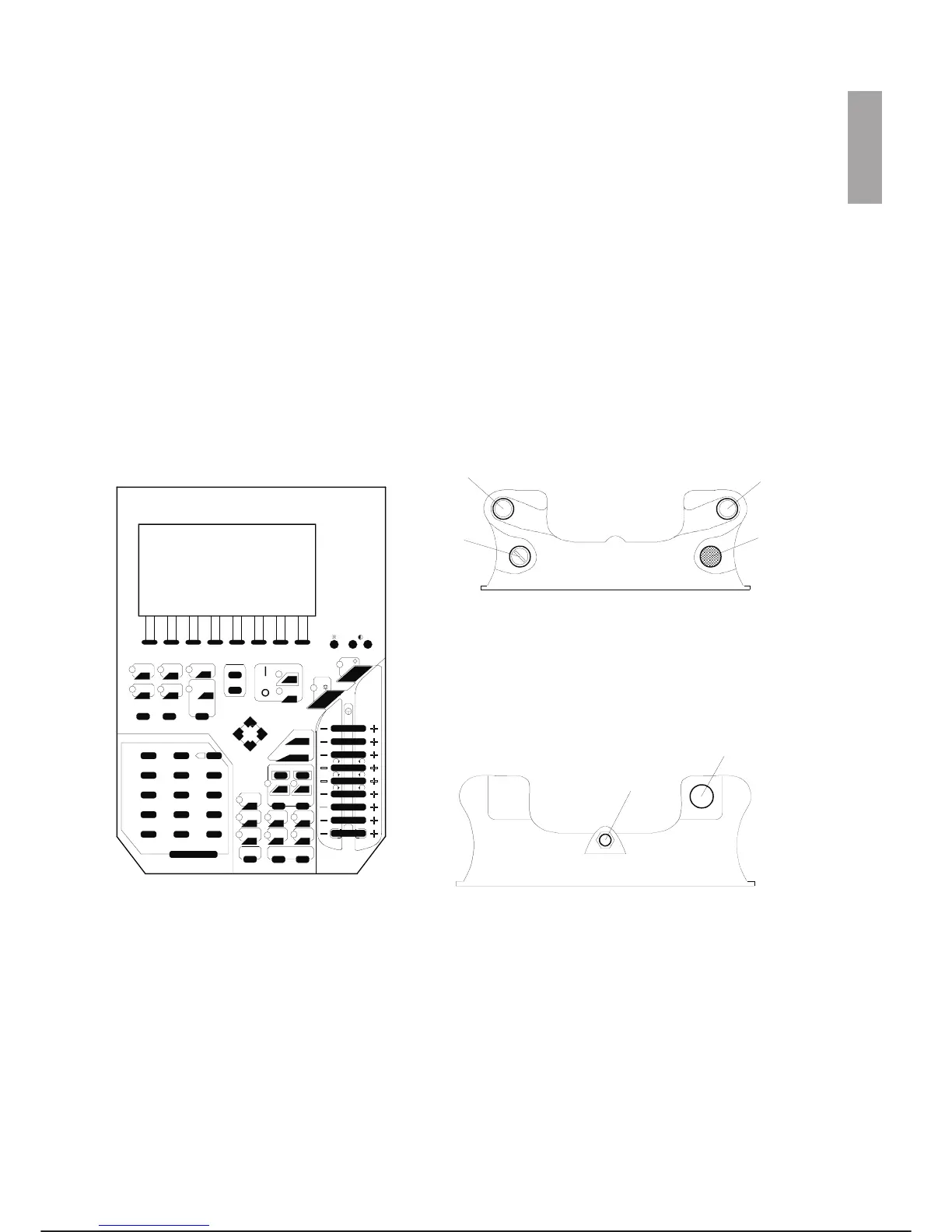
PROGRAMMING AND EMERGENCY TERMINAL (Only for Rel. 1.x)
(C3G-PTU4)
PTU4 may be installed as programming terminal and also as emergency terminal, on Rel. 1.x version. In the
first case it works as system monitor and programming terminal and makes it possible to manually control ro
-
bot movements, programme the robot or carry out or modify step-by-step movements, while in the second
case it works as emergency terminal (only for Rel. 1.x) and makes it possible to move one axis at a time at
low speed, with the Control Unit deactivated.
The PTU4 can operate with different functions which are strictly correlated with the cell operating mode.
The PTU4 is capable of operating with any version of the system software without requiring particular set
-
tings and it has:
·
16 line display, 40 backlit columns;
·
19 LEDs;
·
keypad;
·
display contrast and brightness adjustment through keys.
The following figures show the front, top and bottom views of the PTU4.
C3G Plus OPERATOR INTERFACE
07/1200 3-3
c3g-ptu4
F2F1 F4F3 F6F5
F8
F7
-
+
U1
U2
U3
U4
ALARM
STEP
DISB
A2
EZA1
PREV
TOP
DRIVE
OFF
ON
HOLD
START
1
%
SCRN
ENTER
BACK
T2
RUN
T1
REC MOD
FLY
XTND
JNTP
POS
CIRC
LIN JNT
ARM TYPEXCL
CHAR SCRL
X
^C
SEL
CUT COPY /
789
S.NXT SRCH PASTE
456
MODE
UNDEL DEL
123
PAG E
MARK
HELP
0
-
SHIFT
.
XX
8
2YY
3ZZ
4XX
5YY
6ZZ
7
1
4
2
3
2
1
1. Three-position enabling button (right hand grip)
2. Three-position enabling button (left hand grip)
3. Mushroom-head emergency stop button
4. Auto/Manual selector (AUTO-T)
PTU4 - Front view
PTU4 - Top view
PTU4 - Bottom view
1. “Terminal on control unit” button
2. Output of the connection cable to the control unit



 To Next Page