©2024 Comba Telecom. All Rights Reserved.
568 Gibraltar Drive, Milpitas, CA 95035 | +1 408 526 0180
Isolation Check Automatic Filter Switch Turn Off Protection:
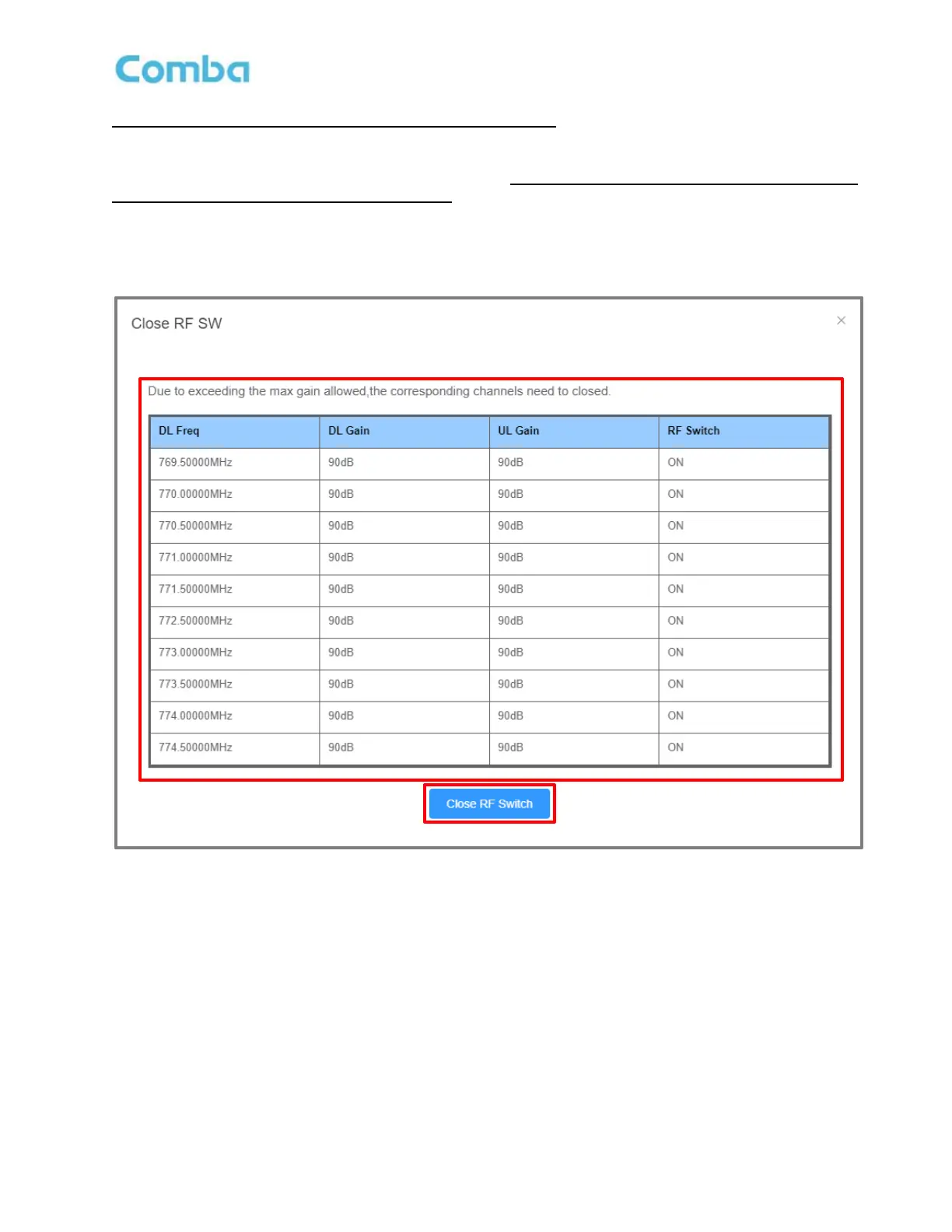
After the Isolation Check has been completed, if there are any filters currently using a higher gain than the
MAX Allowed (> Isolation - 20) and the RF SW is ON, the BDA will prompt the user to switch off the filter
(but will not change the previous gain setting). The gain check will occur again when users try to switch
ON the filters. The user must first select <Close RF Switch> in the pop-up window to temporarily turn OFF
the RF Switches. The user must then lower the gain below the MAX Allowed to turn the Filter SW back on
for that filter. See Figure 128 below.
Figure 128: V3 BDA/MU Commissioning Tools – Isolation Check Automatic Filter SW Turn Off Protection



 To Next Page