CRITICALPOINT 700/800MHZ BDA/DAS/BBU V3 USER MANUAL
©2024 Comba Telecom. All Rights Reserved.
568 Gibraltar Drive, Milpitas, CA 95035 | +1 408 526 0180
Rev. 1-0-2 Rev. Date: 11-1-2024
Buzzer Control:
The user has control over the Alarm Buzzer operation in the web GUI. This allows the user to turn OFF the
buzzer during maintenance periods to avoid nuisance alarms.
Follow the below instructions to turn the buzzer ON/OFF:
BDA:
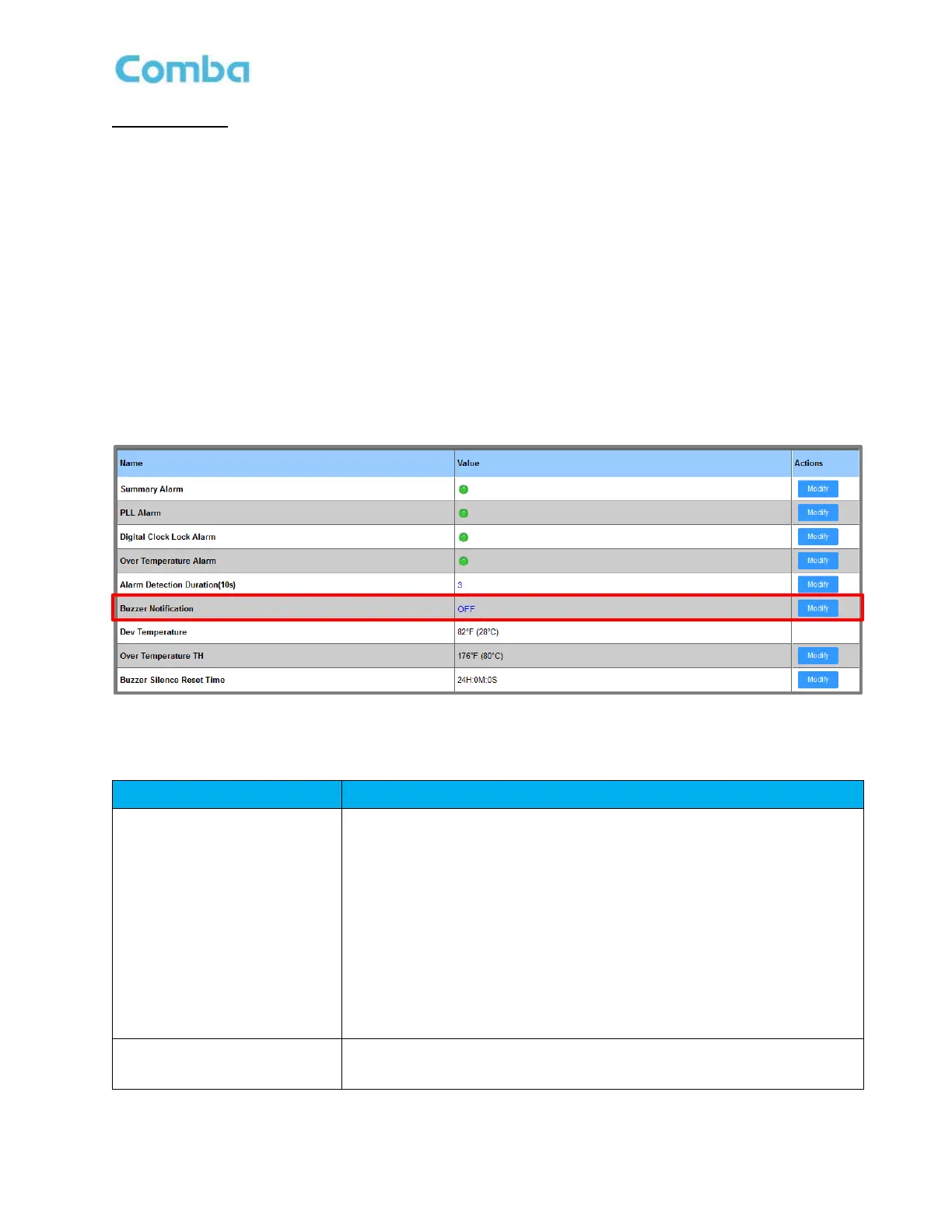
• Navigate to <Device – Overview – BDA Overview – Buzzer Notification - Modify>
MU:
• Navigate to <Home – MU Checkbox – Overview – Buzzer Notification - Modify>
RU:
• Navigate to <Home – RU Checkbox – Overview – Buzzer Notification - Modify>
See below Figure 173 and Table 26.
Figure 173: V3 BDA/MU/RU Buzzer Notification GUI Control
Table 26: V3 BDA/MU/RU Alarm Buzzer Control
When Buzzer Notification =
ON
Any dry contact alarm(s) will trigger the buzzer.
Any alarms other than dry contact alarms will NOT trigger the buzzer.
When the physical silence switch is pushed (located inside the unit) the
buzzer will mute. When the buzzer is muted, any new dry contact
alarm(s) will reactivate the buzzer. When the buzzer is muted, it will
automatically reactivate after “Buzzer Silence Reset Time”.
The “Buzzer Silence Reset Time” should be set to 24 hours per code
requirements. It is not recommended to adjust unless for testing
purposes.
When Buzzer Notification =
OFF
The buzzer is OFF.
Dry contact or System alarms will NOT trigger the buzzer.



 To Next Page