©2024 Comba Telecom. All Rights Reserved.
568 Gibraltar Drive, Milpitas, CA 95035 | +1 408 526 0180
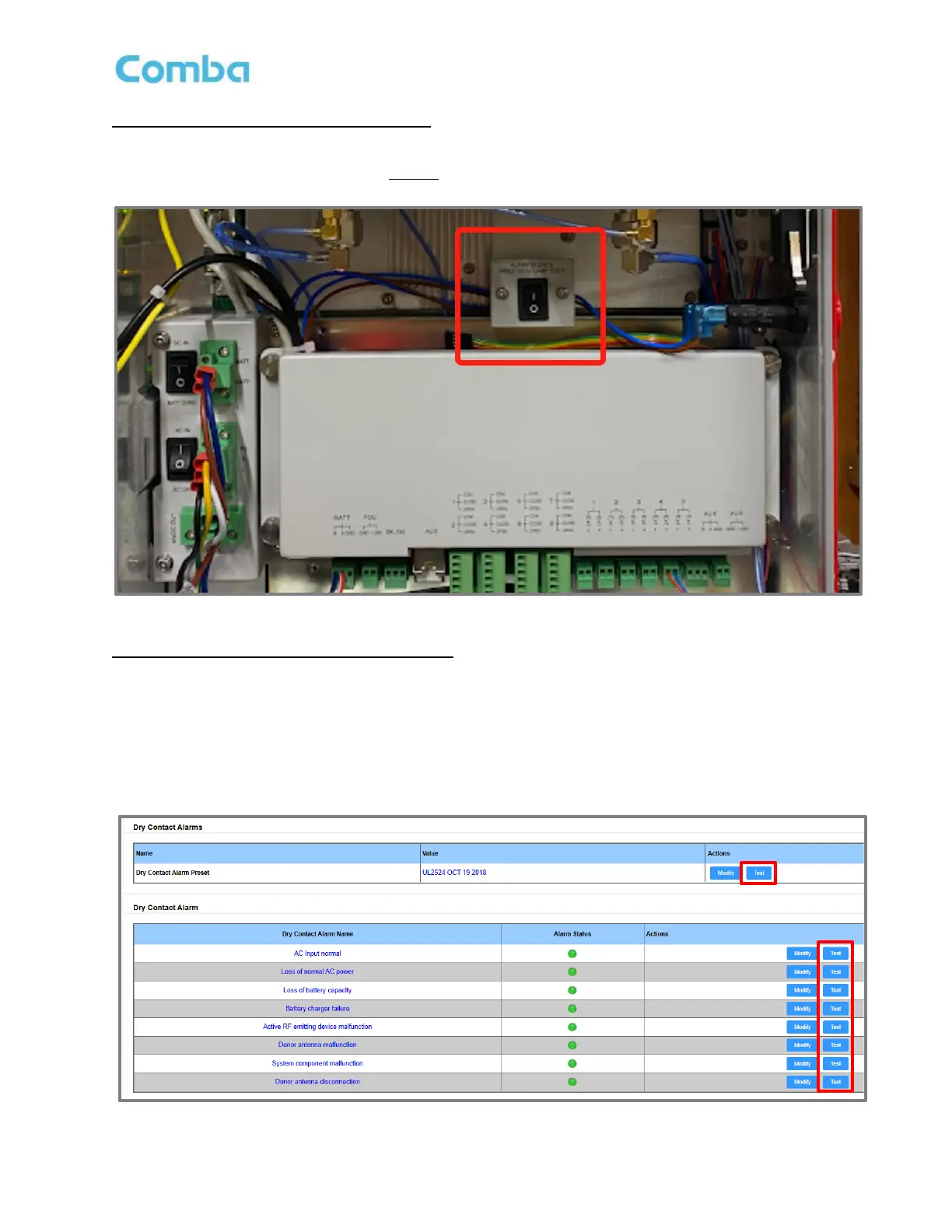
Buzzer Silence and LED Lamp Test Button:
The user can silence the BDA/MU/RU Alarm Buzzer by pressing the button inside the BDA/MU/RU. The
user can perform an LED Lamp Test by holding the button for longer than 5 seconds. See Figure 174 below.
Figure 174: V3 BDA/MU/RU Alarm Buzzer Silence and LED Lamp Test Button
Dry-Contact/LED Lamp Test through web GUI:
The user can test the BDA/MU/RU Alarm Dry Contacts and LEDs through the web GUI.
• For BDA, navigate to <Device – Overview – External / Dry Contact ALM>. Click <Test>
• For DAS, navigate to <Home – Device Checkbox – Alarm>
• Click <Test> in top window to test all LEDs and Dry Contacts simultaneously. Click <Test> in the
specific alarm row to test that alarm LED and Dry Contact.
Figure 175: V3 BDA/MU/RU Dry-Contact and LED Lamp Test through the web GUI



 To Next Page