©2024 Comba Telecom. All Rights Reserved.
568 Gibraltar Drive, Milpitas, CA 95035 | +1 408 526 0180
The V3 AP Power and Communications wiring is not provided with the equipment and must be provided by the
installer. The BDA/MU/RU connects to the V3 AP using T568B RJ45 network cable sequence. An adapter
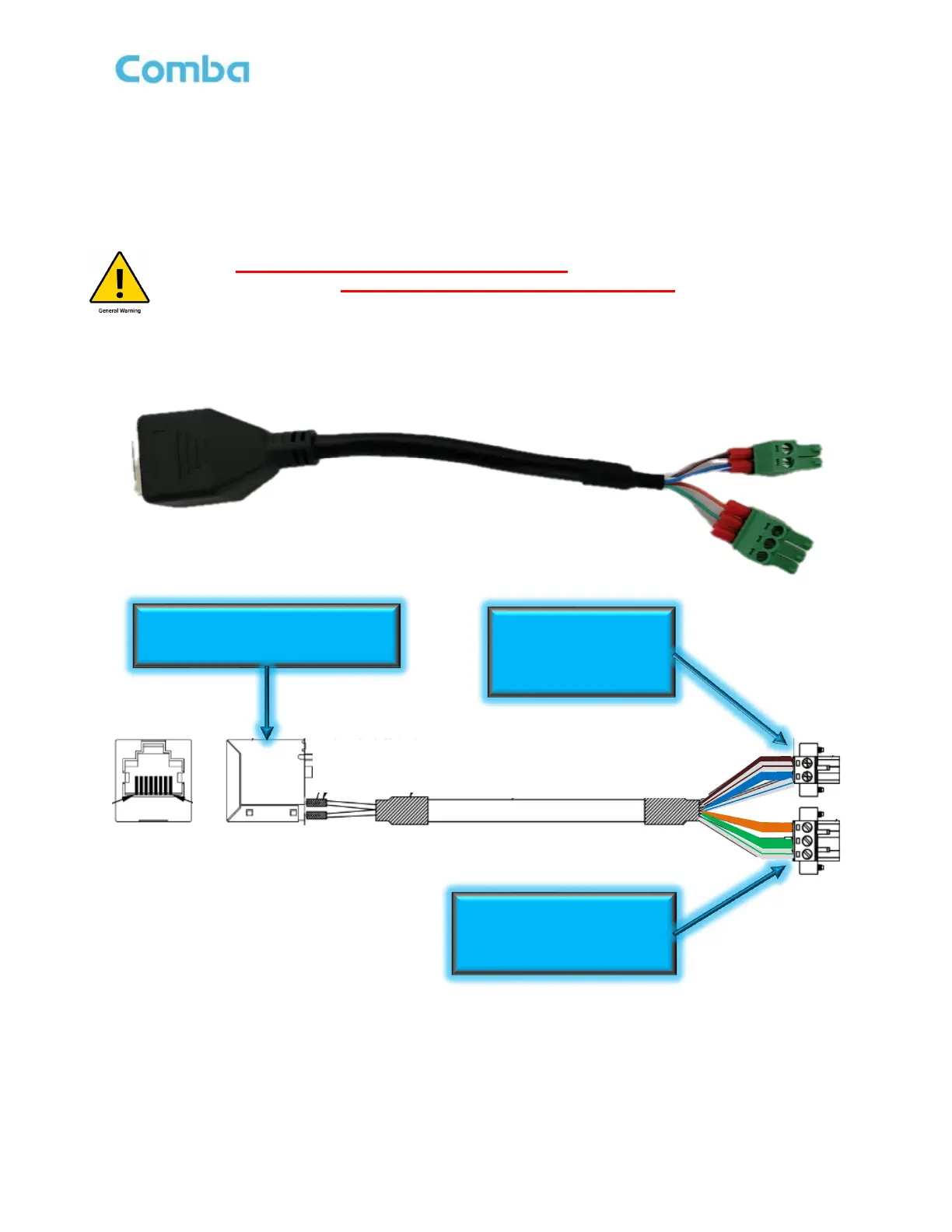
cable is provided to combine the BDA/MU/RU Power and Comms Outputs into an RJ45 female connector.
This allows for a single run of cat 5/6 cable terminated with RJ45 connectors to be used in between the
BDA/MU/RU and V3 APs. This adapter cable comes pre-terminated from the factory with phoenix connectors
allowing for quick installation. See Figure 77 below.
ALERT: DO NOT use an ethernet crossover cable to connect between the BDA/MU/RU
and V3 AP devices. The crossover cable DOES NOT support the power and RS-485
sequence and WILL cause damage to the devices.
Figure 77: V3 BDA/MU/RU - RJ45 Adapter for V3 APs



 To Next Page