©2025 Copeland LP.
026-1803 R13 Supervisor I&O User Guide B - 5
How to Locate the IP Address of the Supervisory Controller
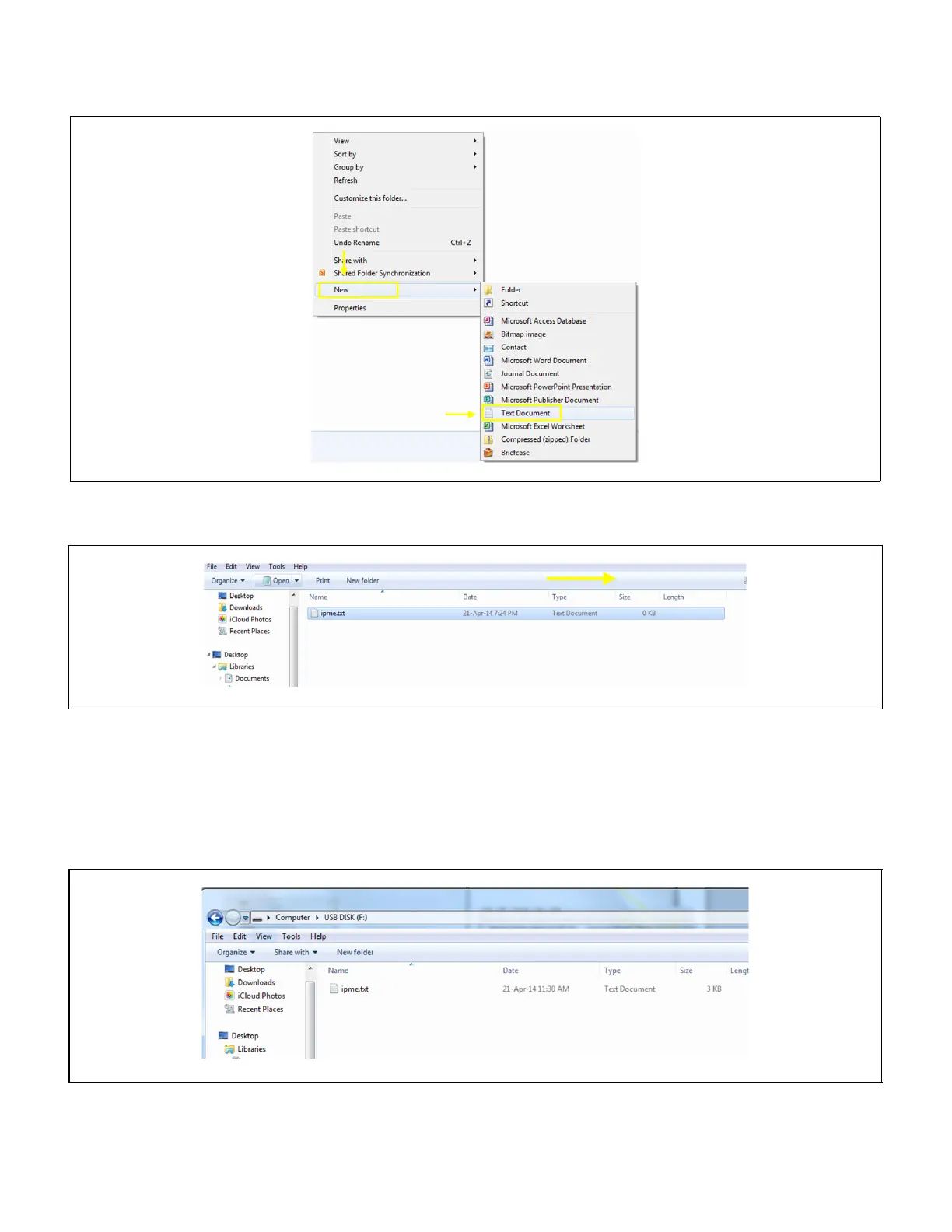
1. On a blank USB drive, create a new Text Document.
2. Name the text document ipme.txt.
3. Remove the USB drive from the PC, do not power down the Supervisory Controller, then insert the USB drive.
4. Power up the supervisory controller; its green status will flash during the power-on cycle. Once the light stops blinking and
turns solid, remove the USB Drive.
5. Insert the USB drive into the PC, then open the USB drive.
6. Do not power down the supervisor when trying to obtain the IP address with IPME text.
Creating a Blank Text Document
Saving the Document as ipme.txt
Opening the USB drive



 To Next Page