©2025 Copeland LP.
026-1803 R13 Supervisor I&O User Guide C - 10
Creating an Alarm Notice
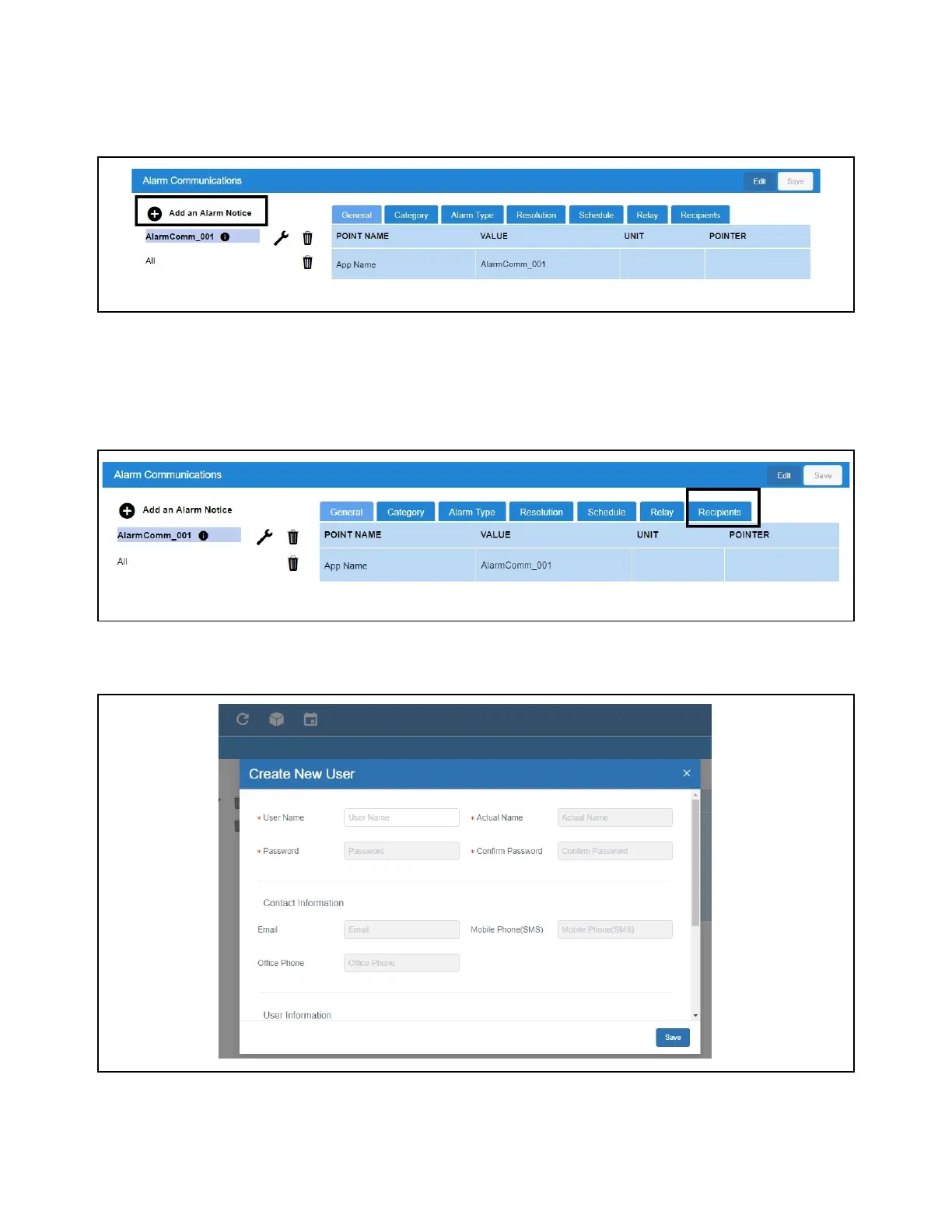
1. Click Edit and enter a unique name for the alarm notice.
2. Select the desired options to filter the alarm notice. They can be filtered via Category, Alarm Type, and
Resolution:
3. Add Users will list the available users created in Manage Users.
4. Click the Recipients tab to see a list of users already set up in the system - from here you can choose the communication
type they should receive (email, SMS).
If a user has no email or mobile contact information available, Not set will appear next to the user name.
5. If you wish to receive notifications and it has not yet been set up, click Create New User and fill out all of the appropriate
fields. Select Email and/or SMS.
Create an Alarm Notice
Recipients Tab
Create New User (Optional)



 To Next Page