©2025 Copeland LP.
026-1803 R13 Supervisor I&O User Guide D - 14
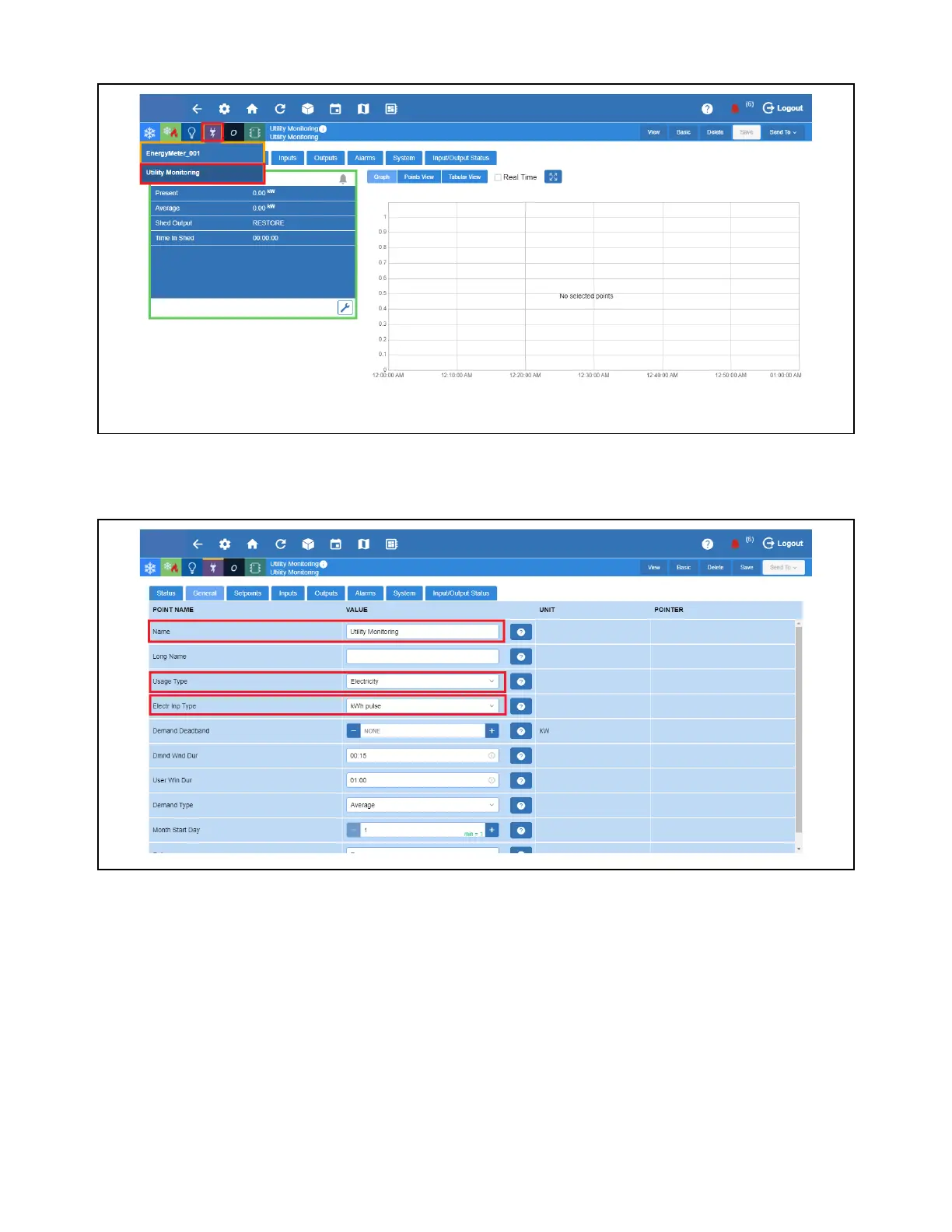
5. Select the Energy icon and click the Utility Monitoring to be configured.
6. Go to General, specify the Name for this application. Under Usage Type, select Electricity. Under Electr Inp Type, select
kWh pulse and click Save.
Select Utility Monitoring
Go to General Tab



 To Next Page