©2025 Copeland LP.
026-1803 R13 Supervisor I&O User Guide D - 20
How to Create a Utility Monitoring Application
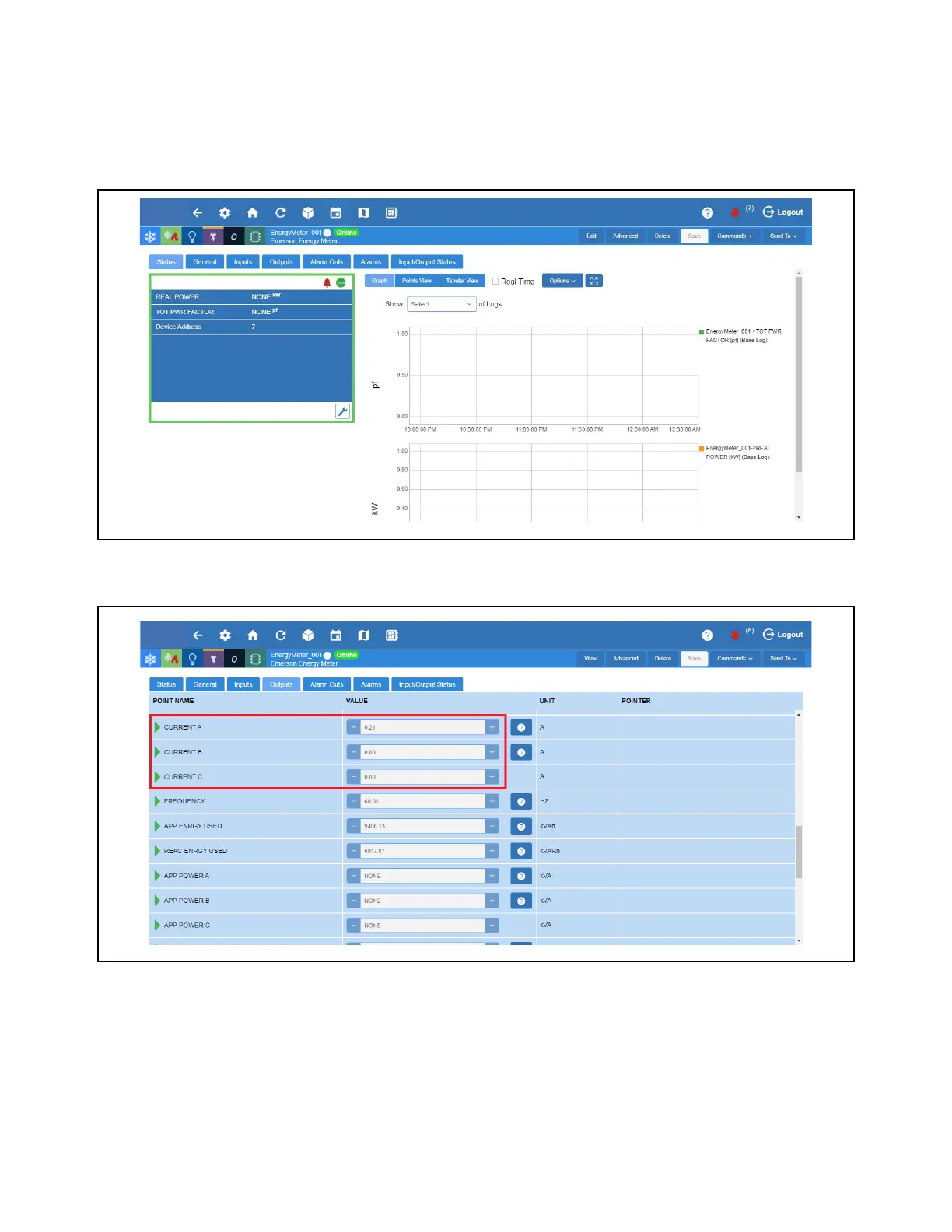
The following procedure shows how to use the Energy Meter’s Average Current Output as the Analog Input of the Utility
Monitoring Application. The Energy Meter should be setup first before configuring the Utility
Monitoring Application.
1. From the Home screen, go down to Energy and select the Energy Meter to be configured.
2. Go to Outputs tab and locate Current A, Current B and Current C.
Set Up PTRatio
Set Up PTRatio



 To Next Page