©2025 Copeland LP.
026-1803 R13 Supervisor I&O User Guide E - 31
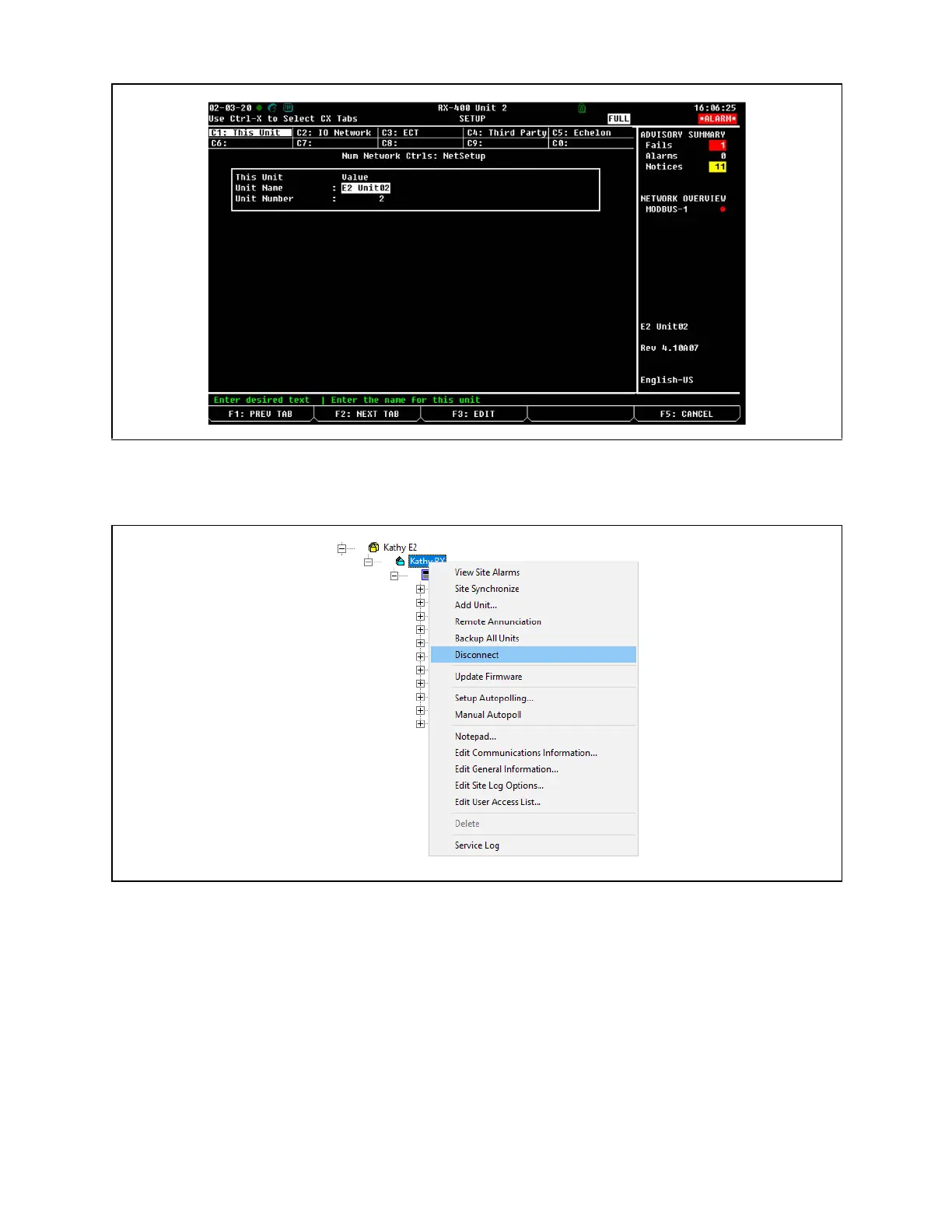
12. Check the Unit Name and Unit Number to verify they are unique and set up correctly:
13. To populate all controllers on the Peer Network in UltraSite, right-click the controller at the Site level and click Disconnect.
Then re-connect to the Site by clicking Connect.
Connected I/O Boards & Controllers
Click Disconnect



 To Next Page