©2025 Copeland LP.
026-1803 R13 Supervisor I&O User Guide F - 2
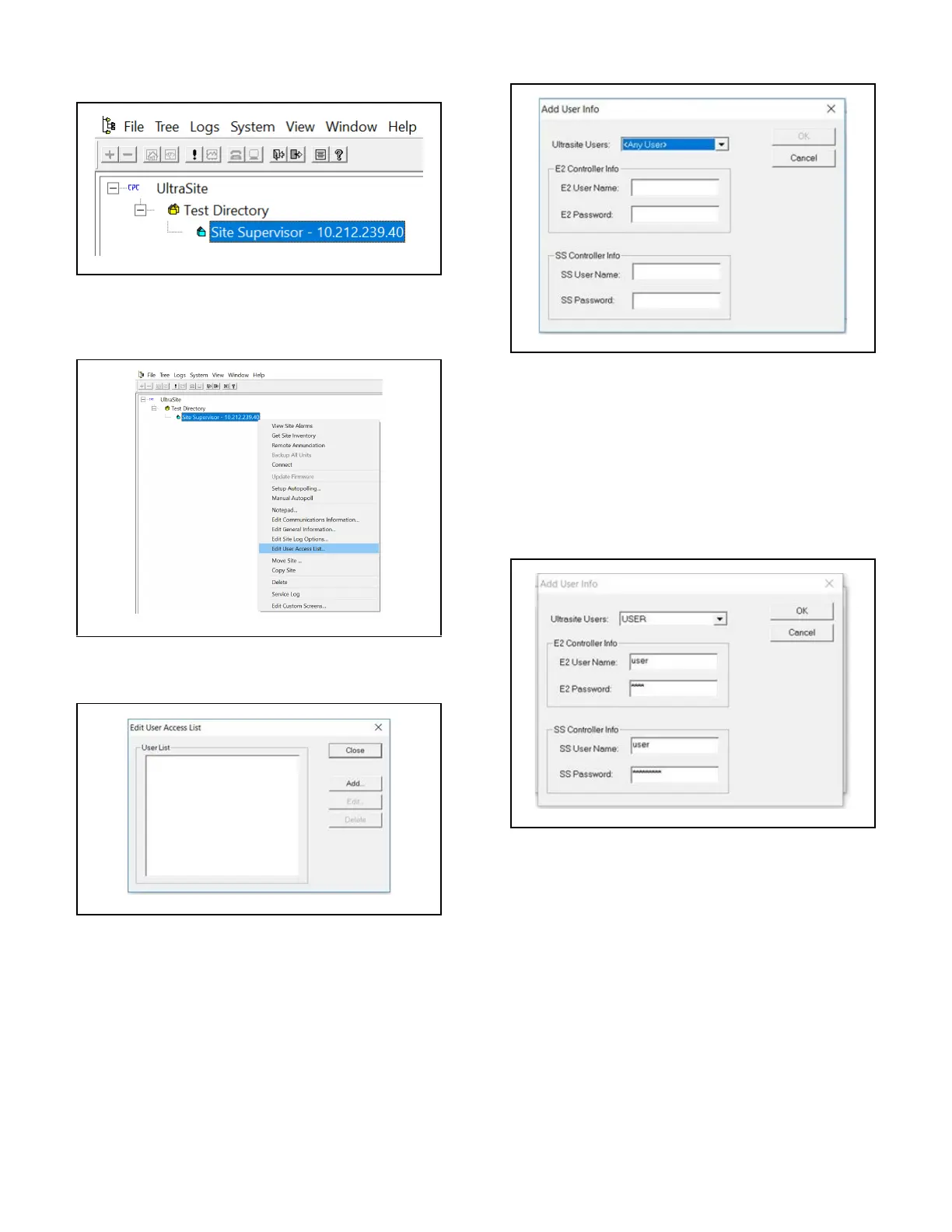
22. Confirm the Site Name is listed under the
Directory in the tree:
23. Right-click the Supervisor and click Edit User Access
List:
24. From the Edit User Access List window, click Add:
25. The Add User Info window opens:
26. Select your UltraSite user name from the
UltraSite Users drop-down list or leave it as Any User.
27. Enter the username and password for E2 (The OK
button will not enable without also entering a user name/
password for E2. Note that user/pass can be entered).
28. Enter the user name and password for the
Supervisor you are restoring to.
29. Click OK.
.
Verify the Site Name is Located Under the Appropriate Directory
.
Right-click the Supervisor to access the Edit User Access List
.
Click Add
.
Add User Info
.
Click OK



 To Next Page