©2025 Copeland LP.
026-1803 R13 Supervisor I&O User Guide G - 2
Note that all setpoints and configuration will remain the same. If there are discrepancies, use the backup file to restore
previous settings.
Firmware Update - USB Drive
1. Copy the latest firmware update file (for example, “SS_2.02F08_Firmware_Update) to the root folder of a USB thumb drive
(the USB thumb drive must be format FAT16).
2. Connect a standard Ethernet cable from the Supervisory Controller (ETH 0 port) to a router and enter the Supervisory
Controller IP address into a browser.
3. Login and select Configure System > File Management & Licensing from the Main menu .
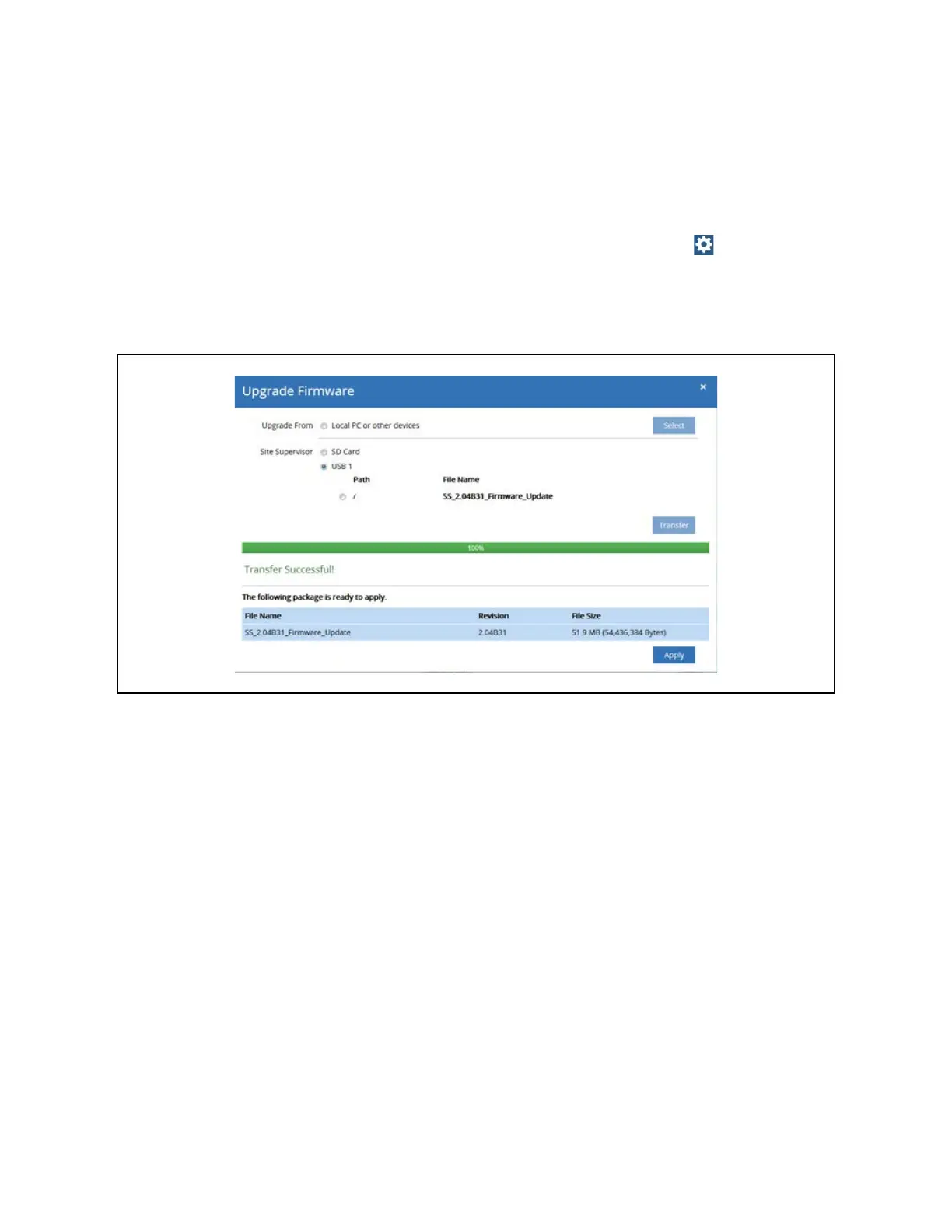
4. Click Upgrade Firmware then select USB and choose the path.
5. Click Transfer. A progress bar will appear with the percentage complete.
6. Click Apply. A progress bar will appear with the percentage complete. The system will reboot and restart automatically
when the upgrade is complete.
Upgrade Firmware - USB Drive



 To Next Page