7-8
Chapter 7
Graphic EQ
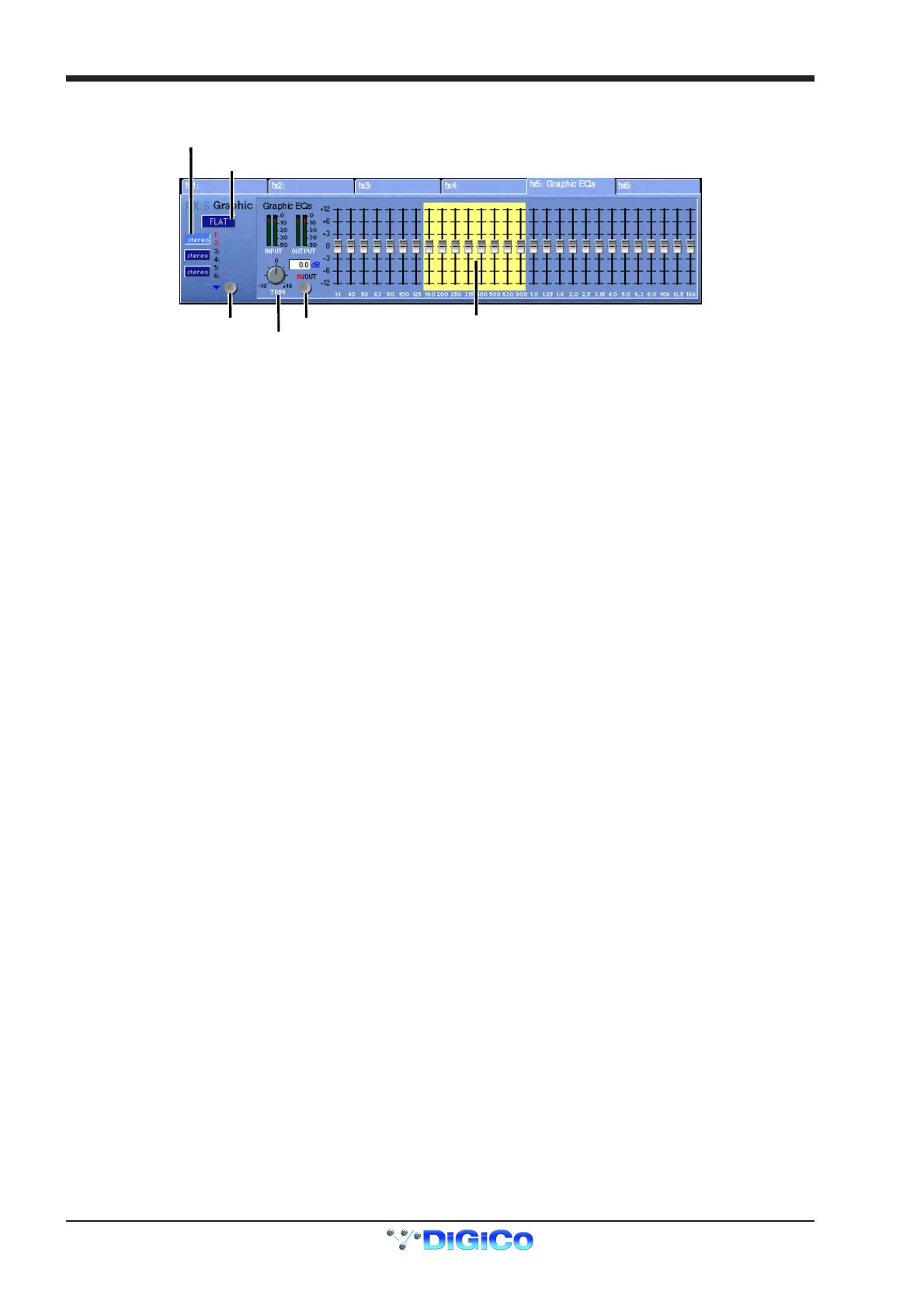
The controls for the 12 Graphic EQs are as follows:
Clickheretoselect
which Graphic EQ
to adjust (1 of 6)
Touch faders on screen
to assign control to
worksurface master
Processing In/Out
Trim Control
Reset Flat
c
ere to
n
s
n stereo pa
rs
If a stereo source is being processed the EQs can be linked in pairs - 1 and 2, 3 and 4, 5 and 6.
When connecting channels or busses to the Graphic EQs each unit will appear in the Effects socket group as a different number.
If FX 5 is configured as a Graphic EQ the six units are FX 5-1, FX 5-2, FX 5-3, FX 5-4, FX 5-5 and FX 5-6.
If FX 6 is configured as a Graphic EQ the six units are FX 6-1, FX 6-2, FX 6-3, FX 6-4, FX 6-5 and FX 6-6.



 To Next Page