106 Eos Family v2.9.0 Operations Manual
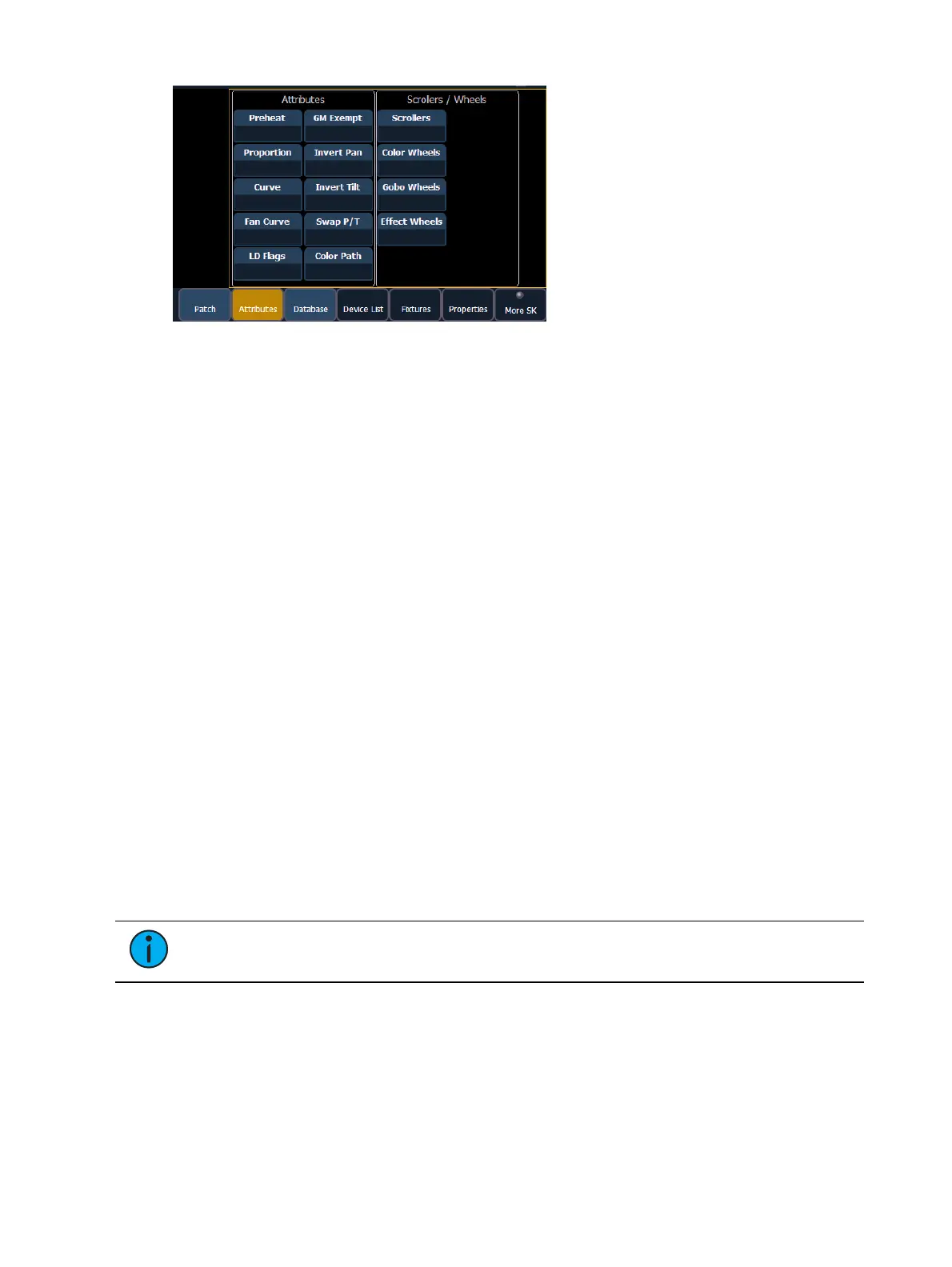
{Preheat} - This field allows you to specify an intensity value to preheat incandescent
filaments. When a preheat flag is applied to a cue, any channels that are fading from zero
to an active intensity and have been assigned a preheat value in patch will preheat in the
immediately preceding cue. The preheat flag is applied to a cue as an attribute when the
cue is recorded.
[1] {Preheat} [0] [3] [Enter] - channel 1 is assigned a patched preheat value of 3%.
{Proportion} - An attribute to set a modifier for the intensity of the device. If the patch limit
is set at 90% (for example), the actual output will always be 10% lower than the specified
intensity parameter, as impacted by the various playbacks or submasters. This value is set
numerically in a range of 0% to 200%.
[1] {Attributes} {Proportion} [1] [2] [5] [Enter] -applies a 125% proportion to channel 1.
[1] {Attributes} {Proportion} [Enter] - removes the applied proportion from channel 1.
{Curve} - Used to assign a curve to a channel in Patch. In Patch, curves can be applied to
intensity parameters, or to non-intensity parameters using the NP buttons. See
About
Curves (on page332)
for more information.
From channel view:
[1] {Curve} [4] [Enter] - applies curve 4 to the intensity parameter of channel 1.
[2] [Part] [3] {Curve} [3] [Enter] - applies curve 3 to the intensity assigned to channel 2,
part 3.
From address view:
[3] {Curve} [3] [Enter] - assigns curve 3 to address 3.
[3] [/] [2] {Curve} [4] [Enter] - assigned curve 4 to universe 3, address 2.
{Fan Curve} - Used to assign a curve to the scroller fan parameter, which allows for the
output of the fan to be controlled by the intensity of the channel. Curves available for this
are the same used for intensity parameters and cues.
Note: When {Curve} or {Fan Curve} is pressed, a list of the available curves will be
displayed. Clicking on an available curve will assign it.
{LD Flags} - This field allows channels to contribute to live and dark move flags in the
playback status display. Disabling will prohibit those channel moves from contributing to
the live and dark move flags. This is enabled by default.
{GM Exempt} - Used to exempt the intensity of channels from grandmaster, blackout, rem
dim, and go to cue 0 operations.



 To Next Page