12 Eos Family v2.9.0 Operations Manual
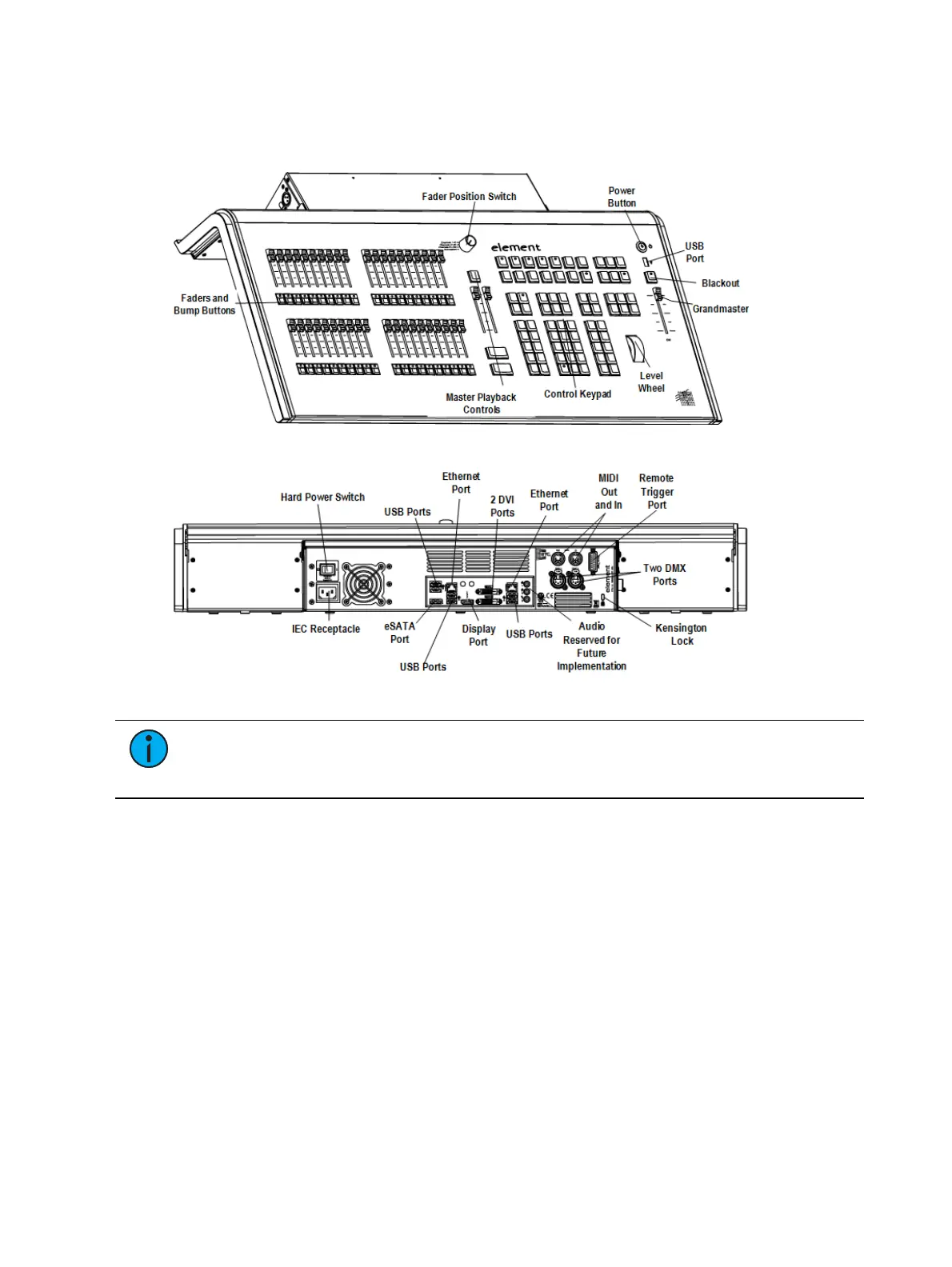
Element Geography
Below is a diagram of Element with references made to specific areas of use. The terms and
names for each area and interface are used throughout this manual.
Note: Element can support up to 2 monitors. For more information, see External
Monitors (on the facing page). For monitor configuration, please see Monitor
Arrangement (on page409).
Console Components
This section discusses the various console components that were called out in the geography
section.
Power Button
USB Ports
External Monitors
Control Keypad
Navigation Keypad
Fader Control Buttons
Grandmaster and Blackout
Level Wheel
Master Playback Controls
Parameter and Category Buttons
Ethernet Ports



 To Next Page