376 Eos Family v2.9.0 Operations Manual
Using Export Pixel Map Media
This is an automatic method of exporting all the media used in the current show file. This
includes any pixel map media stored in cues, presets, submasters, etc.
To export, go to Browser>File>Export>Show Pixel Map Media. Select the device you want to
export the media content to.
There are only two options available in this display:
{Start Export} - begins the export process. A progress bar will appear to indicate the status
of the import process. When finished, click {Done}.
{Cancel} - stops the export and exits the display.
Using File Manager
Exporting with the file manager is very similar to importing with it. You select the files in the
MediaArchive folder that you wish to export, and you can either copy or move them to your
device.
Patching the Virtual Media Server and Layers
To get started using this feature, you must first patch a channel as the Virtual Media Server and
additional channels as layers.
You will need to be in the patch by channel display.
In the patch display, enter the channel number that will be your virtual media server. Press
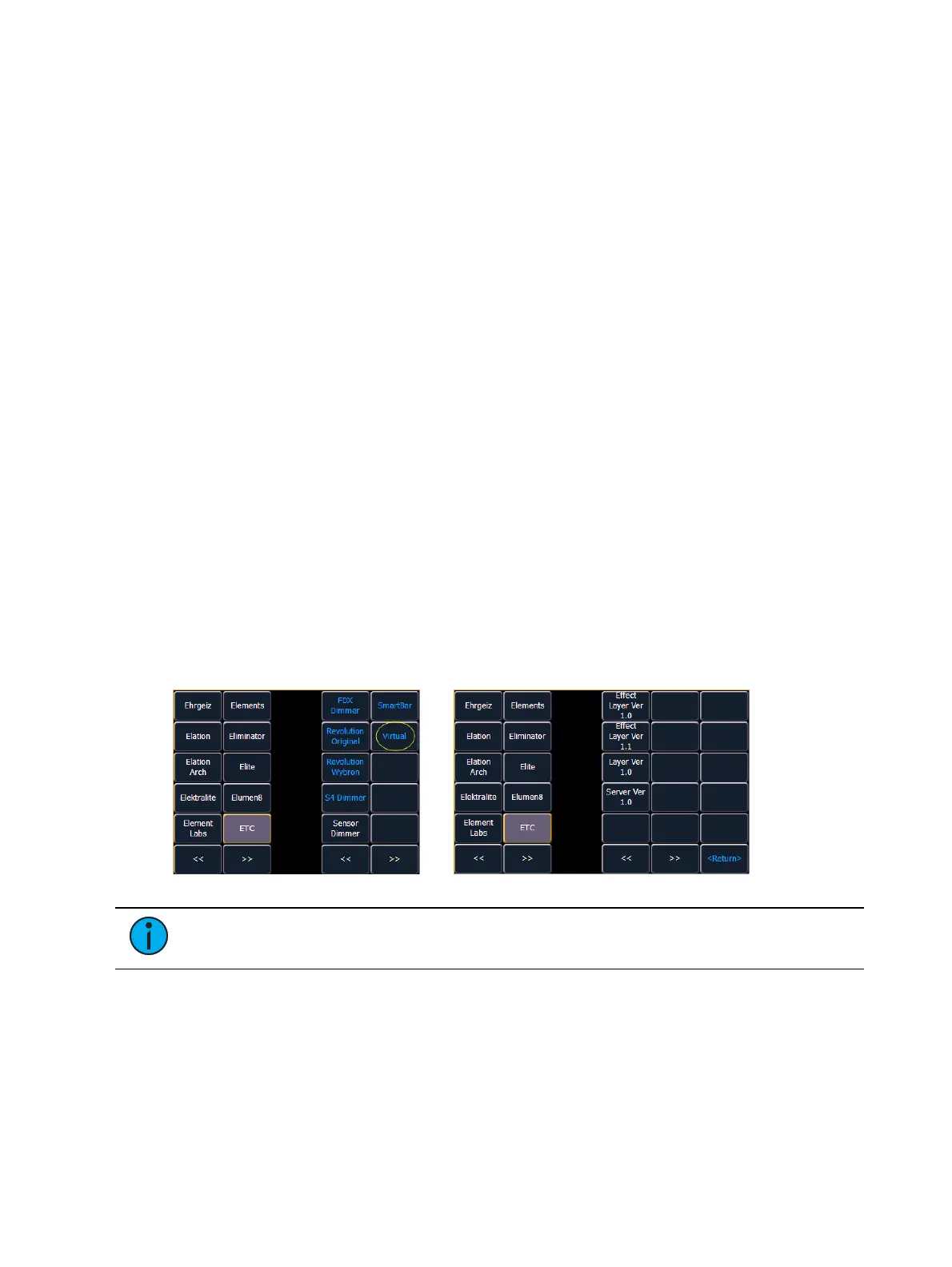
{Type} then {Manufctr} to display the fixture library. Select {ETC}, {Virtual}, and then {Server_
Ver_1.0}.
Enter the channel numbers that will be your virtual media layers. Press {Type} then {Manufctr} to
display the fixture library. Select {ETC}, {Virtual}, and then {Layer_Ver_1.0}.
For information about {Virtual Effect Layer}, see
Effect Layers (on page384)
.
Note: No addresses need to be assigned in patch for the virtual media server and
layers.
Creating a Pixel Map
A pixel map is a layout of fixtures onto a grid, which determines order of playback and how the
media content will be interpreted and outputted to create the desired image or effect.
A pixel map creates relationships among the fixtures in an X-Y grid so that the channels and
their parameters can be associated with pixels in an image.
Limitations of pixel maps include:



 To Next Page