Basic Manual Control 167
Example:
Cell 2 of a fixture is currently selected. You can adjust the encoders for pan and tilt
even if the master actually controls those parameters. The cell will send that
information to the master. This allows for greater ease of control.
The following are additional multicell syntax examples:
[5] [.] [2] [+] [+] - pressing [+] twice will put channel on the command line.
[5] [.] [Thru] - automatically puts the first cell's number on the command line before the
[Thru] command.
[5] [.] [1] [Thru] [Enter] or [5] [.] [1] [Thru] [At] - automatically puts the last cell's number
on the command line before a [Enter] or [At] command.
[5] [.] [-] [4] [Enter] - selects all of the cells except cell 4.
[1] [+] [+] [2] [.] [3] [Enter] - selects all of channel 1, and only cell 3 of channel 2.
[1] [+] [3] [.] [2] [Shift] & [.] - appending [Shift] & [.] after a cell number will post [All
Cells] to the command line, selecting all cells of channel 1, and only cell 2 of channel 3.
Offset can be very useful when applied to multicell fixtures, and can be useful for creating
subgroups. See
Offset (on page179)
and
Subgroups (on page179)
for more information.
Lamp Controls
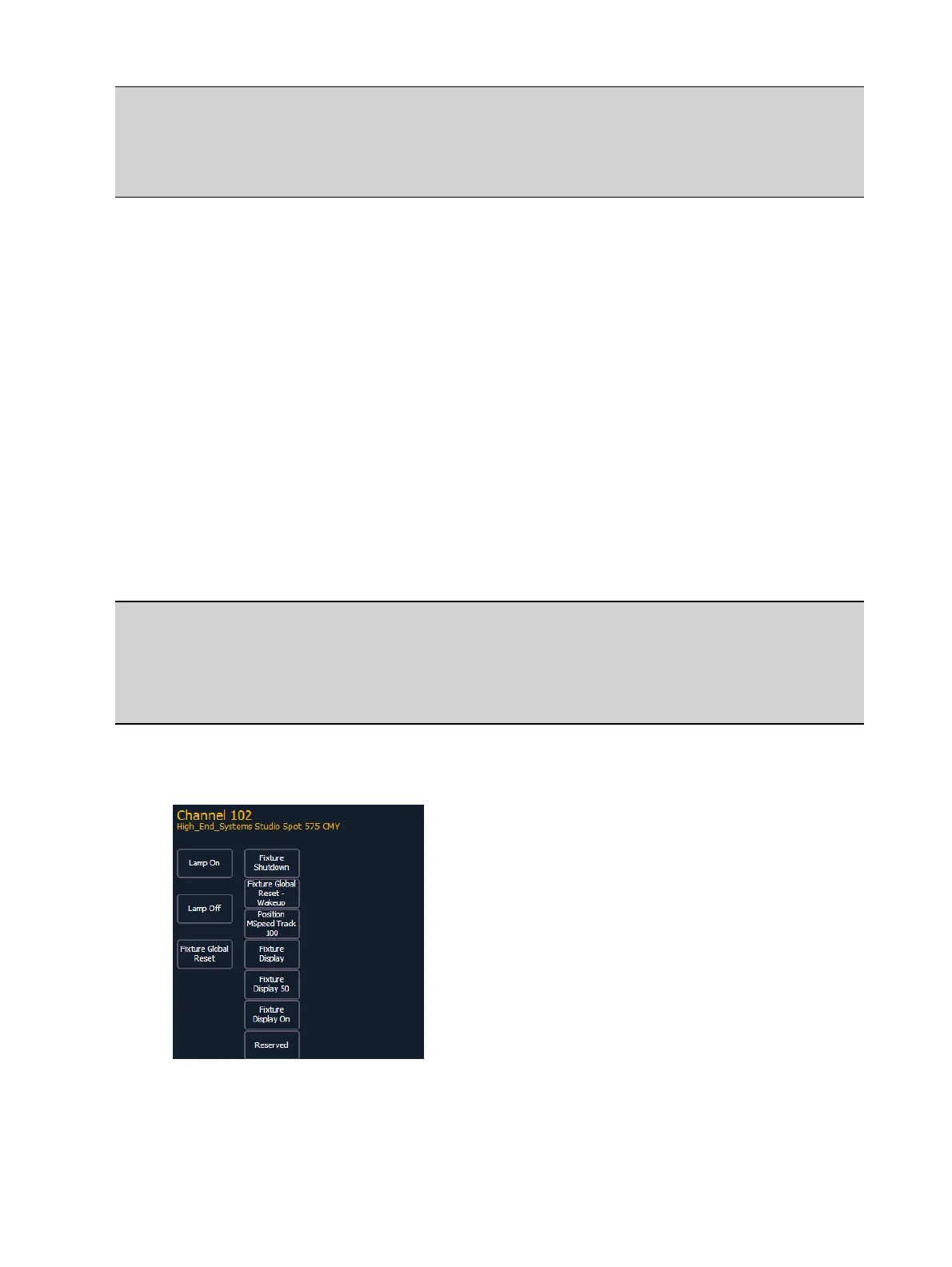
Lamp Controls (Tab 31) allow you to execute control functions of selected fixtures such as
calibrate, douse lamp, strike lamp and reset. Each fixture type has its own set of lamp control
options which are available to you when you select the fixture from Live and press the {Lamp
Ctrls} softkey. This information is also available using [About] (see
Using About (on page319)
).
Example:
[1] [1] [Enter] {Lamp Ctrls}
-or-
[1] [1] [Enter] [About] {Lamp Controls}
If the channel is a conventional (intensity-only) fixture, no control options will be displayed.
When the selected channel is an automated fixture, options specific to the fixture type will
display for use. Available RDM functions will also display here.
Pressing any of these control options will affect the selected channel after a confirmation.



 To Next Page