166 Eos Family v2.9.0 Operations Manual
To select the master and any or all of the cells, you can use the following syntax examples: [n]
[.] [0] [Thru] [n], [n] [.] [0] [+] [n], or [n] [.] [0] [-] [n]. The {Cell} softkey can be used instead of
the [.] hardkey.
Example:
Channel 1 is a multicell fixture with four cells.
[1] [At] [Full] [Enter]
Sets the intensity of the master channel to full. Note that the intensity parameter for
cells defaults to full.
[1] [.] [1] [At] [5] [0] [Enter]
Sets only cell one at 50% of the intensity of the master. Cells are a percentage of the
master level. [.] puts cell on the command line.
This can be especially useful when applying effects or palettes.
Example:
Channel 1 through 4 are multicell fixtures with four cells.
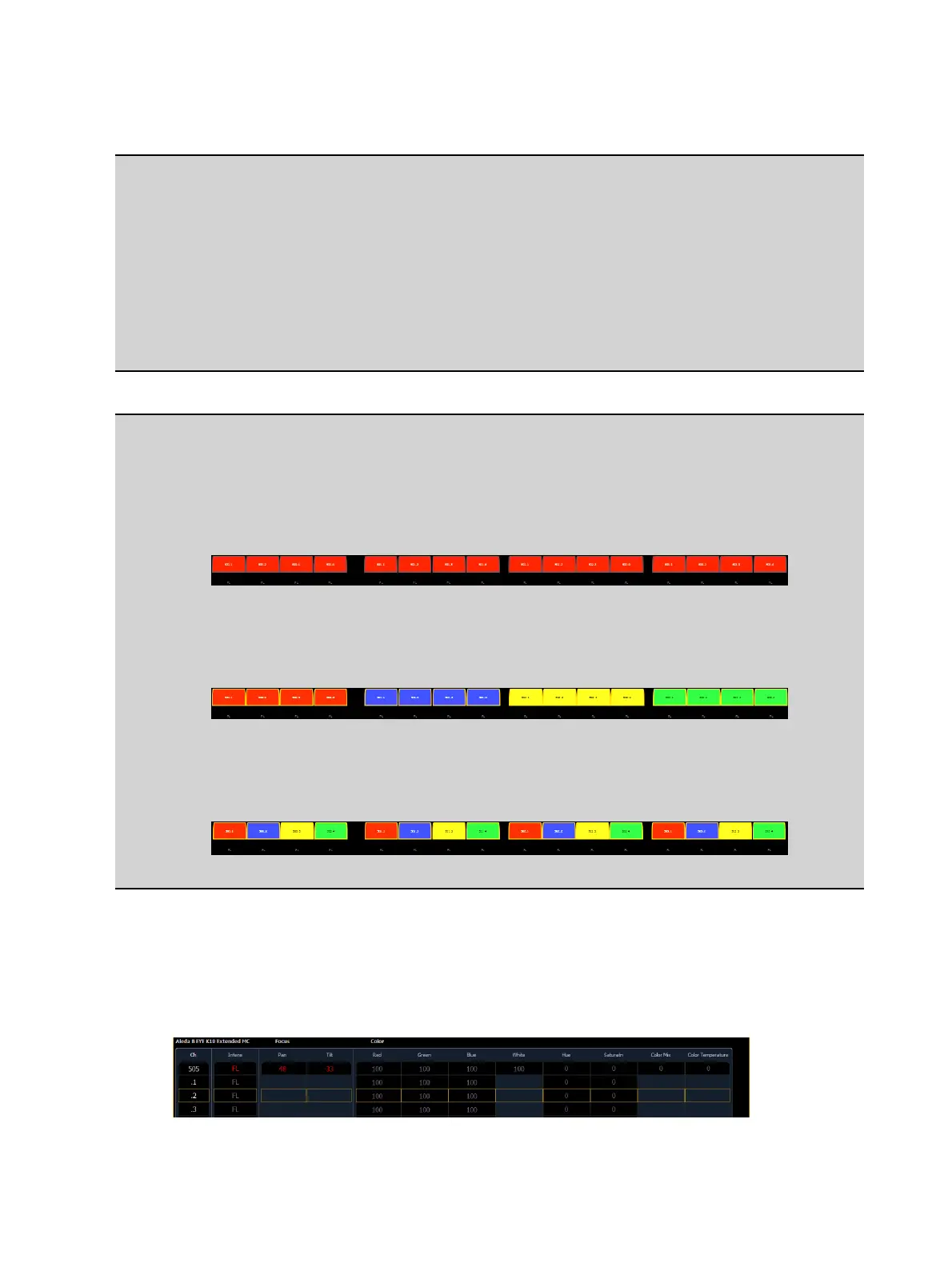
[1] [Thru] [4] [Color Palette] [1] [Enter]
Sets channels 1 through 4 to color palette 1. All four cells of each fixture are set to color
palette 1, which is red.
[1] [Thru] [4] [Color Palette] [1] Thru] [4] [Enter]
Channel 1 with its four cells will be set to color palette 1, channel 2 will be set to color
palette 2, and so on.
[1] [Thru] [4] [.] [Color Palette] [1] Thru] [4] [Enter]
For each of the channels, cell 1 will be in color palette 1, cell 2 in color palette 2, cell 3
in color palette 3, and cell 4 in color palette 4.
With a cell selected you can apply data to the master channel as long as the cell does not also
have that parameter. When you have selected a cell, if you apply data that does not apply to
the master, Element understands to apply it to the cells instead. In the example above, IF the
master had color parameters, this action would apply color data ONLY to the master.
Cells will not send data to other cells. Table view is helpful for seeing which cells control what
parameters.



 To Next Page