212 Eos Family v2.9.0 Operations Manual
[Delete] [Preset] [1] [Enter]
[Delete] [Preset] [1] [Thru] [5] [Enter]
Presets can be deleted from any screen, at any time. A confirmation is required to delete, unless
confirmations have been disabled in Setup. See
Record Defaults (on page140)
Presets and Palettes Fader Properties
Presets and Palettes can be mapped to faders by using the fader configuration display. For
information on how to use the fader configuration display to map faders, see
Fader
Configuration (on page60)
The fader configuration display is found on Tab 36 .The
Fader List (on page62)
, which shows all
of the faders and their assignments, can be found in Tab 35.
Click or tap the second row of the fader page to access this properties display.
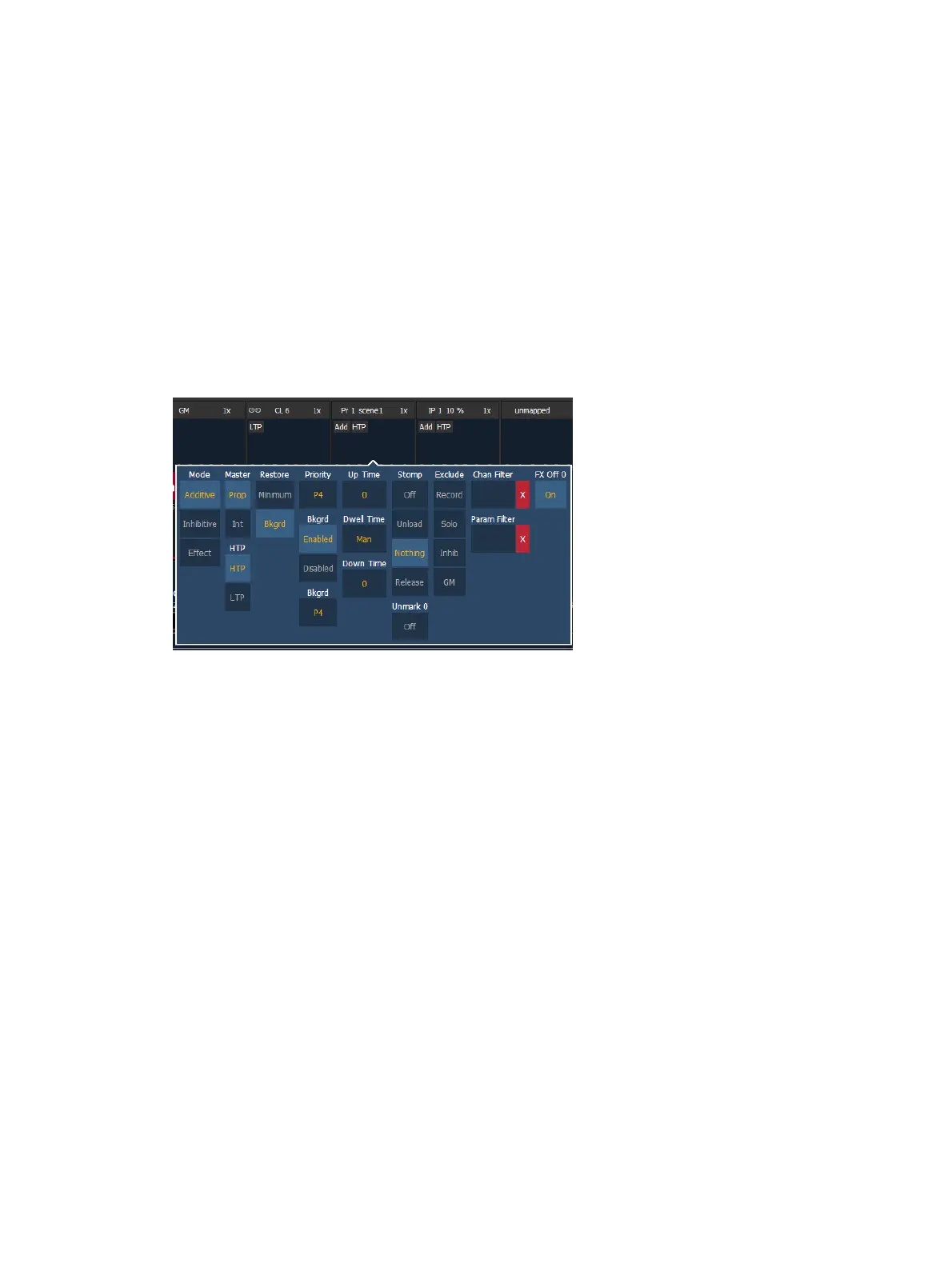
The following options are available when a fader is configured as a preset or palette fader:
Mode
You may define your fader as additive (contributes to the live output), inhibitive (limits live
output) or an effect fader (presets only).
Master
A fader can be assigned as a Master. When it is a master, its behavior as a Proportional Master
or Intensity Master (I-Master) is drawn from this setting.
HTP
Intensity playback behavior can be set to HTP (highest takes precedence) or LTP (latest takes
precedence).
Restore
Faders can be placed into restore modes of minimum or background, which is the default. When
a fader is in the restore to background mode, the restore column of the fader list display will be
blank. When in minimum mode, 'Min' will display in the restore column.
The restore mode of background means that when the fader is returned to zero, control will be
restored to the background value, such as another fader or a cue.
The restore mode of minimum means that when the fader is faded down, control does not go to
the previous background state but to the parameters’ minimum value.



 To Next Page