Using About 327
Head DC Voltage
Lamp On/Off
Gel Distance Traveled
Gel2 Distance Traveled
Fan RPM
Ambient Temperature
Gel Temperature
Device Errors (will only display if there are current errors)
Clear Errors
Device Errors are displayed in four different colors depending on severity.
Note: Color severity is determined by the device manufacturer.
Gray - unknown or not an error
White - Advisory
Yellow - Warning
Red - Error
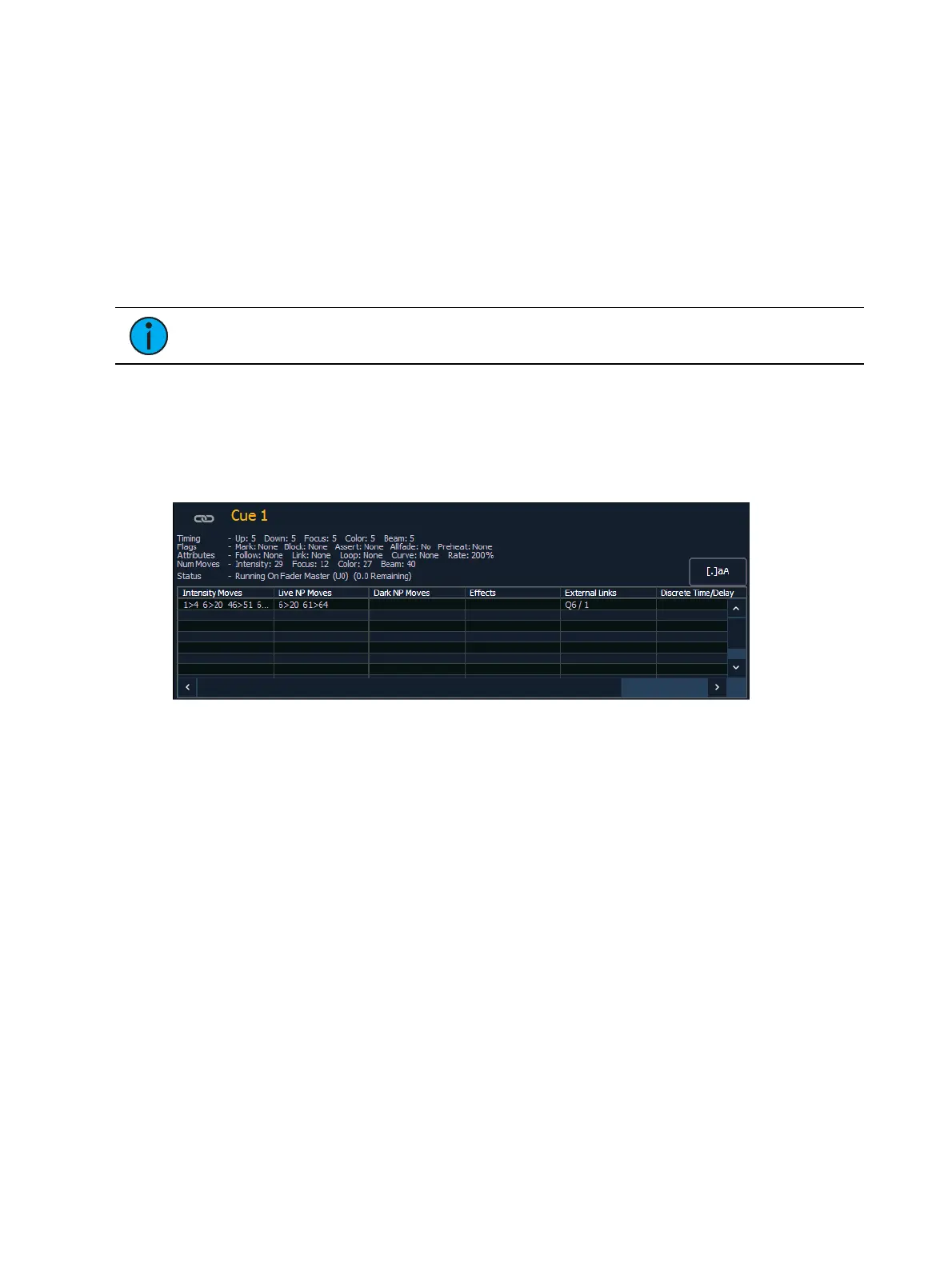
[About] Cue
The following information will be displayed when a cue is selected:
the cue number
timing data for the cue (including discrete timing)
flags
attributes
number of moves per IFCB provided by the cue
current status of the cue
intensity moves
live NPs moves
dark NPs moves.
any effects running
external links
all the channels in that cue that have discrete or delay times
[About] Curves
When a curve is selected, the following information will be displayed:
curve number
the curve label (if any)
the channels that use the curve in patch



 To Next Page