308 Eos Family v2.9.0 Operations Manual
About Submasters
Submasters can store any parameter data for channels. When storing from Live, Record Only
and Record can both be used to determine what contents are stored. You can copy cues,
presets, or palettes to a submaster as well. Channels running effects can be loaded onto a
submaster. See
Effects on Faders (on page300)
Submasters can be controlled by faders or by the keypad. Faders can be configured as
submasters (see
Submaster Properties (on page310)
) or they can be defined while
programming.
Note: You can record up to 1000 submasters.
In Blind, submasters can be created by using the [Thru] [Thru] syntax.
[Sub] [1] [Thru] [Thru] [1] [0] [Enter] - will create subs 1 through 10.
When set as a submaster, the bottom buttons beneath the fader can be configured for different
functions. See
Submaster Fader and Button Configuration (on page314)
for more information.
It is possible to program upfade, dwell, and downfade times in association with the submaster
bumps. See
Submaster Properties (on page310)
for more information.
What does a Blinking LEDMean?
When a submaster bump LED is blinking, it means that the submaster must be homed due to
either changes to its content or to its mode. In either case, reset the submaster by dropping it to
zero and the moving it back to the desired position. The LED will also blink when the submaster
is in a “Hold” state via bump button timing.
Paging Submasters
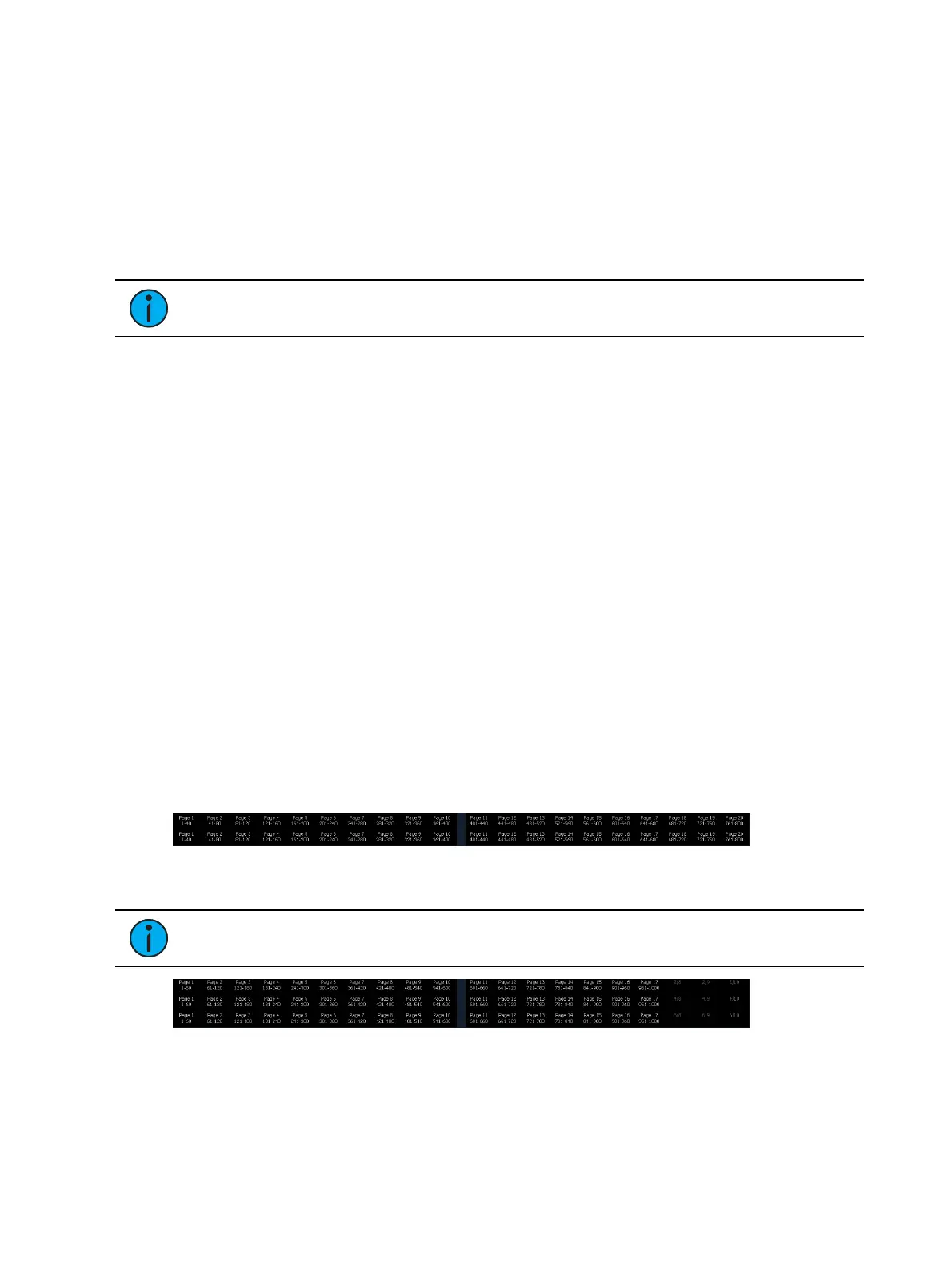
Element has a total of 1000 submasters. With the fader position switch in submaster mode, an
Element 60 will display 60 submasters, and an Element 40 will display 40 submasters at a time.
Element will default to the first 40 or 60 submasters. To page through the available submasters,
hold down the {Page Subs} softkey in the Live display. The bump buttons will light up in green,
and the bump buttons that correspond to the currently selected pages will flash. Press the
corresponding bump button to go to that page. The fader ribbon will change to show the
submaster pages.
There are 20 pages available on Element 40 for a total of 800 submasters
Note: Submasters 801-1000 can only be controlled by the keypad on Element 40.
There are 17 pages available on Element 60 for a total of 1000 submasters.



 To Next Page