60 Eos Family v2.9.0 Operations Manual
11. Palette or Preset button (Clicking the button will put the palette or preset on the command
line.)
Fader Configuration
The fader configuration display is found on Tab 36 .The
Fader List (on page62)
, which shows all
of the faders and their assignments, can be found in Tab 35.
At the top of the fader configuration display, you can select the fader page, which has 100
pages of 10 faders each page.
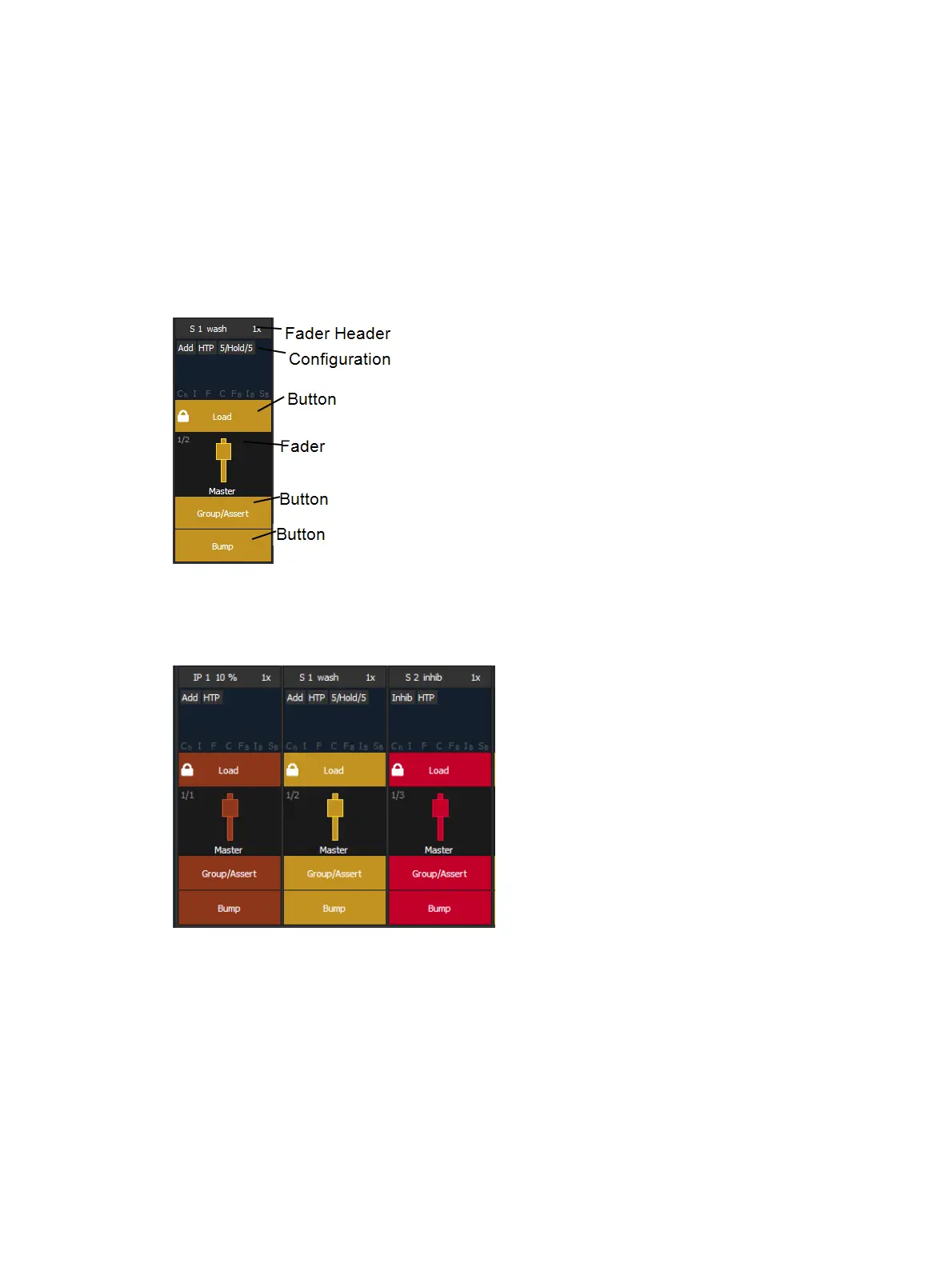
The fader configuration display shows a virtual mockup of each fader and its buttons. The
various parts of the virtual fader can be clicked or tapped to open configuration options.
Each fader is color coded based on its assigned target type. Grandmasters and inhibitive
submasters are in red, additive submasters are yellow ,and presets, palettes, global effects, and
manual time masters are brown.
Fader Configuration Window
Click on the fader header to open the fader configuration window.



 To Next Page