384 Eos Family v2.9.0 Operations Manual
{Mask On/Off} - masks takes a lower layer and a higher layer, finds only the non-
transparent pixels they have in common, and then displays the common pixels of the
higher layer.
{FoView} - perspective
{Scale} - changes the scale of the content to either be larger or smaller than the standard
content playback.
{Aspect Ratio} - stretches or shrinks the content only along the X axis, making it wide or
squished looking. Z Rotate can be used to modify the aspect ratio along the Y axis.
{XYZ Rotation Controls} - rotation control for all layers.
Effect Layers
The Virtual Media Server allows you to use procedurally generated content. This is content that
is created algorithmically in real time, instead of rendering file based media.
In order to use procedurally generated content, you must patch the pixel map layer as a virtual
effect layer instead of a virtual media layer. Setting up the pixel map is the same as for using
virtual media layers. There are two versions of the effect layer, {Effect Layer Ver 1.0} and {Effect
Layer Ver 1.1}.
Types of Effects
There are three main effect types:
Two color gradients - adjustable gradients with start and end colors
Rainbow gradients - fixed gradient, full hue spectrum
Perlin noise - good for animating random color effects, adjustable gradients
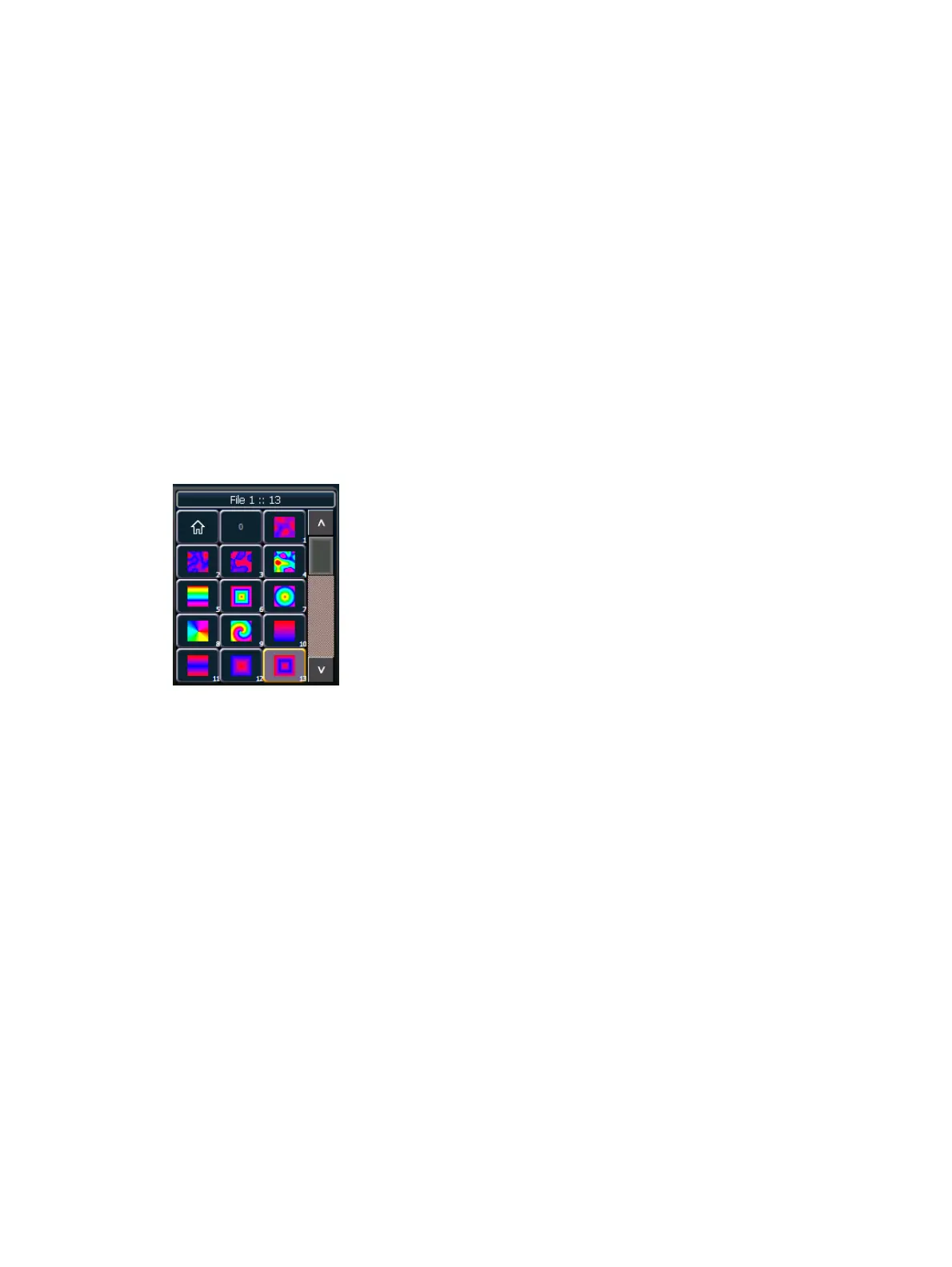
The effects are stored in file 1. File 1:0 is a home position of no effect. 1 through 3 are perlin
noise effects, 4 is a perlin noise/ rainbow gradient, 5 through 9 are rainbow gradients, and 10
through 19 are two color gradients.
Effects have various options of additional control.
Using Two Color Gradients
For the effects that use two color gradients (two color and perlin noise), there are several
options for control of the gradients. The two colors are known as the start and end colors. Those
options include:
{Intensity} and {Intensity 2} - specifies the opacity of the start and end colors respectively
for Virtual Effect Layer 1.0. If you want to fade a two color effect using this layer, you will
need to fade both {Intensity} and {Intensity 2}.



 To Next Page