Virtual Media Server 385
{Intensity 2} and {Intensity 3}- specifies the opacity of the start and end colors respectively.
{Intensity} is a master opacity control for the entire layer. This is for Virtual Effect Layer
1.1. If you want to fade a two color effect using this layer, you can just fade the
{Intensity}.
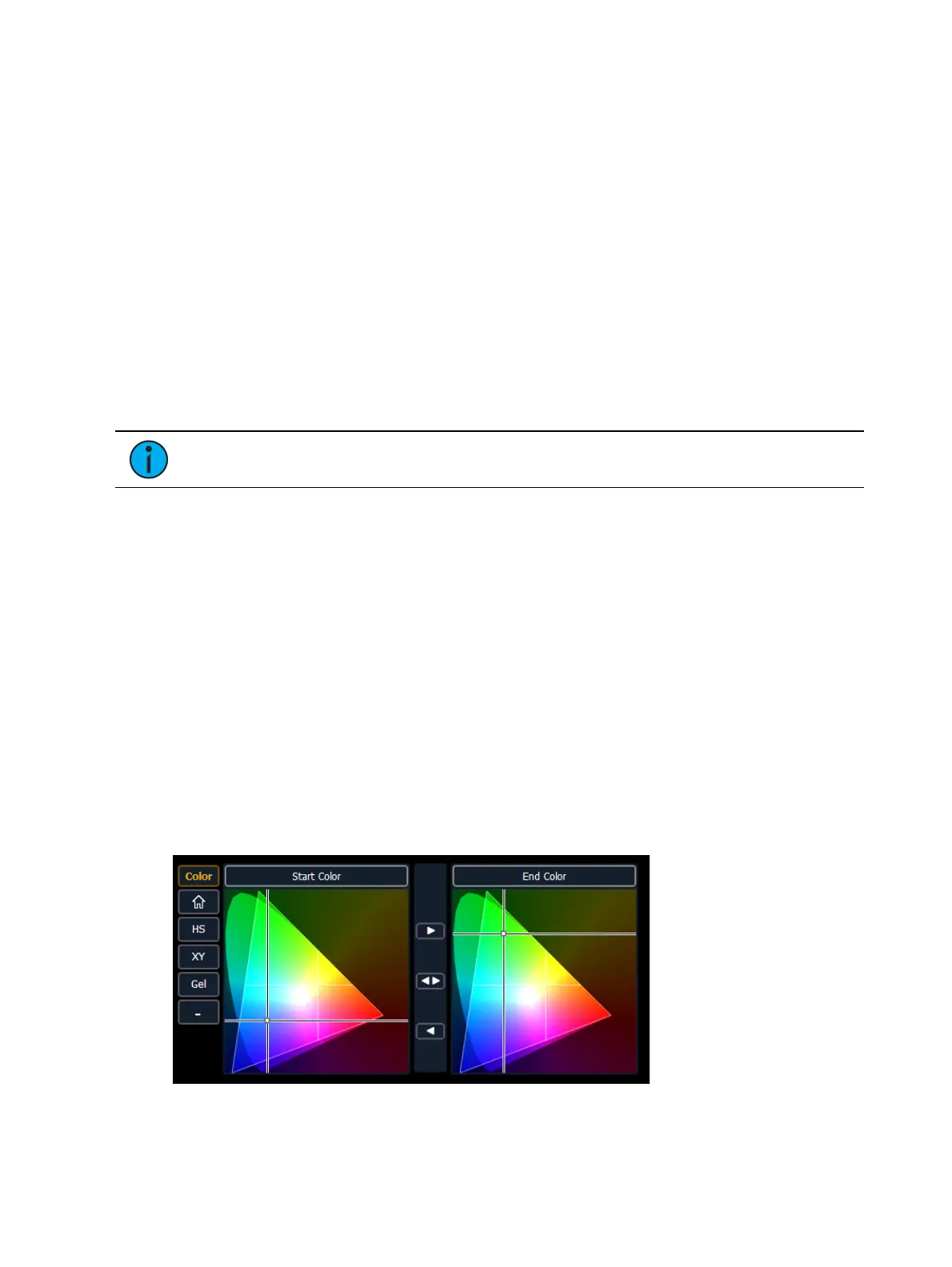
{Red}, {Green}, {Blue} or {Hue} and {Saturation} - specifies the start color. You can also use
the Start Color picker.
{Red 2}, {Blue 2}, and {Green 2} - specifies the end color. You can also use the End Color
picker.
{In Point 1} and {Out Point 1} - changes the distribution of the two colors in the gradient. In
Point 1 moves the start color position closer to the end color. Out Point 1 moves the end
color position closer to the start color.
{Playback Mode 1} - basic animation, forward or reverse.
{Playback Speed 1} - speed of animation.
{Layer Effect} - adjusts the number of repeats in the gradient. Layer Effect has a range of -
100% to 100%. At the home value of 0%, one full gradient is shown. Moving toward 0%,
you will see less of the gradient and moving toward 100%, you will see up to four
repetitions of the gradient.
Note: The button {Layer Effect 2} is for use with perlin noise effects.
Using Rainbow Gradients
For Rainbow Gradients, the colors cannot be adjusted. But the number of repeats can be
adjusted by using {Layer Effect}. {Playback Mode 1} and {Playback Speed 1} work in the same
way as for two color gradients.
Using Perlin Noise
For perlin noise effects, there are different options for control:
{Playback Mode 1} - basic animation of noise, forward or reverse.
{Playback Speed 1} - speed of animation.
{Layer Effect} - adjusts the amount of noise. -100% equals very little noise, and 100%
equals a lot of noise.
{Layer Effect 2} - adjusts the horizontal scrolling speed. -100% equals a fast left scroll, 0%
equals no scrolling, and 100% equals a fast right scroll.
Effects Color Pickers
The effect layers have a two color pickers for selecting the start and end colors.



 To Next Page