Patch 87
Note: You can open or merge patch data from other show files, see Partial Patch
Opening (on page72) and Partial Patch Merging (on page74) for more information.
A 1-to-1 patch can also be created from the Clear display. See
Clearing the Patch (on page115)
Patch Main Displays
To begin patching your show, you must first open the patch display. To open the patch display,
press [Patch] or press [Displays] and then {Patch}. [Tab] [1][2] can also be used to open Patch.
The patch display will open in the selected tab, and the CIA will display patch controls.
From within the patch display, you can open the Device List to use RDM to patch any RDM
compatible devices. For more information about Device List, see
Using Device List (on
page109)
.
For patching fixtures, there are two different patch modes: patch by channel and patch by
address. Element defaults to patch by channel mode. Pressing [Format] while in the Patch
display will toggle the mode between patch by channel and patch by address.
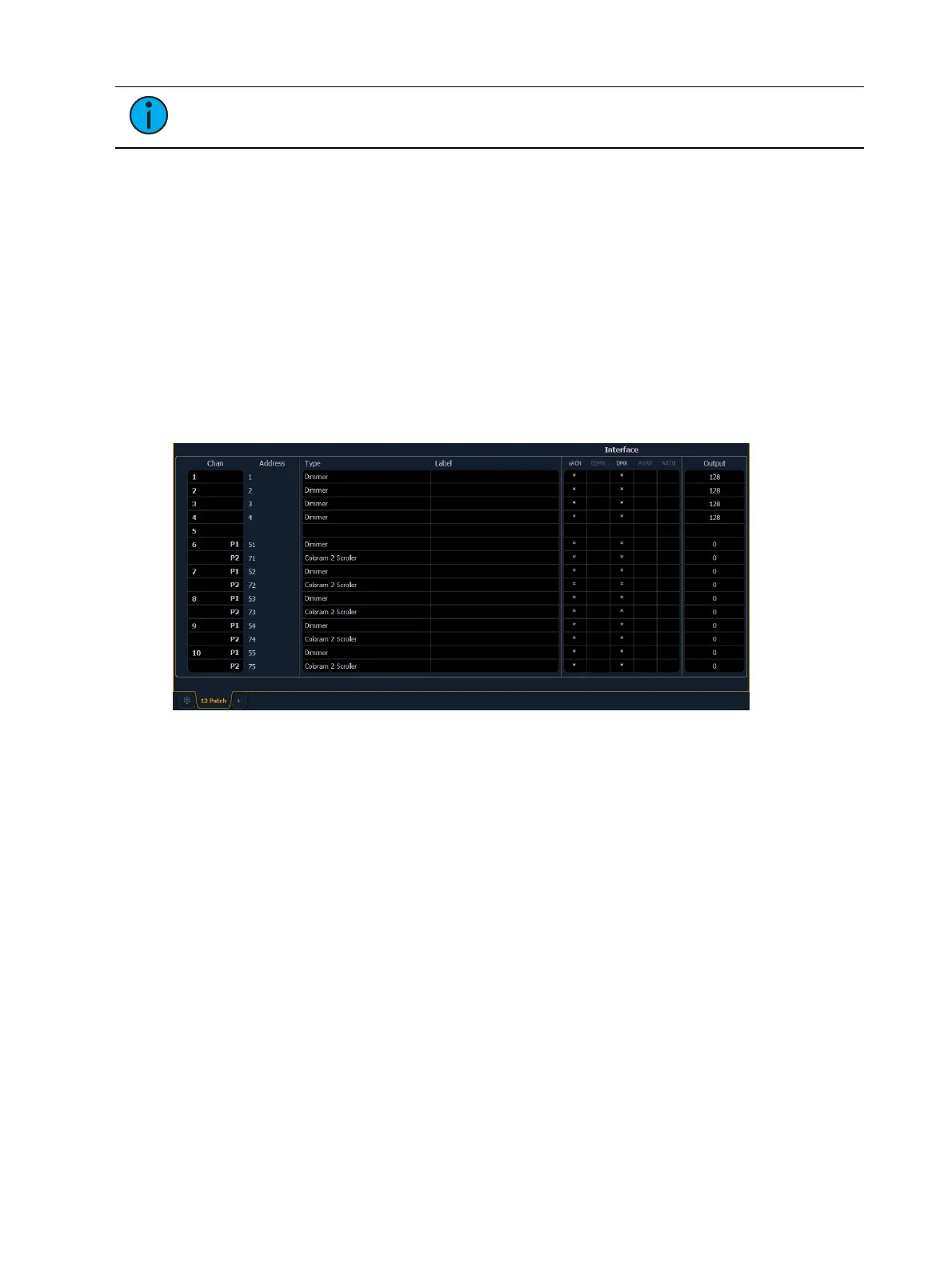
The patch screen will display the following information if available:
Channel - the patched channel number. In patch by address mode, channel will appear
blank if not currently patched.
Address - the patched output address. In patch by channel mode, address will appear
blank if not currently patched. Pressing [Data] toggles the display from showing address as
patched by the user, output address, and the port/offset. See
Using Output Address vs
Port/ Offset (on page89)
.
Type - device or dimmer type that is patched.
Label - displays the assigned label of the channel or address. See
Labeling (on page98)
.
Interface - displays which interfaces will be used for the device. See {Interface} in
{Patch}
Display and Settings (on page104)
.
Output - displays the current live intensity level. Value is displayed as 0 through 255, with
255 being full. 16 bit intensity values will display as 0 through 65535.
Status in the Patch Display
Status flags will display on the far left of the patch display to advise you when a channel or
address requires your attention.



 To Next Page