14 Eos Family v2.9.0 Operations Manual
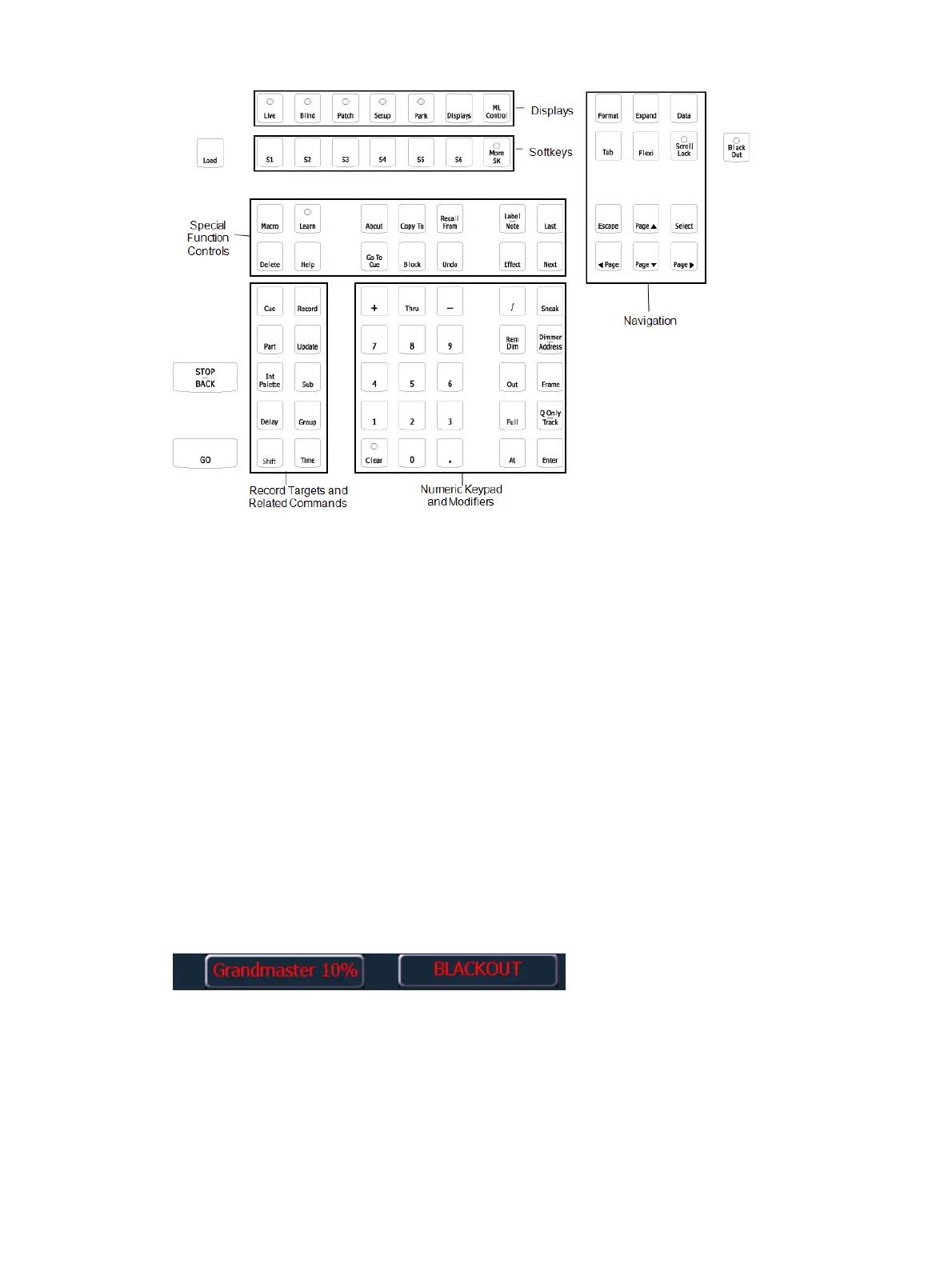
Navigation Keypad
Used for quick access to the Live and Blind displays, tab selection, location, paging and
navigation within displays.
Fader Control Buttons
The {Fader Control} softkey is used to access the fader control softkeys. Control softkeys
include: {Manual Override}, {Rate}, {Release}, {Off}, {Assert}, {Go to Cue 0}, {Stop Effect},
{Freeze}, {Filter}, and {Timing Disable}.
See
Playback Fader Controls (on page267)
for more information.
Grandmaster and Blackout
The grandmaster inhibits all live intensity values. If the grandmaster is set at 50%, all live
intensities will be at 50% of their actual values.
Blackout sets all lighting levels to zero.
If a grandmaster is set to a value other than 100%, a grandmaster button with the set value will
be shown at the top of each display. If blackout is currently on, a blackout button will be shown
at the top of the displays.
Clicking on either button will open a new display which will allow you to turn off blackout and
set the grandmaster to a different level.



 To Next Page