108 Eos Family v2.9.0 Operations Manual
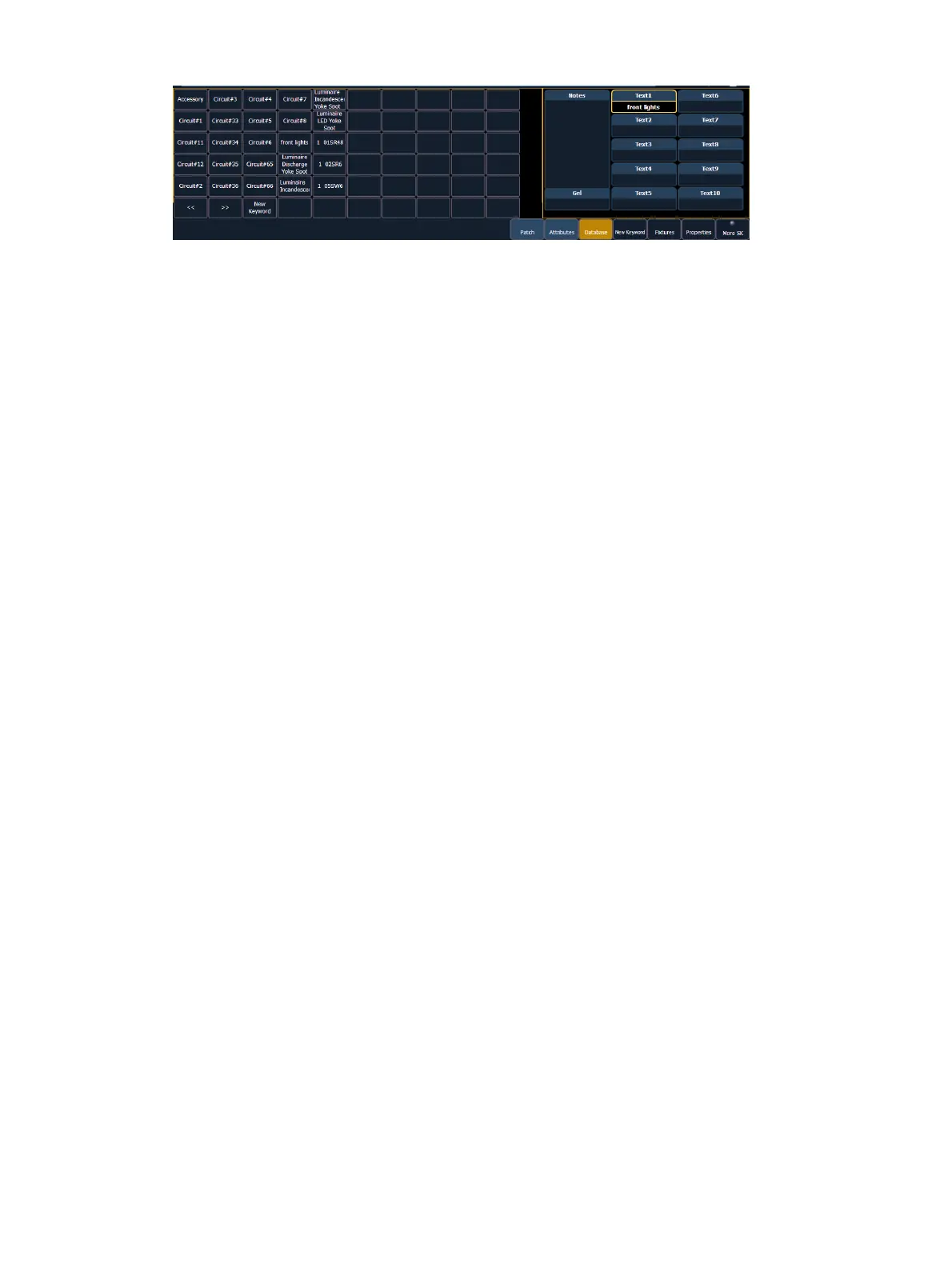
{Text} - Text fields are used to provide up to ten keywords about any channel or group of
channels. These fields can be anything that you think is important about a channel, such
as its location (FOH), an attribute of it (wash, spot) or other characteristics of the channel
(such as gel R80). You may use the virtual keyboard in the CIA, or an external keyboard,
to provide up to 30 characters of key words about the device.
[5] {Database} {Text 1} < FOH right> [Enter] - adds text to channel 5.
[5] {Database} {Text 2} [Label]downstage right [Enter] - adds text to channel 5.
{Notes} - Provides you the ability to attach a text note to a channel or group of channels.
Select the {Notes} button on the CIA to display the virtual keyboard. You may type a label
or any length of note regarding your channel in this space.
[5] {Database} {Notes} <this fixture is a backup to channel 15 for front of house right / new
lamp installed on 10/4/17> [Enter] - adds a note to channel 5.
{Gel} - The Gel field is a dedicated location for notes about gels.
Adding Keywords in Patch
If you plan on being able to query channels based on a keyword association, the keyword must
be defined in patch.
To enter a keyword for a channel:
1. In Patch >Database, select a channel or range of channels in the command line.
2. Touch one of the {Text (1-10)} touchbuttons in the CIA to specify which keyword you are
entering. A list of previously defined keywords will be posted. Select from these or press
{New Keyword}. A virtual alphanumeric keyboard will appear.
3. Type the keyword or words you wish to use.
4. When finished, press [Enter].
Once keywords have been created, they will appear in the keyword section of the CIA when a
query is performed. For more information on keyword queries see
Using {Query} (on page259)
.
Deleting Keywords from the Database
Keywords can be deleted from any of the ten text fields in the database. To delete a keyword
from the entire database, you would use the following syntax:
[Delete] {Text1} <orange> [Enter] [Enter]
This will delete orange anywhere it was used in any text field of any channel.
To just remove a keyword from a specific channel, you would use the following syntax:
[1] {Text1} [Enter]
That would remove the text from channel 1's first text field only. If you wanted to clear the
second text field, you would select {Text2} and so on.



 To Next Page