Advanced Manual Control 261
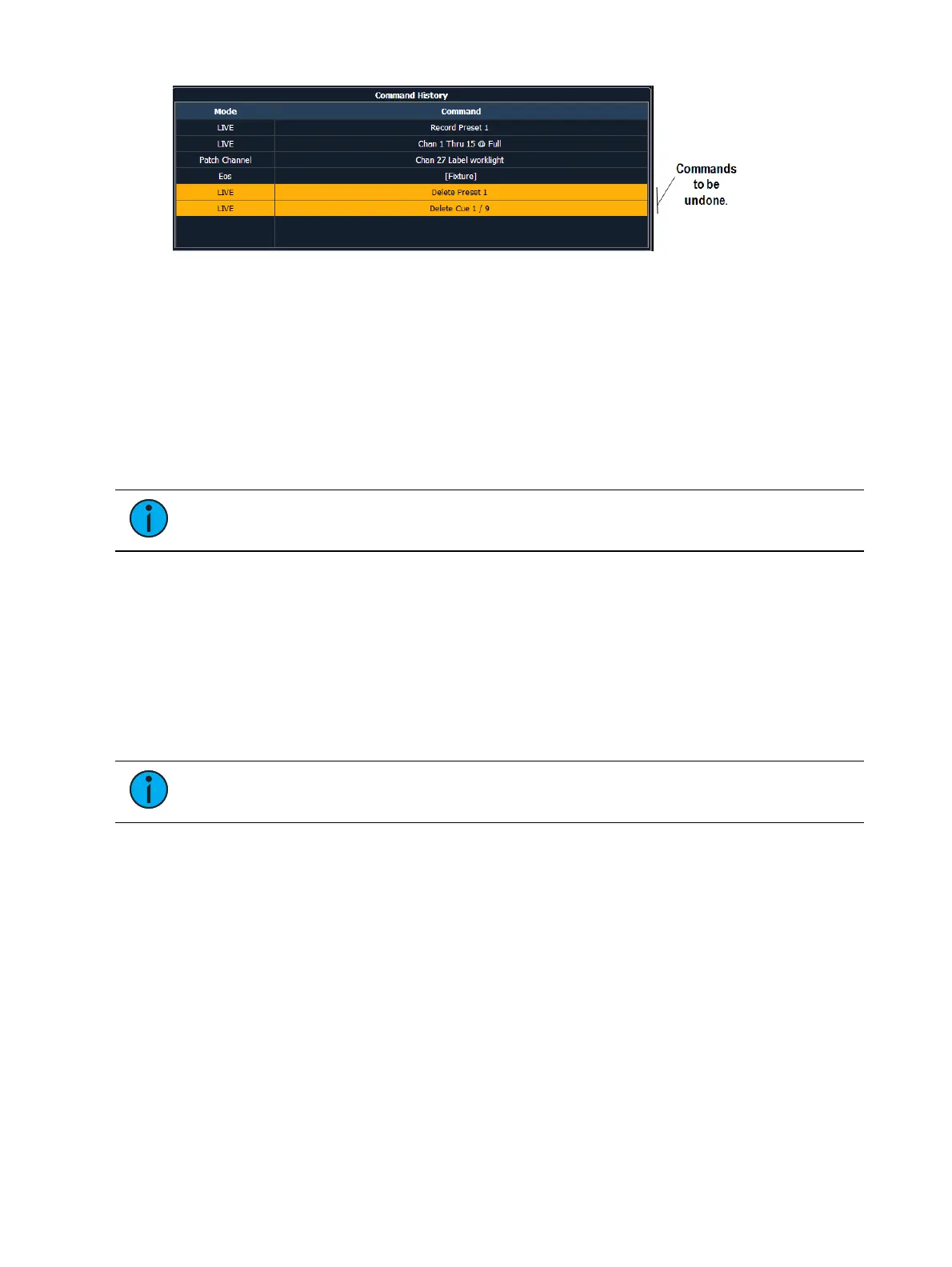
You may use the page arrow keys or a mouse to select multiple commands. When [Enter] is
pressed, an advisory is posted. When [Enter] is pressed again, all highlighted commands will be
undone and subsequently removed from the command history. When removing more than one
command, a confirmation is required.
After an Undo has been performed, a {Redo} button will appear in the command history. You
may press this button followed by [Enter] and the last undo will be “redone” to reinstate the
removed commands
In a multiple user environment, each user is only able to undo the changes that they made. In
the undo command history, the user will only see the commands that they used.
Note: Not all commands can be undone including playback actions and manual
attributes placed on channels or encoder actions.
Command History
Command histories are kept for each editing session, which begins when:
a console logs on to the network
a new show file is loaded
a show file is opened, merged, or imported
Each user builds an individual command history, specific to the commands they have entered.
You can open the command history at any time by pressing [Displays] <More Sk> {Cmd History}.
Note: Commands that do not affect manual input or record targets (loading a cue,
running a cue, or moving a submaster) are not included in the command history.
Pressing [Undo] [Undo] will scroll to the most recent undo-able command in the command
history display. To undo the command, press [Enter].



 To Next Page