324 Eos Family v2.9.0 Operations Manual
Next move
Value of the next move (preset, palette, or absolute data)
{Usage} displays information on how the channel is used, such as:
Maximum Intensity
Total number of cues it appears in (based on intensity)
Total number of intensity moves
List of submasters that include the channel
List of cues that have move instructions for the channel
List of cues with dark moves for the channel
List of cues that the channel is active in
List of groups that include the channel
Note: While in the {Usage} screen for About Channel, if another channel is selected,
you will need to hit the {Refresh Usage} button to see the information for the new
channel.
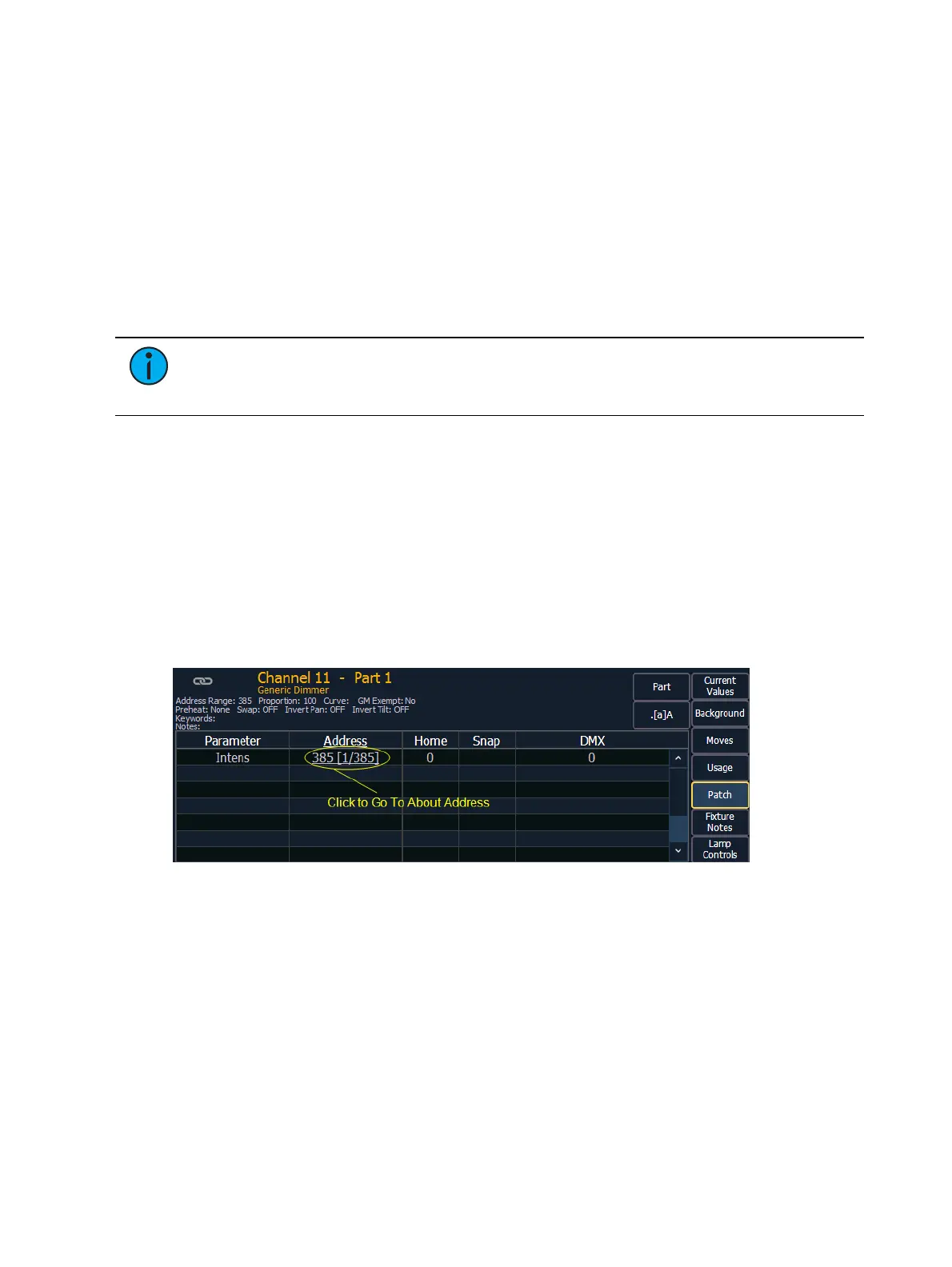
{Patch} displays the following information:
Address range
Proportional patch level
Curve (if any)
GM exempt
Preheat information (if any)
Swap/invert pan/tilt status
Keywords
Notes
List of all parameter values with their address, home value, snap parameter, DMX value,
and parked value (if any)
{Fixture Notes} displays information found in the fixture library such as:
Revision Number
Release Date
Alternate Names
Usage Notes
{Lamp Controls} displays controls for the lamp, available RDM commands, or other parameters
of the device (if it is a moving light).



 To Next Page