410 Eos Family v2.9.0 Operations Manual
{ETC Monitor Settings} - opens the properties window for the monitor. See
Calibrate ETC
Touchscreens (on page408)
Note: Only supported options will display. Monitor options may vary. While it is
possible to assign a resolution lower than the minimum (1280x1024), it is
recommended to be at 1280x1024 or higher.
Software Update
Software Update allows the installation of Eos Family Software and other ETC-approved
software (GCE and NCE). Updating Eos Family Software does not affect or update the software
in any other networked device such as a Net3 Gateway.
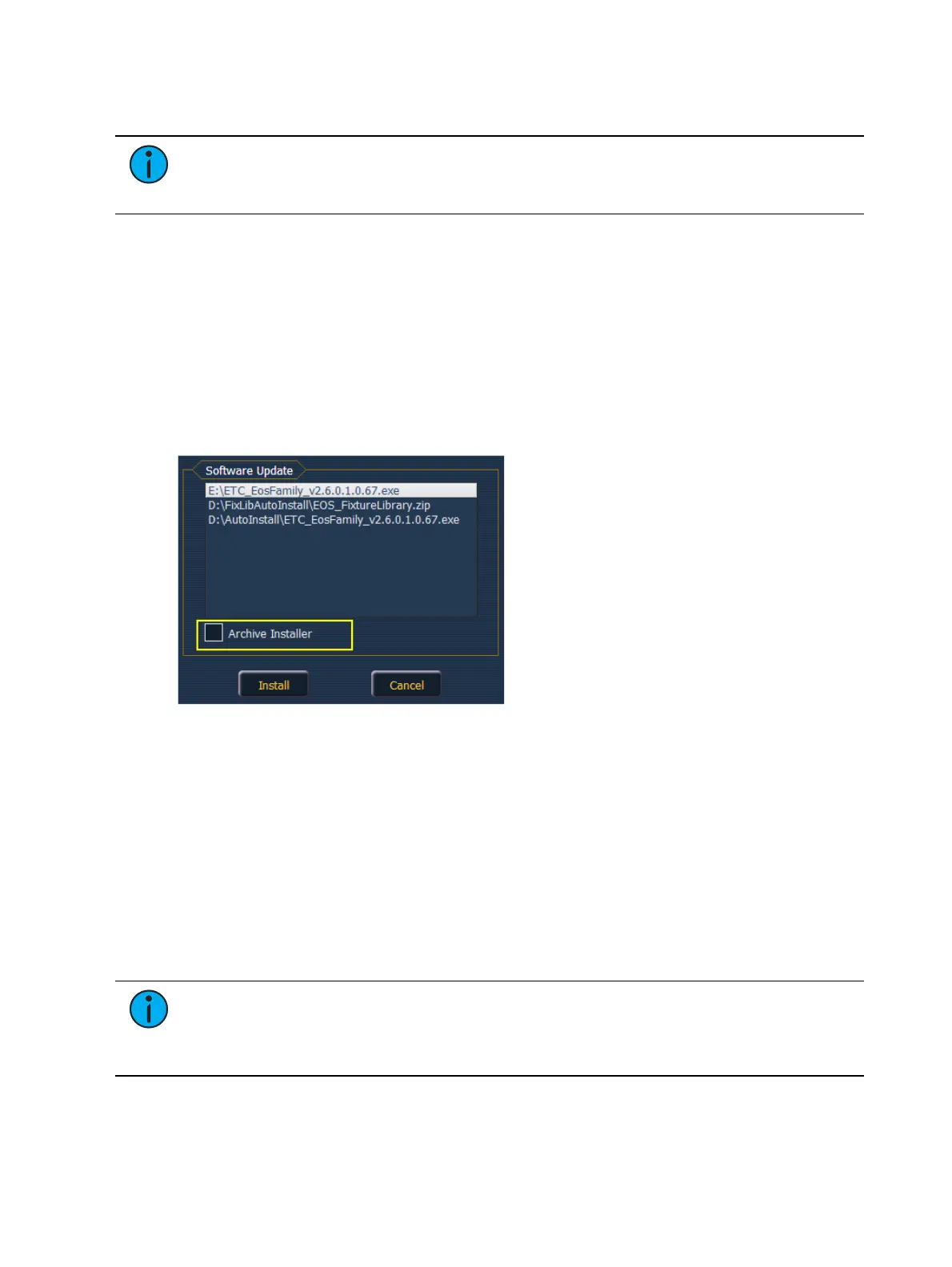
When you click on {Software Update}, the desk looks at the root directory of any connected USB
drive for an Eos Family desk software update file. You will be shown the names of any updater
files found on the drive. Select the file you would like to install and click the {Install} button, or
click {Cancel}. The software will first save to the hard drive before opening the installer.
You will also receive a message if no software update file can be found.
Installer Archive
Element has an installer archive, which saves selected installers directly onto the console's local
hard drive. You can save multiple software versions onto your console's hard drive in case you
wish to downgrade.
While installing the software, you can archive the installer used. Check the Archive Installer box
for the selected version, and it will archive while installing the software. If you would like to
archive installers without installing their software, you can do that by using the File Manager
utility in ECU>Settings>Maintenance.
You can also retrieve these versions from the archive to save them to a USB drive by using the
File Manager.
Note: On new consoles, some versions are preselected to be archived when it initially
ships from ETC. This includes the version of software that is currently installed from the
factory as well as any patches to that version (if available). For future release, you will
need to download the Eos Family software from the ETC website, etcconnect.com.
Fixture Library Updates
{Software Update} also recognizes .zip files provided by ETC, which contain fixture library files.



 To Next Page