Show Control 435
Event - is the event number, used to select or create a specific event from the command
line. Can also use [Next]/[Last] to select/navigate through the events.
Note: The event number is not fixed, it is just provided as a way to select an event.
For example, in time code lists, the events are always chronological. The event number
will change to match the chronology.
Time/Address - used to specify the conditions when the event should trigger the action.
This could be time code, time of day, sACN levels, MIDI input, string input, OSC input, or
an address used for analog inputs.
Note: Time can be assigned to a list of events by using a range.
{Event}[1] [Thru] [1][0] [Time] [1] [Thru] [1] [0] [Enter]
Date- used to specify when the event should trigger the action, used only for RTC. See
Real Time Clock (RTC)
.
Action - is what the event is going to trigger; can be a cue, submaster, macro, or level by
address,which sets the parameter at the assigned address to the incoming level manually .
{Event} [1] [/] [1] {Action} {Level By Address} [2] [/] [1] [Enter]
Label - names a specific event.
Event List
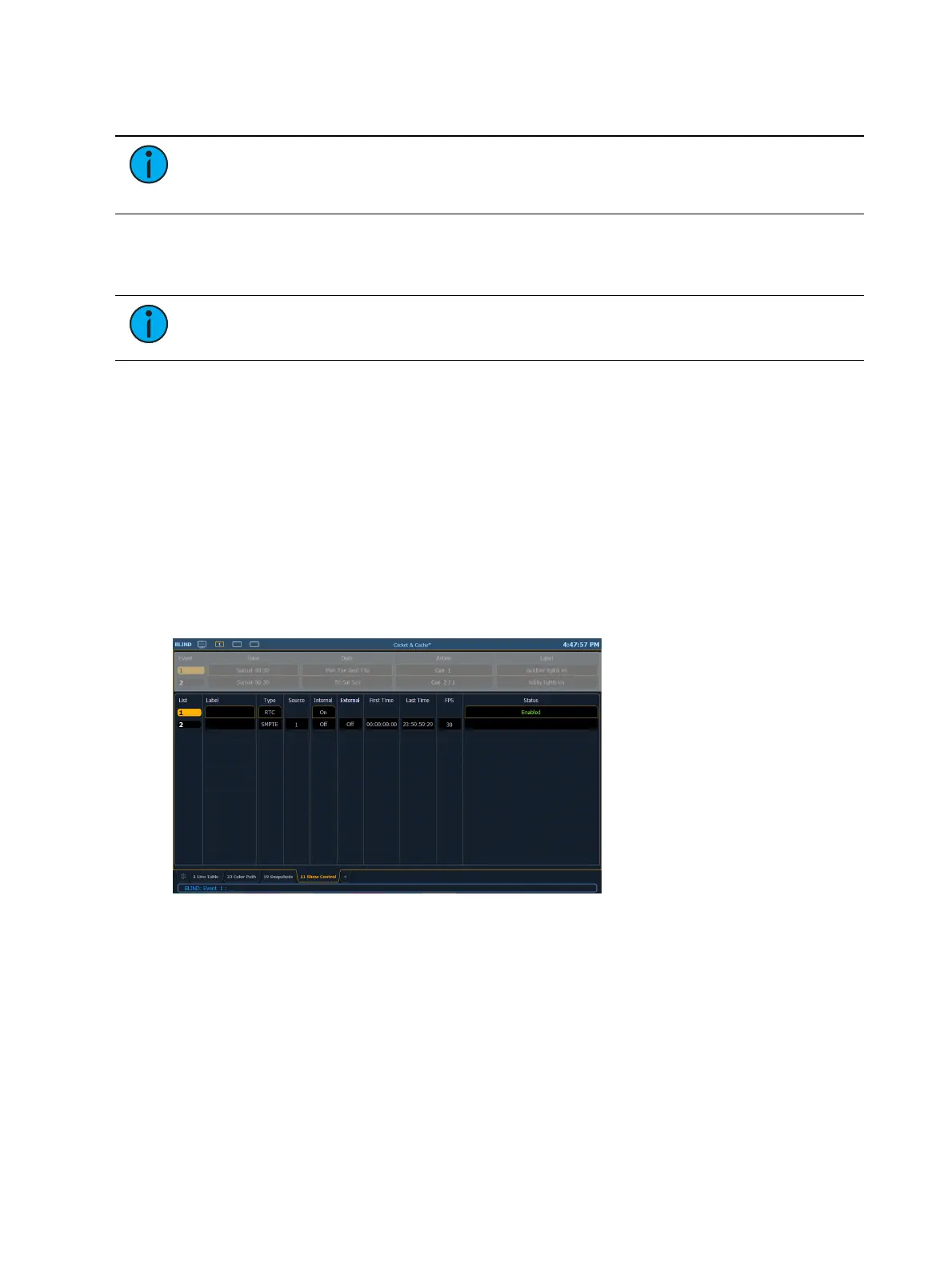
The lower portion of the show control display contains the event lists used in the console. Events
are contained within a specific event list (like cues within a cue list). Each event list has a
specific show control protocol type that it uses: MIDI, SMPTE, Analog, or RTC. Getting started
with an event list is the same regardless of which show control protocol you are using.
Softkeys are available for the various event list options:
List - is the event list number.
<Event> [1][/][Enter] - creates event list 1.
Label - names the event list.
Type - sets which type of show control protocol to use; MTC, SMPTE, Analog, Network, or
RTC. Only one protocol can be used at a time per list.
Source - should match the Group ID used in the connected Net3 Show Control, I/O
Gateway, or the built-in ports (when available).
Internal - enables the list to use internal timing sources. See
Internal vs. External Time
.
External - enables the list to use external timing sources. See
Internal vs. External Time
.



 To Next Page