68 Eos Family v2.9.0 Operations Manual
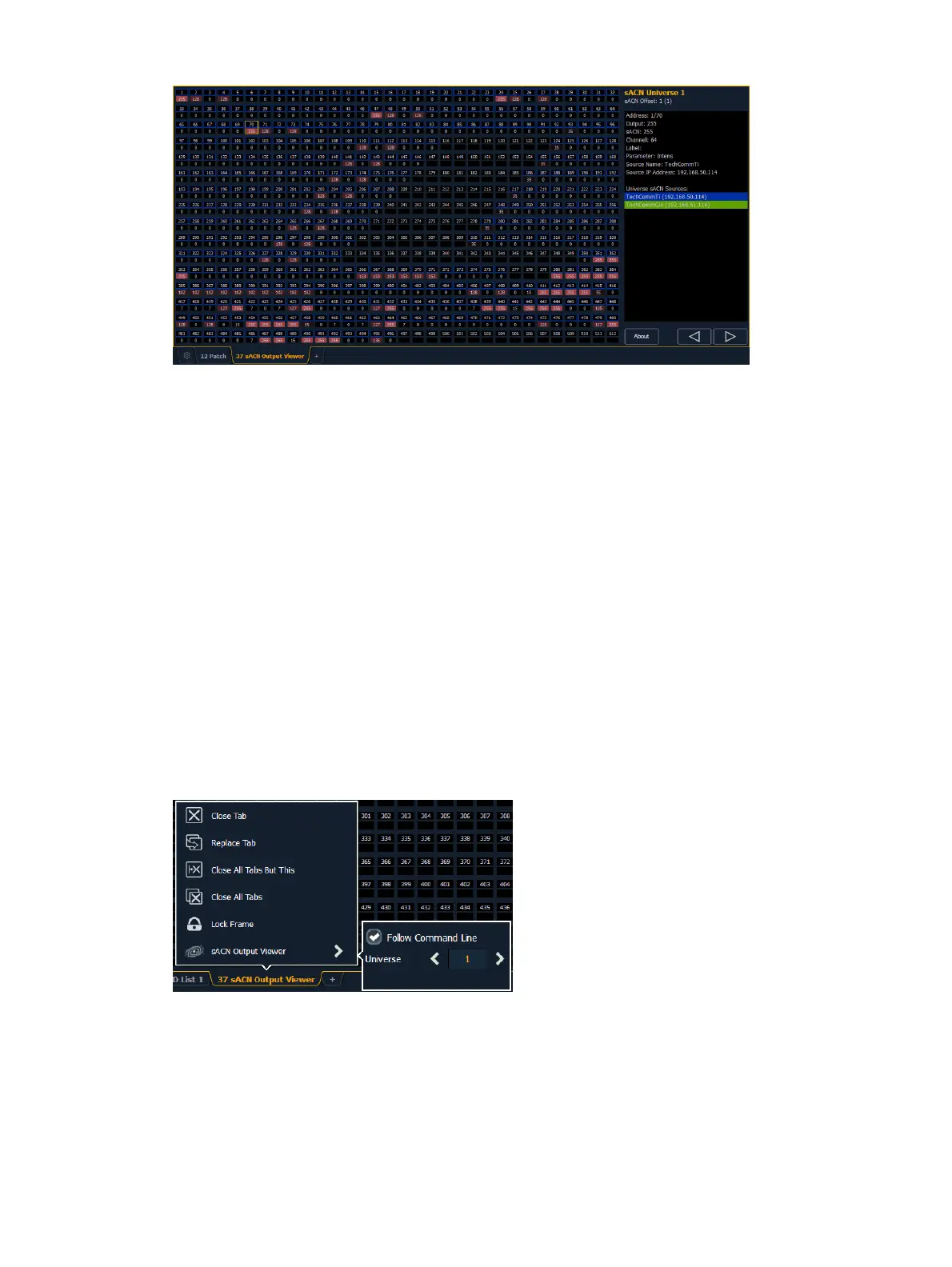
The left side of the viewer is the universe grid. It displays 512 address cells. Cells outlined in a
color are currently patched addresses. Each patched cell contains an address number and output
value. Unpatched cells are black and only have an address level.
Output values are 0 through 255. 0 is displayed in black and 255 is in bright red. The red output
value color will grow brighter as the output value increases.
If there is a channel or address selection on the command line, the appropriate address cell will
be outlined in gold. You can also press on a cell to select it but it will not post to the command
line. Information about the selected address will display to the right of the grid.
Any available sACN sources will be displayed in the right panel, and are color coded. The
address cells will use that same color coding to indicate the device it is patched to.
Press {About} to open the About Address display in the CIA.
Press the {t} or {u} buttons to scroll through the available universes.
Configuration Menu
The output viewer has a configuration menu, which is accessed by first selecting the viewer tab
and then double clicking on the tab to open the menu. With the output viewer selected, you can
also select the gear icon, which is located by the tabs, to open the configuration menu.
The following options are available in this configuration menu:
{Follow Command Line} - when enabled, the viewer will follow the command line for
selecting addresses. This is enabled by default.
Universe - you can select which universe to jump the viewer to.



 To Next Page