Managing Show Files 71
Select the specific show file
Navigate within the specified storage location and select the show file you wish to open,
press [Select].
If the selected show has multiple time stamps and you wish to load an older version,
navigate to the desired revision and press [Select].
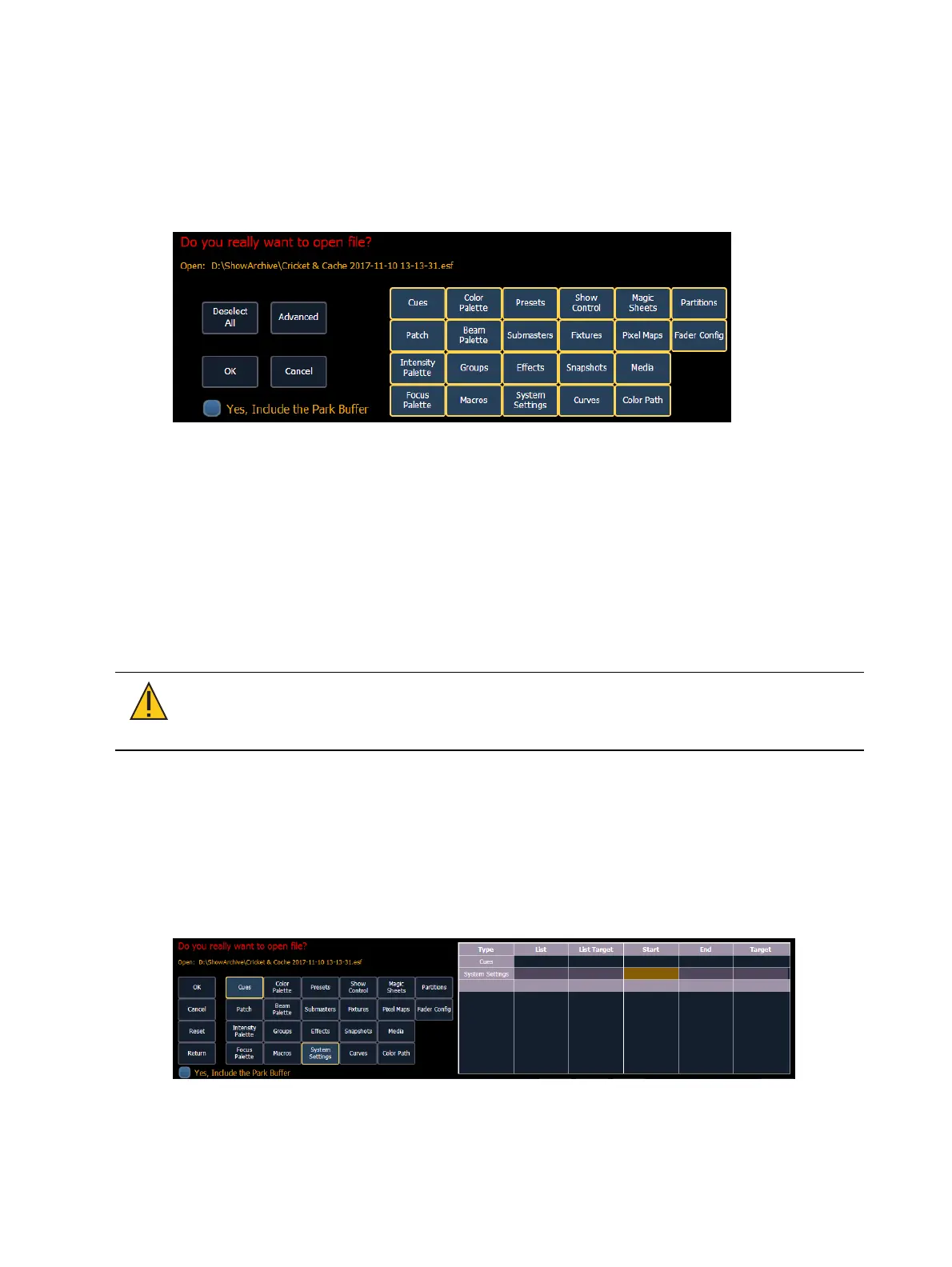
This will open the partial show loading screen in the CIA.
From this screen you can select which components of the show file you wish to load. The buttons
at the center of the CIA represent all of the show components that you can choose to load. By
default all components are selected (gray) and will be loaded. To withhold any show
components from loading, simply deselect them in the CIA by touching the respective button.
To reselect all show components, press the {Reset} button and all buttons will return to gray
(selected). To stop the show load process, press the {Cancel} button.
When you have selected/deselected all of the show components you require, press the {OK}
button.
Element loads the selected show to the console.
CAUTION: On a partial show open, if any record targets are not opened, any
existing data of that type will be cleared from the console.To merge show data, merge
should be used. See Merging Show Files (on page73)
Selective Partial Show Opening
If you select the {Advanced} button in the partial show opening screen, you will have the
opportunity to load partial components from the show file and be able to specify the desired
location of those partial components in the new show file.
For example, you could specify only cues 5-10 and load them as cues 20-25 in the new show.
You could also specify only specific palettes, presets, effects, and so on. To see the complete list
of show components, press the {Advanced} key in the partial show loading screen.



 To Next Page