Programming manual.
CNC 8070
PATH CONTROL.
8.
Circular interpolation (G02/G03).
·149·
(REF: 1709)
8.3.2 Cartesian coordinates (arc radius programming).
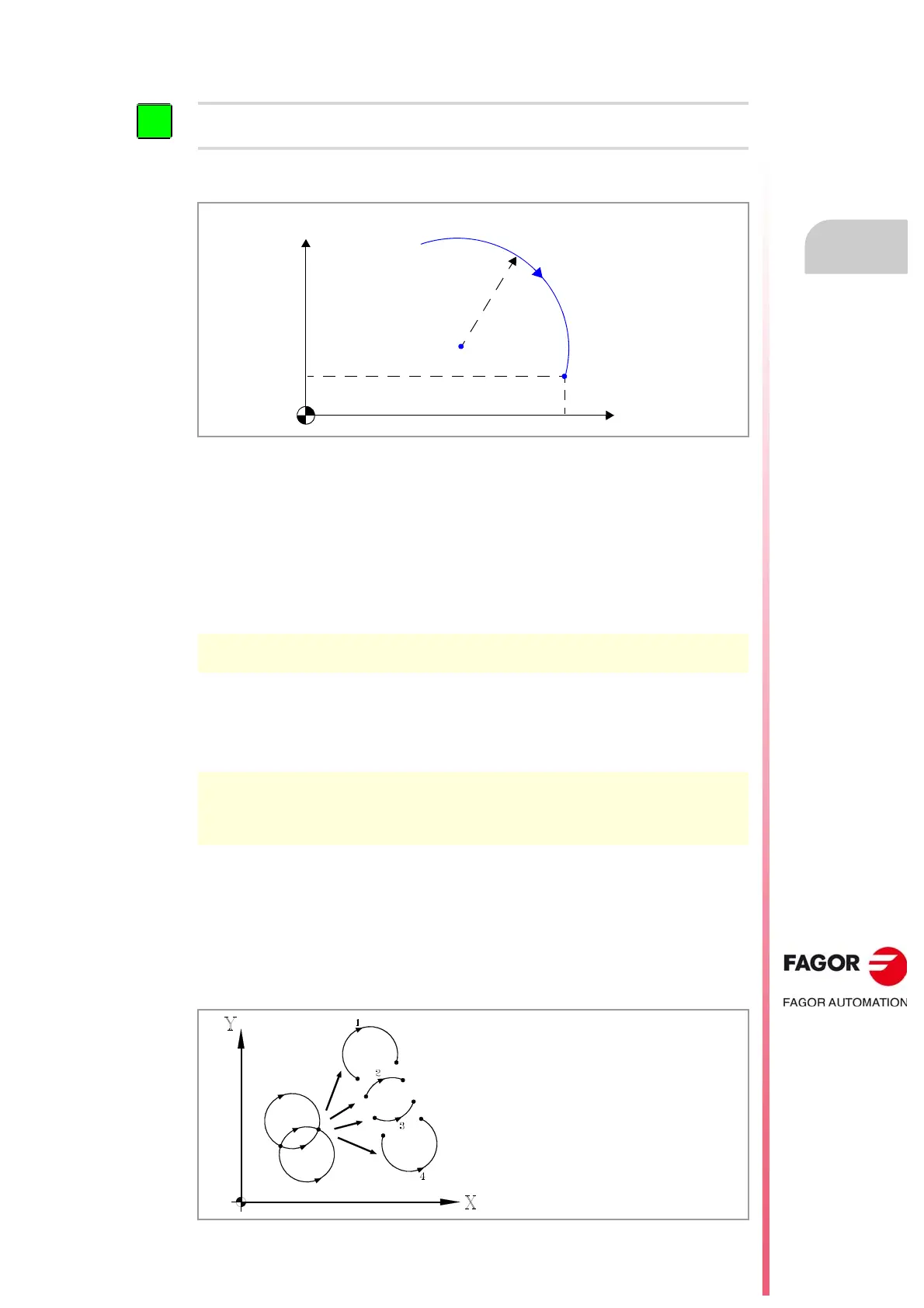
The arc is defined by programming function G02 or G03 followed by the coordinates of the
arc's end point and its radius.
Programming format.
The programming format is the following; the arguments appear between curly brackets and
the optional ones, between angle brackets.
G02/G03 X..C{end_point} <R{radius}>
End point of the arc.
The end point is defined with its coordinates along the axes of the active work plane and may
be given in either absolute (G90) or incremental (G91) coordinates.
Arc radius.
The arc radius is defined using the letter "R". If the arc is smaller than 180º, the radius will
be programmed with a positive sign and with a negative sign if it is greater than 180º. This
way and depending on the selected circular interpolation (G02 or G03), the desired arc will
be defined. The radius value stays active until a new value is assigned or an arc is
programmed using the center coordinates or a movement is programmed in polar
coordinates.
When programming an arc using the radius, it is not possible to program full circles because there are
infinite solutions.
X..C{end_point} End point of the arc.
Units: Millimeters, inches or degrees.
R{radius} Optional. Radius of the arc.
Units: mm or inches.
G02 X50 Y0 R25
G02 X50 Y0 R-25
The programming format depends on the active work plane.
G17 (XY plane) G02/G03 X... Y... R...
G18 (ZX plane) G02/G03 X... Z... R...
G19 (YZ plane) G02/G03 R... Z... R...
Arc 1
G02 X... Y... R-...
Arc 2
G02 X... Y... R+...
Arc 3
G03 X... Y... R+...
Arc 4
G03 X... Y... R-...



 To Next Page