Pub. 42004-550C
Elemec3 Console Manual—Version 3 Page 93 of 109
P:\Standard IOMs - Current Release\42004 Instr. Manuals\42004-550C.docx
07/21
Select a Station—Select stations from the station view list (see the Find Station and Station List Utility
section). The configuration properties for the station appear in the STATION VIEW pane after selecting a
station.
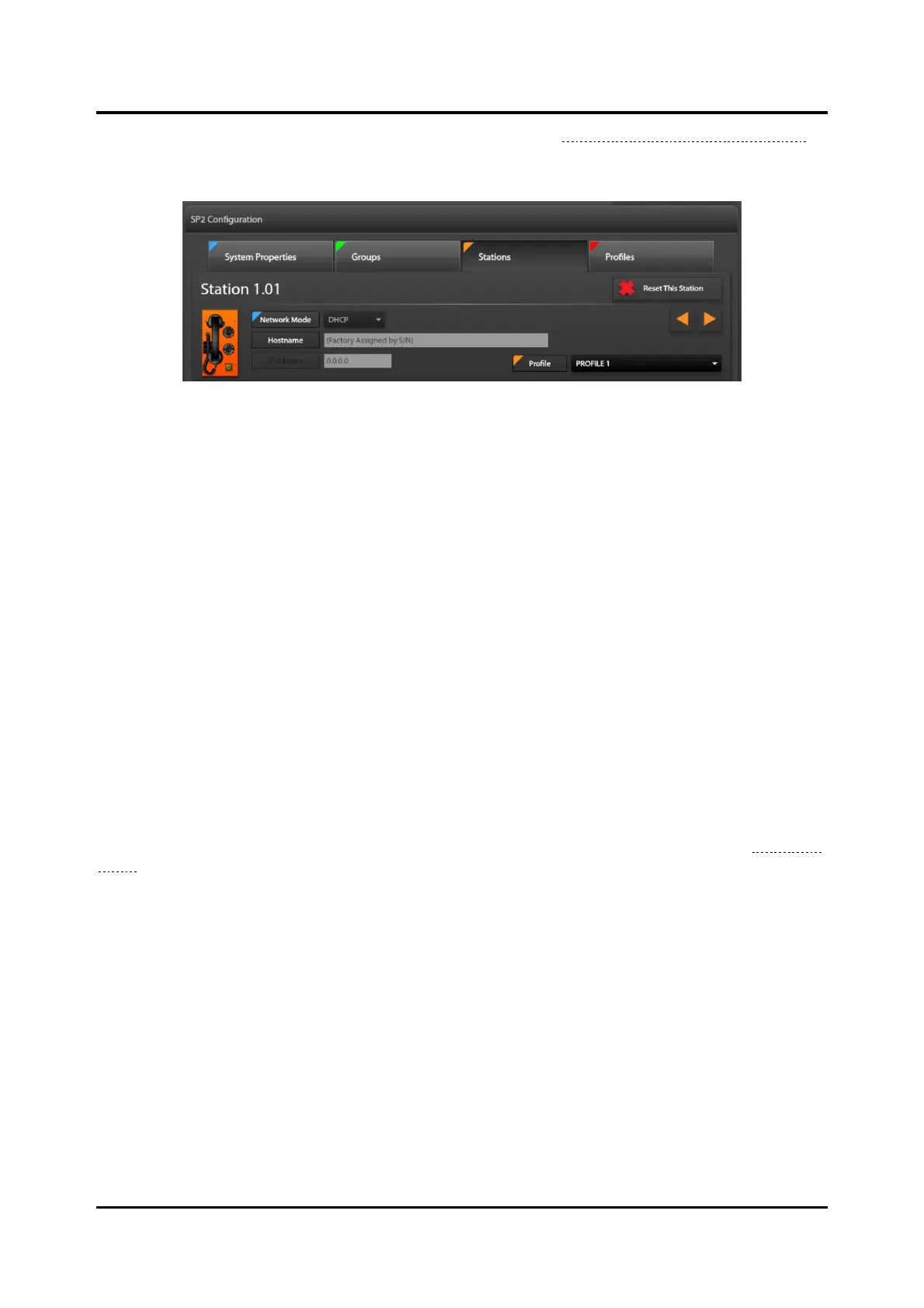
Figure 106. Station Shown in Station View Pane on the Stations Screen
Station 1.01—The currently selected station address appears at the top of the STATION VIEW pane.
Reset This Station—removes all changes to the station’s parameters. This is an undo action for all
parameters modified in all parameter groups for the station.
Network Mode—designates the current mode this station uses to obtain its IP address.
◄ ►—cycle through the SP2 stations that have identifiers in the system. This allows browsing to a
different station’s settings without having to use the station list utility.
Hostname— this station’s name on the IP network. The E3 Console assigns the factory assigned
serial number for the hostname.
IP Address—currently grayed out because the network mode for this station is DHCP. Change the
NETWORK MODE parameter to unlock this field, enabling entry of a valid IP address.
Profile—allows additional parameter changes to this station by assigning settings in a profile to the
station. The flag button is orange, indicating the setting is set at the [STATION] level in the
hierarchy. Configure profiles on the MANAGE PROFILES screen, in the next section.
Collapsed Parameter Panes—Collapsed parameter panes display below the station information pane.
Click the expand arrow to open the group containing the parameter(s) for modification (see the Parameter
Panes section).



 To Next Page