Pub. 42004-550C
Elemec3 Console Manual—Version 3 Page 66 of 109
P:\Standard IOMs - Current Release\42004 Instr. Manuals\42004-550C.docx
07/21
Insert Required?—the AUX interface requires an insert.
Enable inserts on the GLOBALS pane from the SYSTEM PROPERTIES screen any of the enabled audio
input sources use them (see Sources Enabled section).
Allow Attenuation ?—applies attenuation to the input. (Configure the attenuation setting on the Global
Settings pane on the SYSTEM PROPERTIES screen.)
Event (Aux #1 only)—event initiated by the Aux #1 PTT contact.
Volume Level—the Aux input’s gain.
Max Duration—maximum duration of an auxiliary input broadcast.
Start Trim—recording delay at the beginning of a record/playback event (seconds).
Stop Trim—amount of playback audio to remove at the end of the playback (seconds).
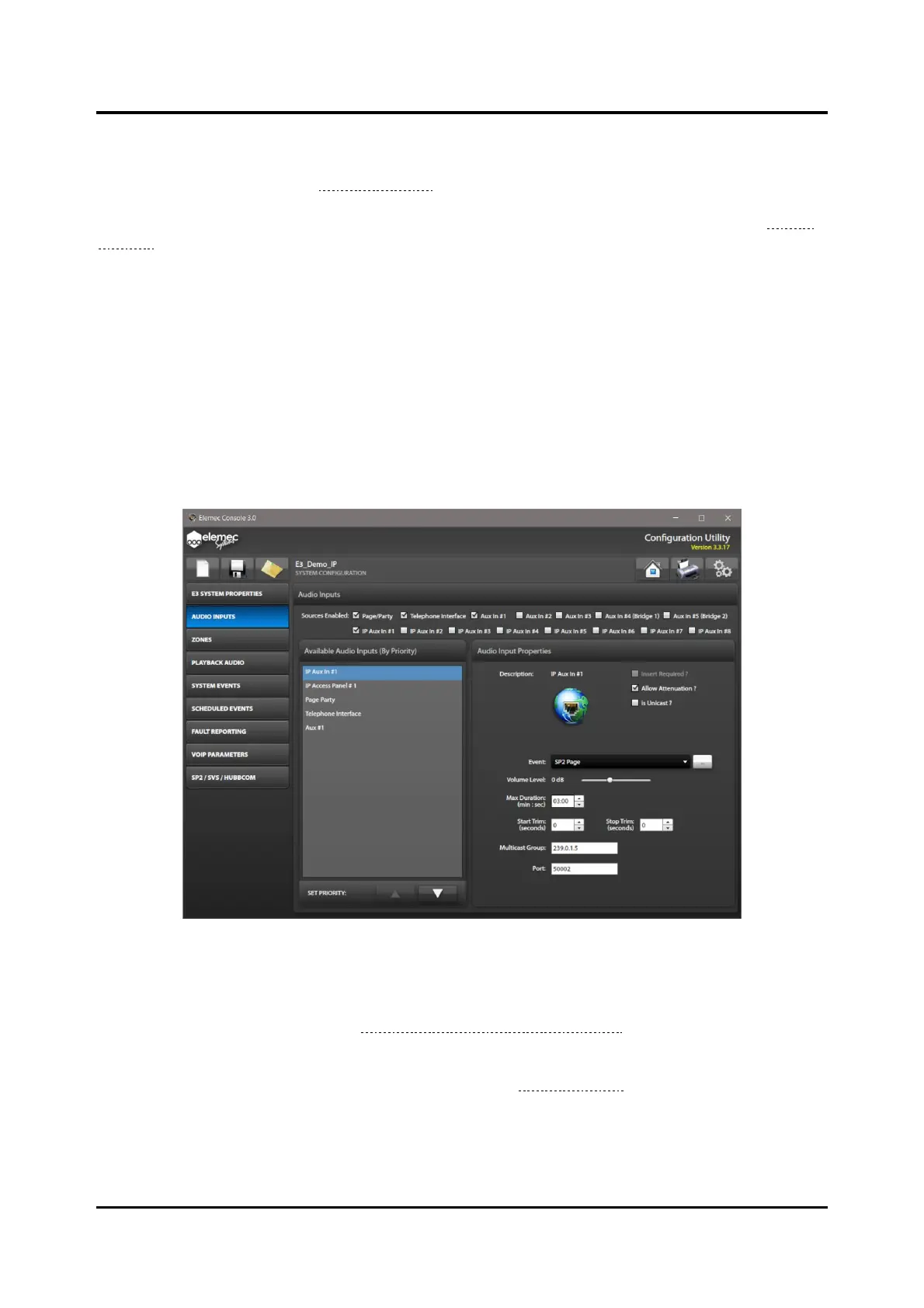
IP Aux #1–8 Audio Input Properties
Figure 73. Configuring Audio Inputs
Insert Required?—the input requires an insert.
Enable inserts on the GLOBALS pane from the SYSTEM PROPERTIES screen if any of the enabled
audio input sources use them (see Insert 1 Enabled? & Insert 2 Enabled?).
Allow Attenuation?—The system can attenuate the input. Configure the attenuation setting on the
GLOBALS pane on the SYSTEM PROPERTIES screen (see the Global Settings section).
Is Unicast—an IP auxiliary input that is a source only endpoint.
Event—event to initiate by the input when audio is detected.



 To Next Page