Pub. 42004-550C
Elemec3 Console Manual—Version 3 Page 61 of 109
P:\Standard IOMs - Current Release\42004 Instr. Manuals\42004-550C.docx
07/21
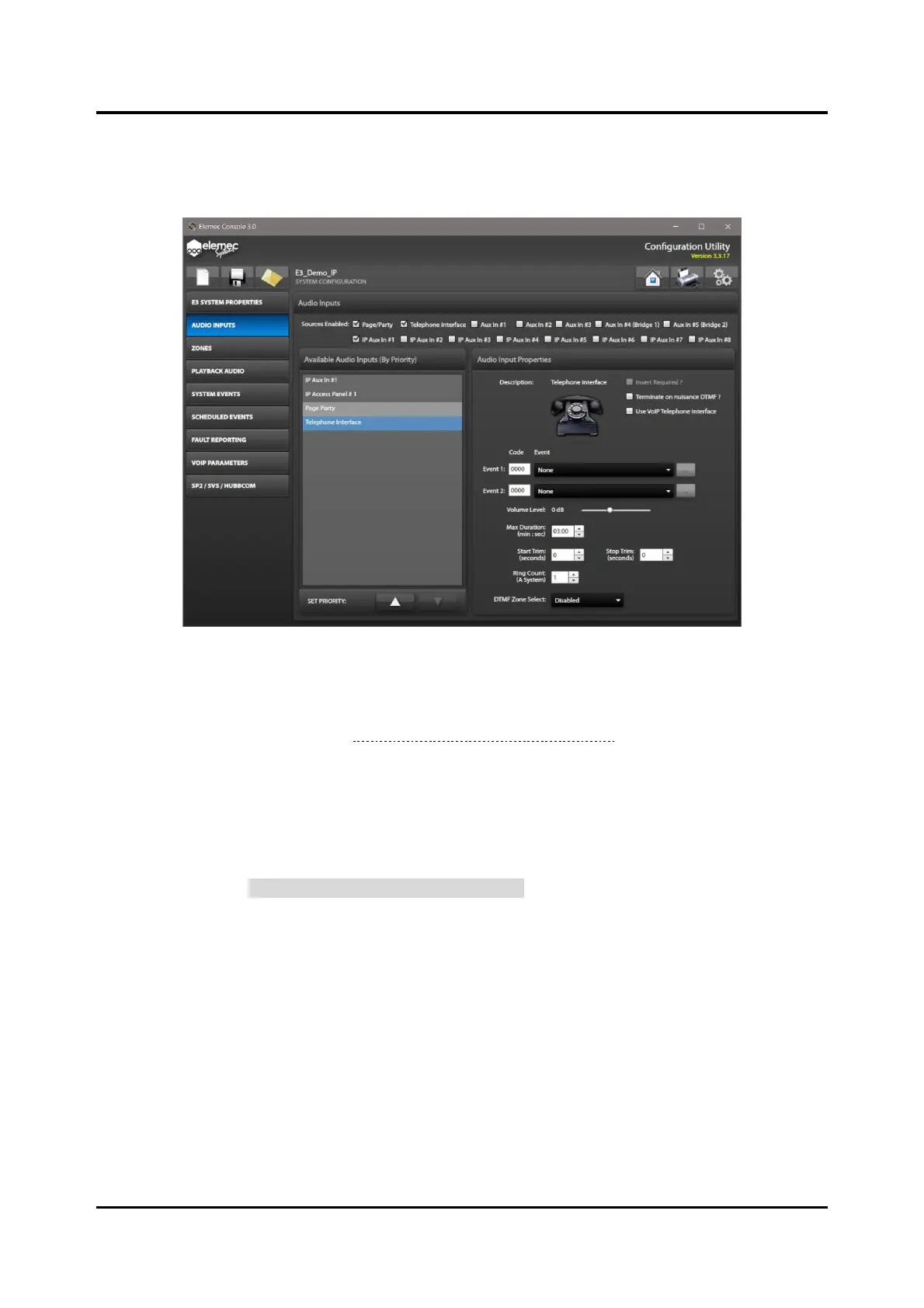
Telephone Interface Audio Input Properties
Select the TELEPHONE INTERFACE checkbox from the SOURCES ENABLED to configure the telephone
interface audio input properties.
Figure 68. Telephone Interface Audio Input Properties
Insert Required?—Select the checkbox if the telephone interface requires an insert.
Enable inserts on the GLOBALS pane from the SYSTEM PROPERTIES screen to use them on any of the
enabled audio input sources (see Insert 1 Enabled? & Insert 2 Enabled?).
Terminate on Nuisance DTMF?—terminate calls when the controller receives nuisance DTMF
commands. (The definition of nuisance DTMF commands is three consecutive DTMF digits while
broadcasting or recording audio.)
Use VoIP Telephone Interface?—the E3 controller uses the VoIP telephone interface instead of an
analog PSTN connection for all telephony functions. (This removes the Ring Count: (A System) property
and replaces it with a VOIP TELEPHONE INTERFACE PROPERTIES button discussed below.)
Event 1/Event 2 Code & Event—the DTMF code to trigger events one and two.
• If either event has a DTMF code specified, the system prompts the caller and provides up to three
seconds for the caller to begin entering the a DTMF code. If both events have a DTMF code
specified, the call terminates after three seconds if the caller enters neither code.
• If event one has a DTMF Code of 0000 and event two has a non-zero DTMF code, the caller must
enter event two’s code within 3 seconds or the system automatically selects event one. If both events
have a DTMF Code of 0000, the system selects event one immediately on call answer.
• If event one has a non-zero DTMF code, event two must have a non-zero DTMF code for the system
to use it. The system never selects event two automatically.



 To Next Page