Pub. 42004-550C
Elemec3 Console Manual—Version 3 Page 56 of 109
P:\Standard IOMs - Current Release\42004 Instr. Manuals\42004-550C.docx
07/21
Coil Address—Modbus coil address assigned to the output. Valid coil addresses are 00000–65535.
Description—a unique description of the output function (i.e. red beacon activation, open entry gate, etc.)
Mode:
• Disabled—output is not used.
• Normally ON—outputs data value is (FF00) ON when the event is inactive. It changes to (0000)
OFF when the event is active.
• Normally OFF—The outputs data value is (0000) OFF when the event is inactive. It changes to
(FF00) ON when the event is active.
Follow Audio—assuming the event is a playback type, the Modbus logical output will change from its
normal ON/OFF state only while the playback audio is broadcasting.
1. Click the ADD OUTPUT button to add a new logical output (Modbus coil).
2. Configure the COIL ADDRESS, DESCRIPTION, MODE, and FOLLOW AUDIO? properties for the output.
3. Click REMOVE to delete the selected output from the list.
4. Click CLOSE to return to the MODBUS SUMMARY screen.
NOTE: To obtain output status, the Modbus client requests function code 01 (read single coil) for each
coil address.
NOTE: Returned data values are FF00 (hexadecimal) = ON, 0000 (hexadecimal) = OFF.
External Modbus TCP Devices
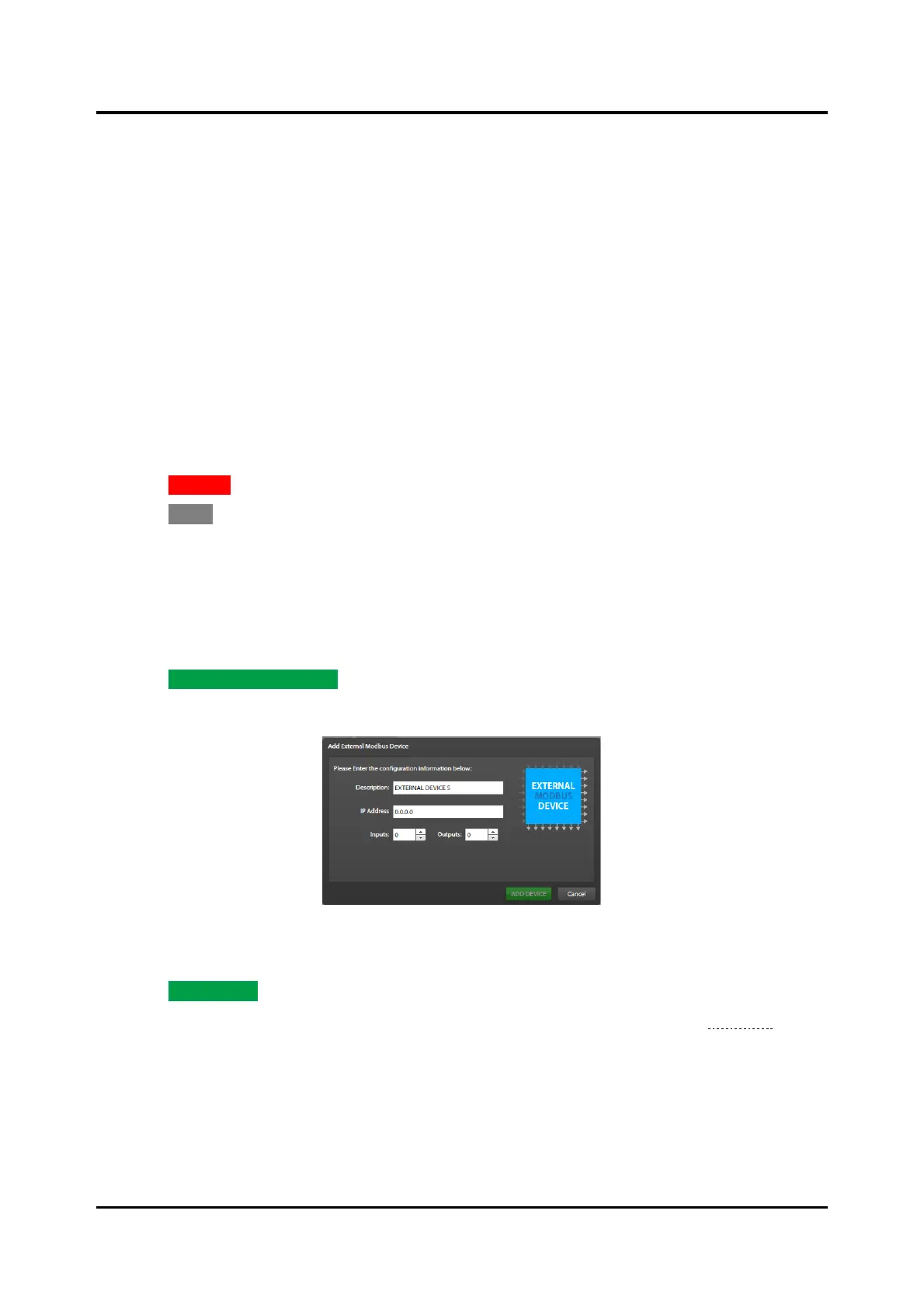
1. Click ADD EXTERNAL DEVICE to add external Modbus TCP server device modules.
The ADD EXTERNAL MODBUS DEVICE dialog box opens:
Figure 63. Add External Modbus Device
2. Enter the description, IP address or hostname, and the number of inputs and outputs required.
3. Click ADD DEVICE to add the Modbus device to the system.
The EXTERNAL MODBUS DEVICE PROPERTIES screen opens to the INPUTS tab (see Figure 64).
Description—device description in the E3 system.
IP Address—IP Address of the external TCP Modbus device.
Port—TCP port number for the Modbus protocol. Default: 502
Fault Mode—IGNORE, NORMAL, *URGENT*



 To Next Page